Join us at FabCon Atlanta from March 16 - 20, 2026, for the ultimate Fabric, Power BI, AI and SQL community-led event. Save $200 with code FABCOMM.
Register now!The Power BI Data Visualization World Championships is back! Get ahead of the game and start preparing now! Learn more
Hopefully this can be resolved fine. Have a matrix, I need to format totals but only for the ROW total, not a column total. I have the formatting working fine, but it is also formatting column totals. What I have is time by employee by department by day, for a given week. Well I need to format the EMPLOYEE row total, not the Weekday Total for Department. Thanks in advance!
Solved! Go to Solution.
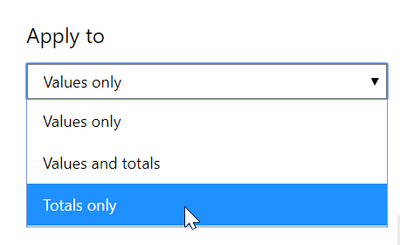
Unfortunately, you can only apply conditional formatting to values, totals, or both. You cannot pick which totals.
DAX is for Analysis. Power Query is for Data Modeling
Proud to be a Super User!
MCSA: BI ReportingUnfortunately, you can only apply conditional formatting to values, totals, or both. You cannot pick which totals.
DAX is for Analysis. Power Query is for Data Modeling
Proud to be a Super User!
MCSA: BI ReportingThat is what I thought, thanks!
The Power BI Data Visualization World Championships is back! Get ahead of the game and start preparing now!
| User | Count |
|---|---|
| 40 | |
| 37 | |
| 33 | |
| 29 | |
| 27 |
| User | Count |
|---|---|
| 134 | |
| 104 | |
| 63 | |
| 60 | |
| 55 |