This time we’re going bigger than ever. Fabric, Power BI, SQL, AI and more. We're covering it all. You won't want to miss it.
Learn moreJoin the FabCon + SQLCon recap series. Up next: Power BI, Real-Time Intelligence, IQ and AI, and Data Factory take center stage. All sessions are available on-demand after the live show. Register now
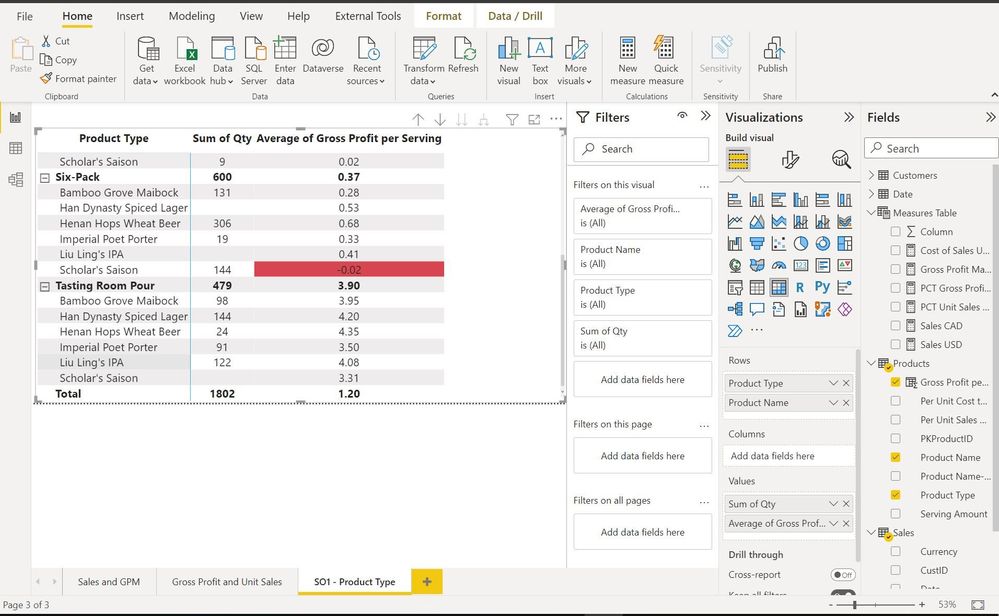
I have a matrix visualization as you see in the screen shot below
the matrix
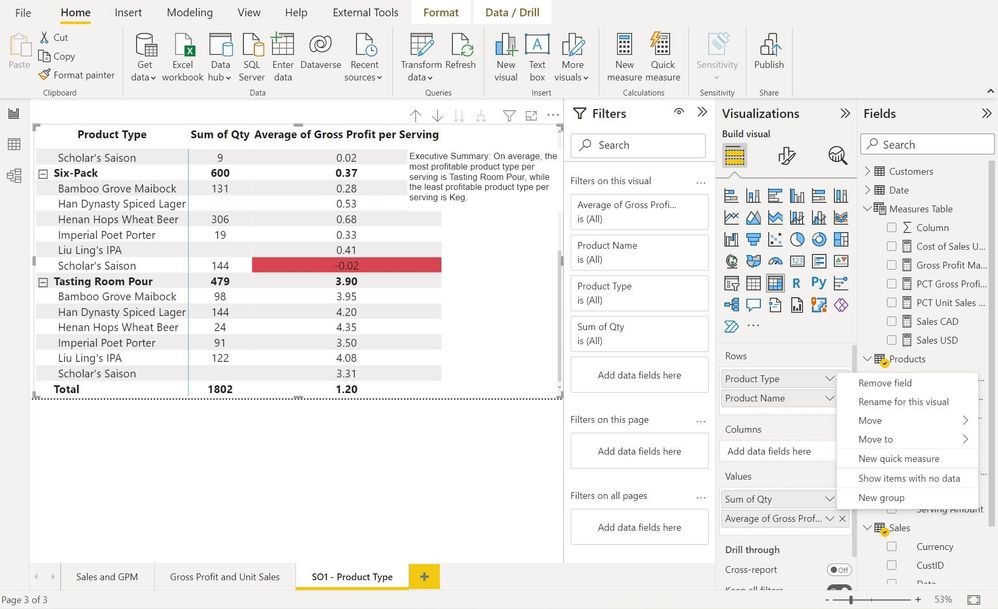
I am trying to format the column "Product Type" To change its background color to red if it has a negative "Average of Gross Profit per Serving", but as you see in the screen shot below, the option for Conditional Formatting does not appear.
Solved! Go to Solution.
Hi @MontherKH
Currently conditional formatting is only available for Values fields in a Matrix visual. It is not supported for Row and Column headers. This is why "Product Type" column doesn't appear in "Cell Elements".
You can vote up the following ideas about this requirement:
Microsoft Idea: Conditional Formatting of Row Headers in Matrix
Microsoft Idea: conditional formatting
Microsoft Idea: Conditional Formatting for Matrix Headers
Best Regards,
Community Support Team _ Jing
If this post helps, please Accept it as Solution to help other members find it.
Hi @MontherKH,
Go to Cell Elements in the Formatting Pane and turn on Background Colour and Font Colour option. You'll be able to conditionally format you values then by using rules or measures.
Did I answer your question? Mark this post as a solution if I did!
Consider taking a look at my blog: Forecast Period - Previous Forecasts
The "Product Type" Column that I want to format does not appear in "Cell Elements".
Hi @MontherKH
Currently conditional formatting is only available for Values fields in a Matrix visual. It is not supported for Row and Column headers. This is why "Product Type" column doesn't appear in "Cell Elements".
You can vote up the following ideas about this requirement:
Microsoft Idea: Conditional Formatting of Row Headers in Matrix
Microsoft Idea: conditional formatting
Microsoft Idea: Conditional Formatting for Matrix Headers
Best Regards,
Community Support Team _ Jing
If this post helps, please Accept it as Solution to help other members find it.
Check out the April 2026 Power BI update to learn about new features.
If you have recently started exploring Fabric, we'd love to hear how it's going. Your feedback can help with product improvements.
A new Power BI DataViz World Championship is coming this June! Don't miss out on submitting your entry.
| User | Count |
|---|---|
| 37 | |
| 37 | |
| 31 | |
| 22 | |
| 15 |
| User | Count |
|---|---|
| 76 | |
| 59 | |
| 32 | |
| 31 | |
| 26 |