This time we’re going bigger than ever. Fabric, Power BI, SQL, AI and more. We're covering it all. You won't want to miss it.
Learn moreDid you hear? There's a new SQL AI Developer certification (DP-800). Start preparing now and be one of the first to get certified. Register now
Hi,
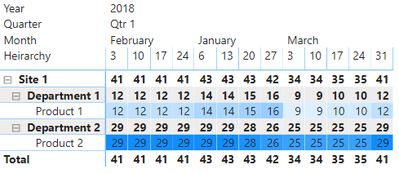
My data is structured in a matrix like the below. It has my desired result of displaying conditional formatting at the "Product" level.
I can take two different approaches to collapsing the data in the matrix.
1. By right clicking "Site 1" and Collapsing All.
2. Clicking the individual + / - buttons.
(1) When I right click and Collapse All, the conditional formatting rolls up and applies to the "Site" level. This is not the desired result.
(2) When I click the individual + / - buttons to roll up the matrix, the conditional formatting does not apply to the "Site" level. This is the desired result.
Is there anyway I can design the Matrix / Conditional Formatting to be able to Right Click and select Collapse All but not have the Conditional Formatting apply to the "Site" (top) level?
Thank you.
Solved! Go to Solution.
Hi @Standish ,
Maybe you can try to create a measure similar to the following:
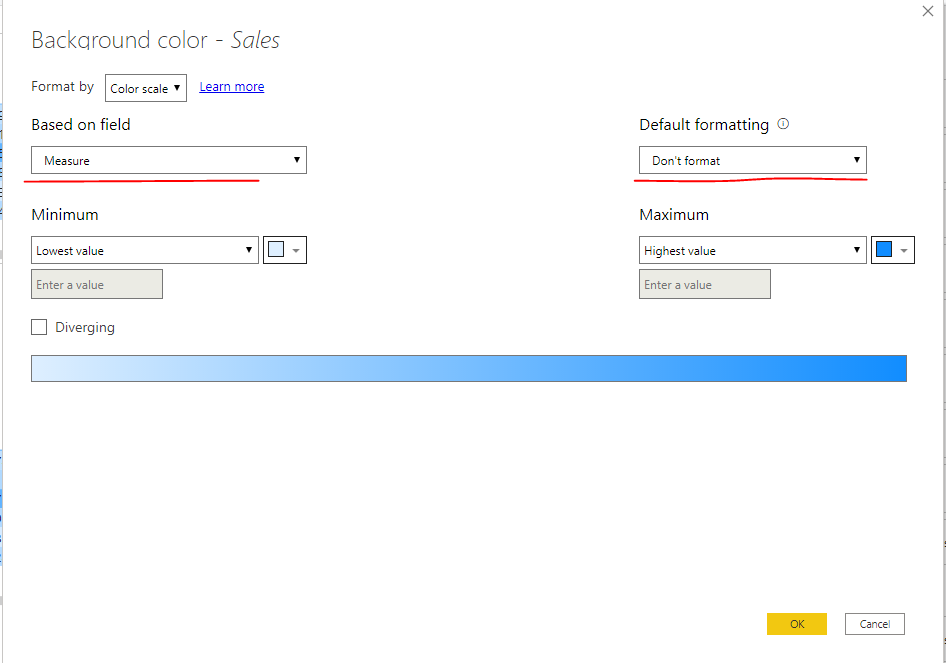
Measure = IF(ISINSCOPE(financials[Department]),SUM(financials[ Sales]))Then apply conditional formatting to "sales" based on the field "measure"-Default Formatting-Don't Format:
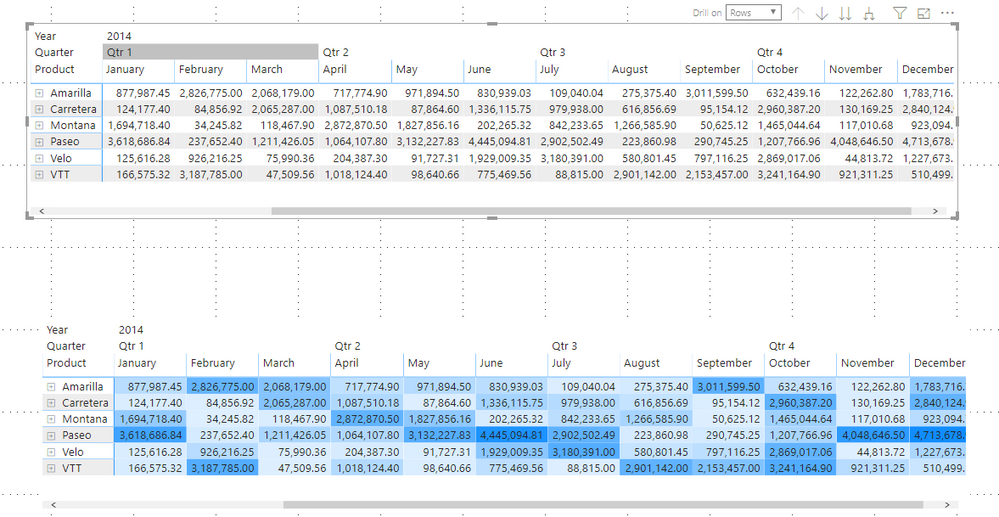
Results are as follows:
Here is a demo, please try it:
Best Regards,
Community Support Team _ Joey
If this post helps, then please consider Accept it as the solution to help the other members find it more quickly.
Hi @Standish ,
Maybe you can try to create a measure similar to the following:
Measure = IF(ISINSCOPE(financials[Department]),SUM(financials[ Sales]))Then apply conditional formatting to "sales" based on the field "measure"-Default Formatting-Don't Format:
Results are as follows:
Here is a demo, please try it:
Best Regards,
Community Support Team _ Joey
If this post helps, then please consider Accept it as the solution to help the other members find it more quickly.
This solution worked well! Thank you.
I modified ISINSCOPE to reference the bottom heirarchy level (Product in this example).
Check out the April 2026 Power BI update to learn about new features.
If you have recently started exploring Fabric, we'd love to hear how it's going. Your feedback can help with product improvements.
A new Power BI DataViz World Championship is coming this June! Don't miss out on submitting your entry.
| User | Count |
|---|---|
| 38 | |
| 38 | |
| 31 | |
| 22 | |
| 15 |
| User | Count |
|---|---|
| 74 | |
| 61 | |
| 31 | |
| 31 | |
| 23 |