Join us at FabCon Atlanta from March 16 - 20, 2026, for the ultimate Fabric, Power BI, AI and SQL community-led event. Save $200 with code FABCOMM.
Register now!The Power BI Data Visualization World Championships is back! Get ahead of the game and start preparing now! Learn more
Hi,
So I am trying to color code my Card visualization based on a field, so that if the sum of this years data is less than last year for Initiated, the color is Green, else Red
or if the sum of this years data is less than last years data for Repaired, the color is Red, else Green.
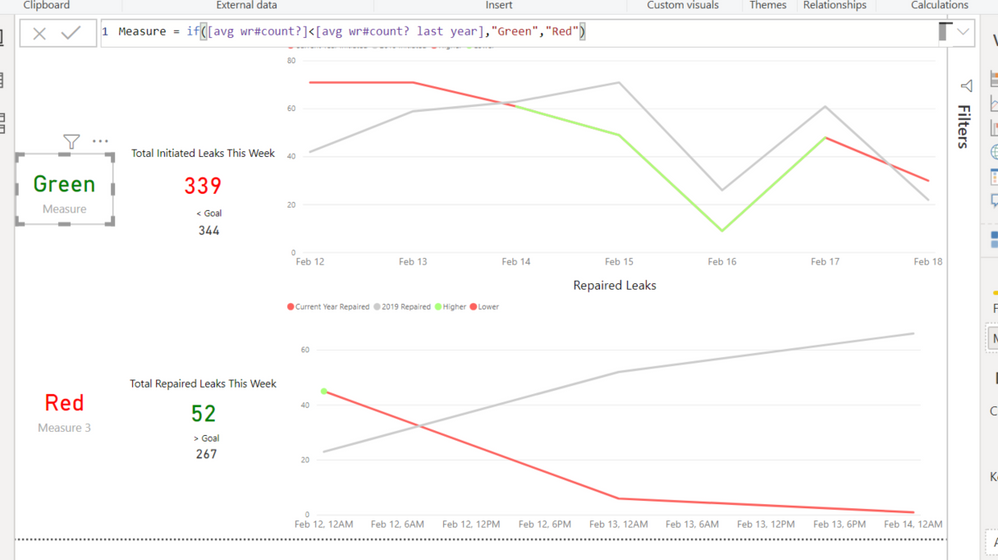
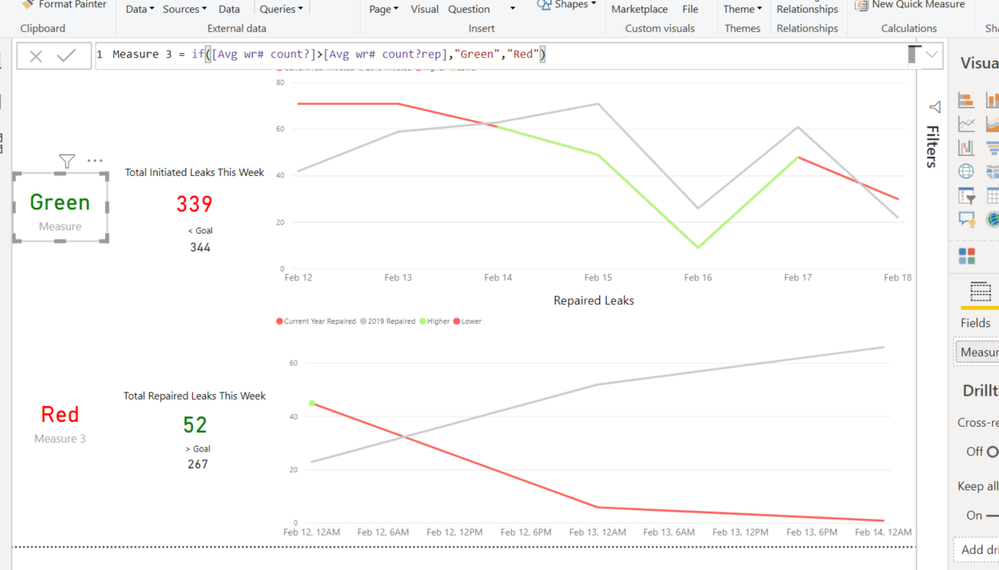
I thought this worked, but the color seems to be the opposite of what I want the color to be as shown in the screenshots below... I am not sure why
The actual Card visualization with the measures seem to be correct...
Please let me know if this question is confusing
Thank you!
Solved! Go to Solution.
@Anonymous
What is the visual you are using? Is it the KPI visual?
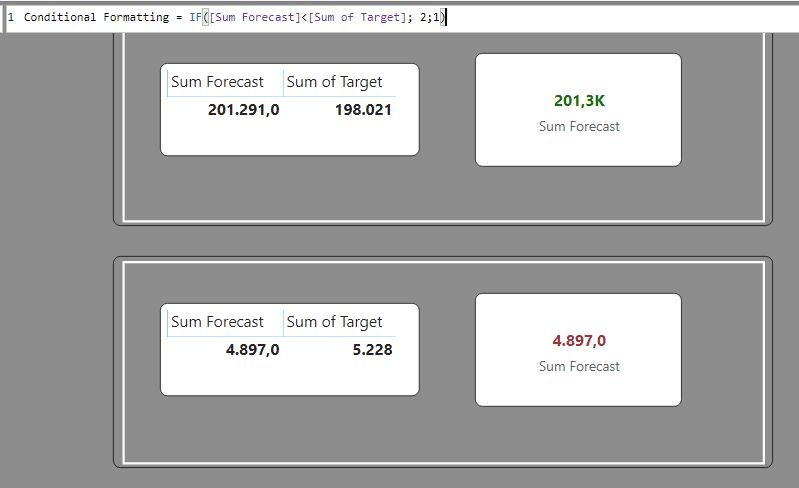
The default card visual works:
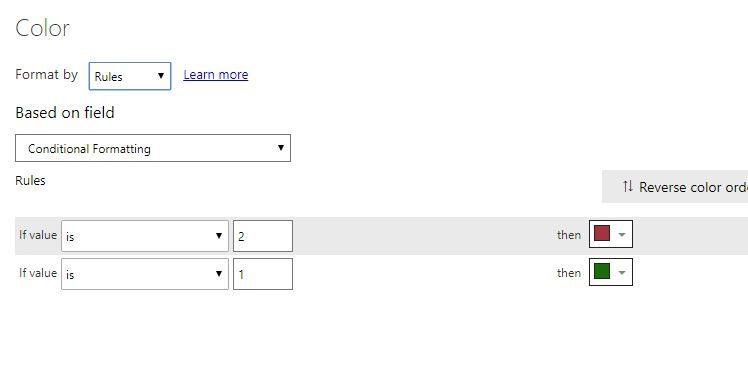
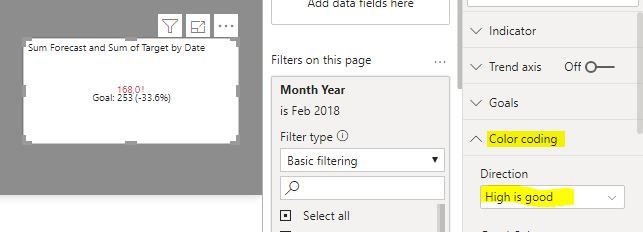
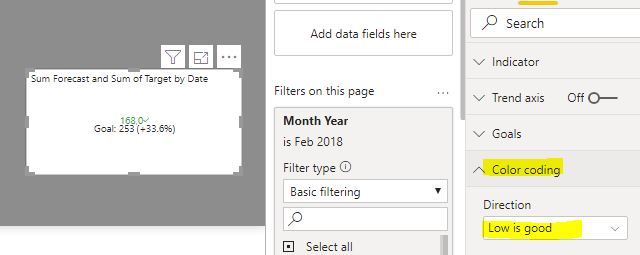
If you are using the KPI visual, you need to set the colors in the formatting pane as follows:
Proud to be a Super User!
Paul on Linkedin.
@Anonymous
What conditional formatting you have applied on the datacard?
Regards,
Vivek
@Anonymous
Can you put the measures you are comparing in a table to see the results? I can't really tell what is happening from the card visual by itself...
Proud to be a Super User!
Paul on Linkedin.
hi! @PaulDBrown
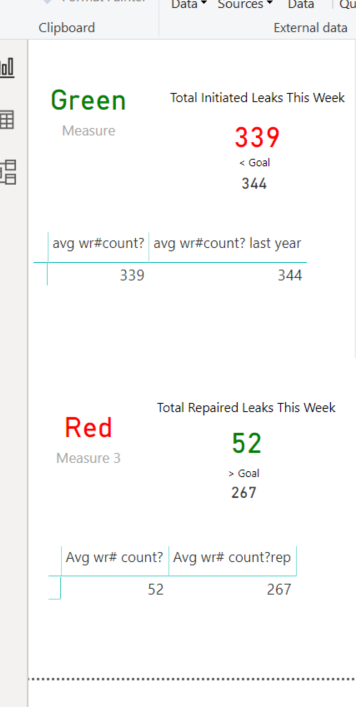
So I added a table, for the Total Initiated Leaks This Week, I want the "avg wr#count?" to be less than "avg wr#count? last year" so if it is greater, I would want the 339 to be Red.
for the Total Repaired Leaks This Week, I want the "Avg wr#count?" to be Greater than "Avg wr#count?rep" so if it is Less, I would want the 52 to be Red.
It seems to be working in the "Green" and "Reg" measure and measure 3, but it is not working with the actual numbers....
Please let me know if this does not make sense
Thank you!
Sarah
@Anonymous
What is the visual you are using? Is it the KPI visual?
The default card visual works:
If you are using the KPI visual, you need to set the colors in the formatting pane as follows:
Proud to be a Super User!
Paul on Linkedin.
Check out the November 2025 Power BI update to learn about new features.
Advance your Data & AI career with 50 days of live learning, contests, hands-on challenges, study groups & certifications and more!
| User | Count |
|---|---|
| 57 | |
| 43 | |
| 41 | |
| 21 | |
| 17 |