This time we’re going bigger than ever. Fabric, Power BI, SQL, AI and more. We're covering it all. You won't want to miss it.
Learn moreLevel up your Power BI skills this month - build one visual each week and tell better stories with data! Get started
My supervisor would like to have a check added to an area if a certain metric was being met. Is there a way to add a graphic based on if the goal or metric is met? Idealy it would be great to do a red checkmark if not met and then turn it green if it is. Also one other thing is that there would be multiple of these measures on one page.
Thanks,
Peter
Solved! Go to Solution.
Hi @petermb72 ,
Please check if this is what you want:
Method A:
1. Create a conditional measure.
Measure = IF([Sum]>30,1,0)
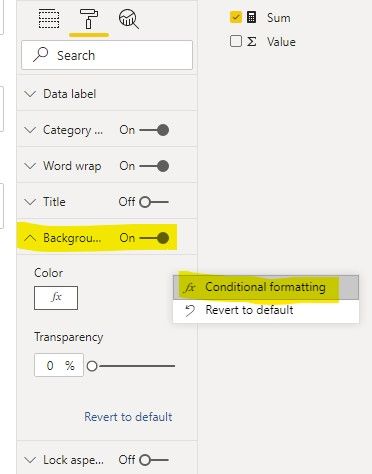
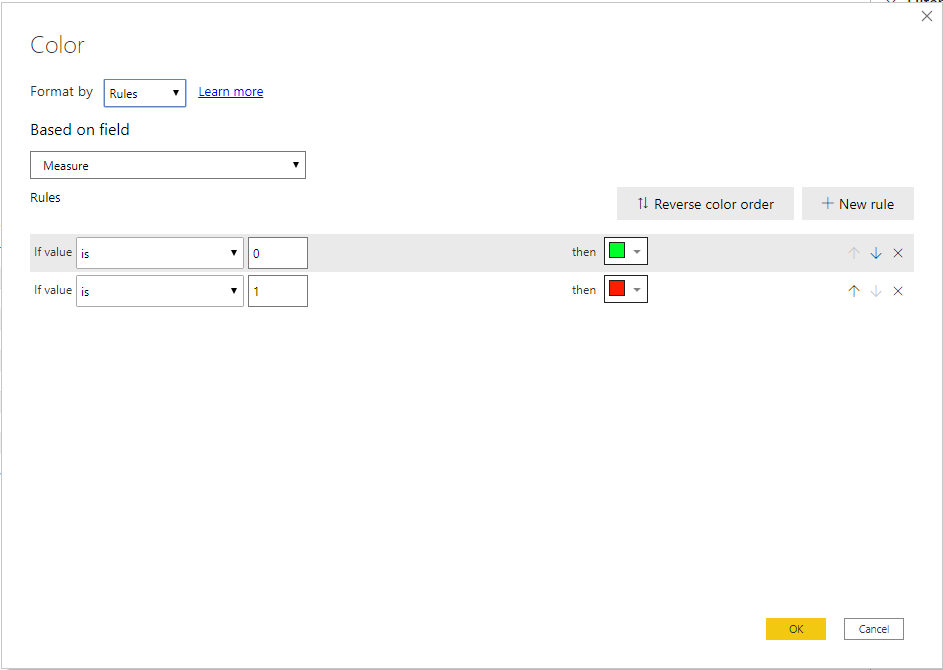
2. Set conditional formatting of [Sum] card visual.
Method B:
1. Create a conditional measure:
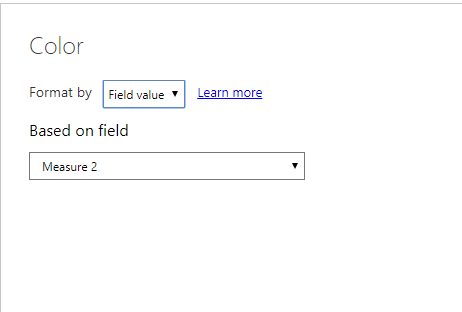
Measure 2 = IF([Sum]>30,"#FFFFFF00","White")
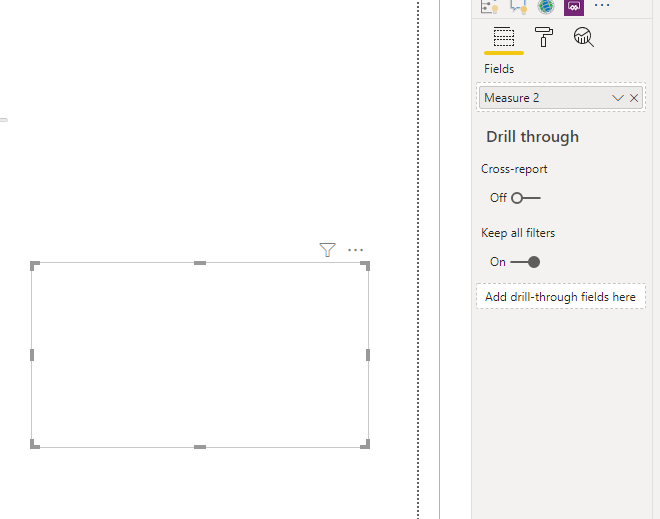
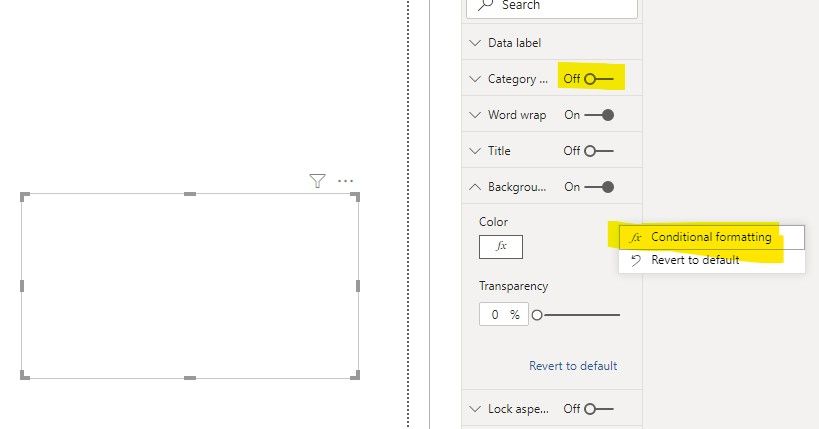
2. Set background color of a card visual.
3. Insert one Image and put the image behind the card above.
Then, you can get this:
Best Regards,
Icey
If this post helps, then please consider Accept it as the solution to help the other members find it more quickly.
Hi @petermb72 ,
Please check if this is what you want:
Method A:
1. Create a conditional measure.
Measure = IF([Sum]>30,1,0)
2. Set conditional formatting of [Sum] card visual.
Method B:
1. Create a conditional measure:
Measure 2 = IF([Sum]>30,"#FFFFFF00","White")
2. Set background color of a card visual.
3. Insert one Image and put the image behind the card above.
Then, you can get this:
Best Regards,
Icey
If this post helps, then please consider Accept it as the solution to help the other members find it more quickly.
I was thinking more of a Graphic conditionally appearing on the page based on meeting the criteria. Your option would be fine if the data was being presented in a table.
If you want visual to show hide based on condition then bookmark is the option
https://radacad.com/bookmarks-and-buttons-making-power-bi-charts-even-more-interactive
I read the artical, it looks to me like you would need to choose to show the checkmark or not. I am looking for a checkmark to appear if the bar grap goes over 80% (an example).
Check out the April 2026 Power BI update to learn about new features.
Sign up to receive a private message when registration opens and key events begin.
If you have recently started exploring Fabric, we'd love to hear how it's going. Your feedback can help with product improvements.
| User | Count |
|---|---|
| 36 | |
| 33 | |
| 31 | |
| 24 | |
| 18 |
| User | Count |
|---|---|
| 68 | |
| 50 | |
| 33 | |
| 24 | |
| 24 |