cancel
Showing results for 
Search instead for 
Did you mean: 

The Power BI Data Visualization World Championships is back! Get ahead of the game and start preparing now! Learn more

Reply
Anonymous
Not applicable

Composite Model - Transform Data and Model Options Disappear

Hi all


My data source is HANA, I am connected to about 7 views.


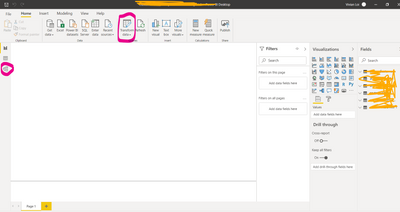
When I have all views in Import Mode, Transform Data and Model options are available:

vivianloi_0-1603132072200.png


However, when a query with DirectQuery is added and applied, they disappear:

vivianloi_1-1603132213020.png


This was not the case before, as I have a data model that does work with both Import and DQ, connected to HANA.

Do any of you have an idea? 


https://docs.microsoft.com/en-us/power-bi/transform-model/desktop-composite-models

It says here 

The following Live Connect multi-dimensional sources can't be used with composite models:

  • SAP HANA

But I have done this before.. I can show screen shot of that as well, but now it is not working.


Thanks,

Vivian

5 REPLIES 5
v-yingjl
Community Support
Community Support

Hi @Anonymous ,

Please note this tip under the document:

When you connect to these multi-dimensional sources by using DirectQuery, you can't connect to another DirectQuery source or combine it with import data.

So when you connect to HANA with Direct Query first, you cannot transform & combine data.


Best Regards,
Yingjie Li

If this post helps then please consider Accept it as the solution to help the other members find it more quickly.

Anonymous
Not applicable

Hi Yingjie, now I tried adding all queries in Import mode and then another in DirectQuery, but it still does not allow me to transform my data.

Hi @Anonymous ,

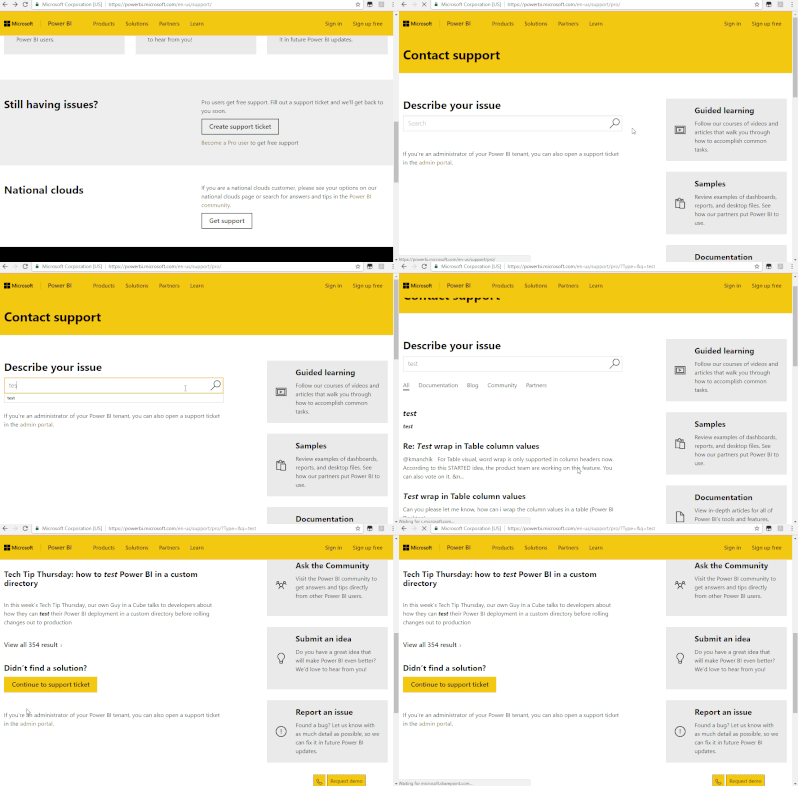
Still could not reproduce it. I would suggest you to create a support ticket here for further help if it is urgent for you.

Support Ticket.gif


Best Regards,
Community Support Team _ Yingjie Li
If this post helps, then please consider Accept it as the solution to help the other members find it more quickly.


MFelix
Super User
Super User

Hi @Anonymous ,


If your model as you refer is only on direct query the modeling view will not be available if you add another table that is not direct query you will get the composite model you are looking for.


I made a test and made a table with DQ and no relationship and edit query options when I add the table got the composite model and one  table with DQ and another import.

Added a new DQ table and everything remain editable.


Regards

Miguel Félix


Did I answer your question? Mark my post as a solution!

Proud to be a Super User!

Check out my blog: Power BI em Português


Anonymous
Not applicable

HI @MFelix , Currently I have 14 queries in import, and 1 in DirectQuery, yet I still do not see Transform Data option.

Helpful resources

Announcements
Power BI DataViz World Championships

Power BI Dataviz World Championships

The Power BI Data Visualization World Championships is back! Get ahead of the game and start preparing now!

December 2025 Power BI Update Carousel

Power BI Monthly Update - December 2025

Check out the December 2025 Power BI Holiday Recap!

FabCon Atlanta 2026 carousel

FabCon Atlanta 2026

Join us at FabCon Atlanta, March 16-20, for the ultimate Fabric, Power BI, AI and SQL community-led event. Save $200 with code FABCOMM.