This is best Fabric, Power BI, SQL and AI community event. How do we know? The last event sold out! Save €200 with code FABCMTY200.
Register nowA new Data Days event is coming soon! This time we’re going bigger than ever. Fabric, Power BI, SQL, AI and more. Don't miss out.
Hello Everyone,
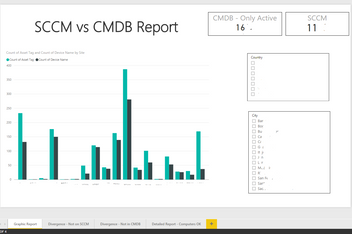
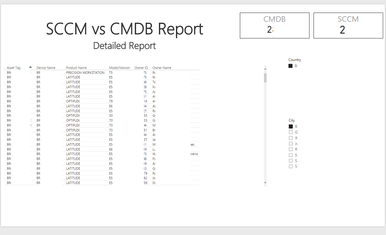
I have a PowerBI local dashboard that provides to me a inventory accuracy report based in two databases provided by 2 IT System in my company. The main propurse of this report is to normalize and make both system be more equal as it's possible.
One of the most important functions should be compare these two databases and find the missing assets in one of the bases (CMDB), so we can add them basead on the information from the other database (SCCM).
How is the best way to compare two columns and find only the itens that are not on the other database?
Thanks in advance for your help.
Solved! Go to Solution.
Assuming that you have an identical structure for every CI in both CMDB and SCCM and that every CI has an unique identifier,
you can MERGE the two queries aka tables by using the CI as matching column.
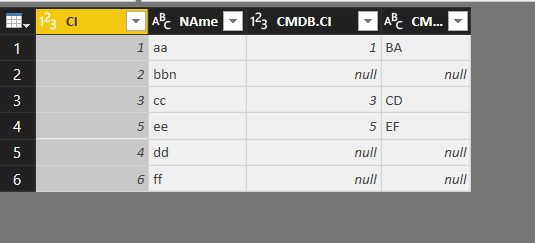
The result is new table:
Thanks everyone for the assistance! I tested both solutions and they worked.
The first one was that better fits my needs.
Best Regards!
Hi @felipeblanco,
According to your description above, I would suggest you use CONTAINS Function (DAX) to create a new calculate column in your SCCM table to flag if the current row value is contained in CMDB table. The formula below is for your reference.![]()
IsContainedInCMDB = CONTAINS ( 'CMDB', 'CMDB'[Column1], 'SCCM'[Column1] )
Regards
Assuming that you have an identical structure for every CI in both CMDB and SCCM and that every CI has an unique identifier,
you can MERGE the two queries aka tables by using the CI as matching column.
The result is new table:
Check out the May 2026 Power BI update to learn about new features.
Sign up to receive a private message when registration opens and key events begin.
If you have recently started exploring Fabric, we'd love to hear how it's going. Your feedback can help with product improvements.
| User | Count |
|---|---|
| 32 | |
| 25 | |
| 23 | |
| 22 | |
| 13 |
| User | Count |
|---|---|
| 61 | |
| 47 | |
| 27 | |
| 24 | |
| 19 |