Join us at FabCon Atlanta from March 16 - 20, 2026, for the ultimate Fabric, Power BI, AI and SQL community-led event. Save $200 with code FABCOMM.
Register now!The Power BI Data Visualization World Championships is back! Get ahead of the game and start preparing now! Learn more
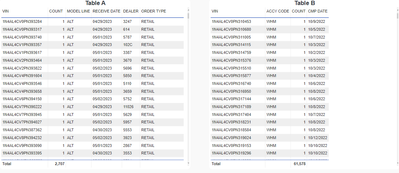
Need some help with a comparison of two table visuals. One table (table A) has vehicles received and the other table (table B) has a list of vehicles that had a certain accessory installed. Both contain a similar field called VIN.
I need to know which VINs from Table A are not in Table B. Attempts to use "does not contain for the accessory code" fails with resource errors. I do this all the time in Microsoft Access but have not in Power BI so would like to know how. Thanks for any assistance.
Table screen shots are below.
Solved! Go to Solution.
Hi mike.
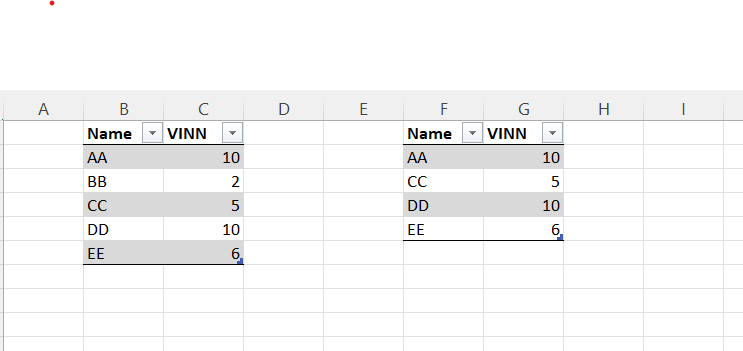
See this example Table1 and table2. BB is missing in table 2
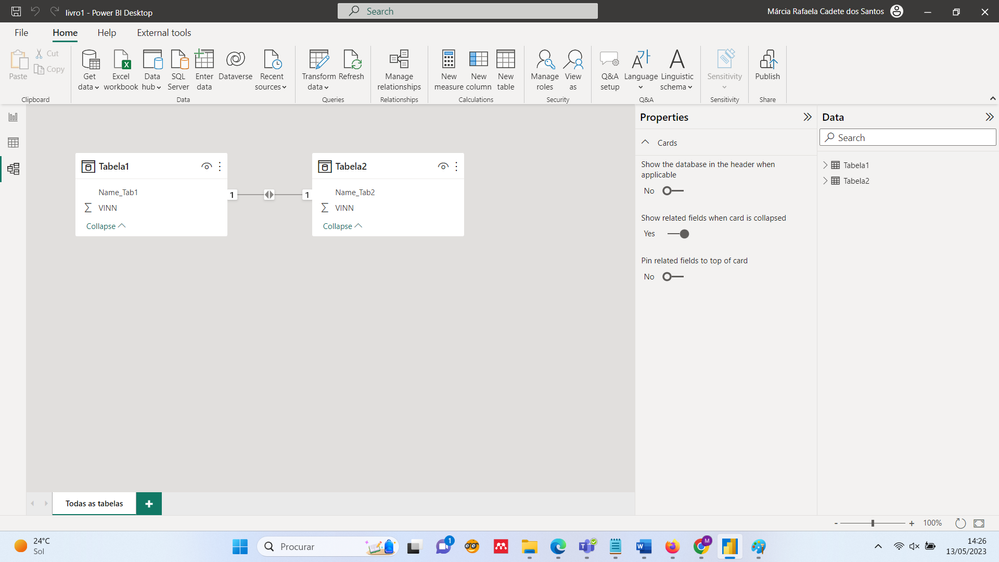
1- Make the relationships of the model
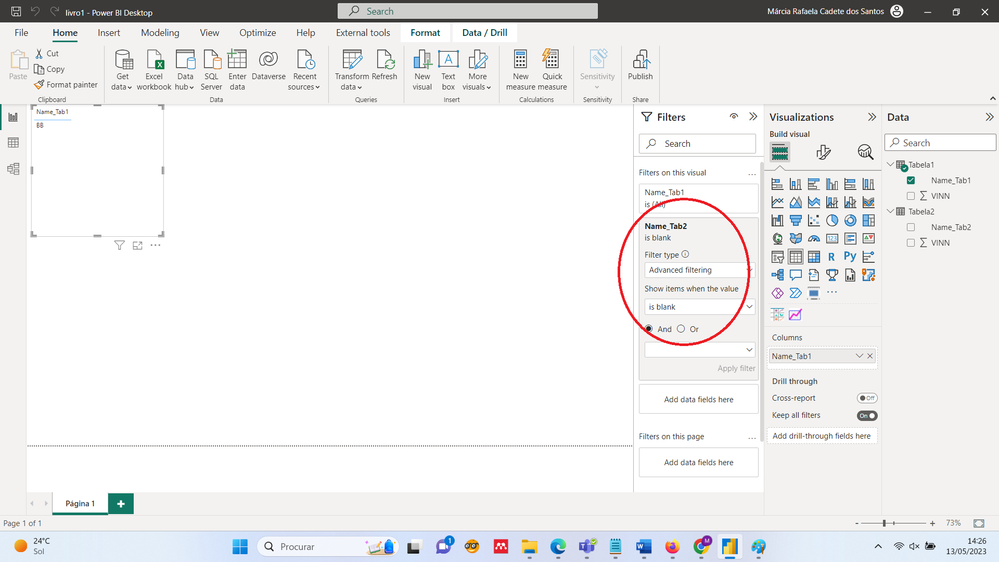
2 - make a table visual and in FILTERs select TABLE2 advanced filter IS BLANK.
See pictures below
Hi mike.
See this example Table1 and table2. BB is missing in table 2
1- Make the relationships of the model
2 - make a table visual and in FILTERs select TABLE2 advanced filter IS BLANK.
See pictures below
The Power BI Data Visualization World Championships is back! Get ahead of the game and start preparing now!
| User | Count |
|---|---|
| 38 | |
| 36 | |
| 33 | |
| 33 | |
| 29 |
| User | Count |
|---|---|
| 132 | |
| 90 | |
| 81 | |
| 66 | |
| 65 |