Hey there!
I have a problem that I hope someone that is more well-versed in Power-BI can help me with.
Before I start, it might be important to know, that the file get its data from a DirectQuery connection to a SSAS database. I don't currently have access to it and might first be able to get direct access to it in 2-3 weeks.
So i'm working in a PBI report that I haven't built myself.
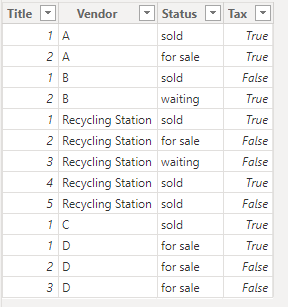
I have the following measures of data:
- Title = of the product
- Vendor = full of various shop names and something called "Recycling Station"
- Status = either "sold", "waiting", or "for sale".
- Tax = "true" or "false"
I've been asked to set up a combined filter whereby I only show products when:
- Vendor is "Recycling Station" AND Tax is False
- Vendor is anything other than "Recycling Station" AND Tax is True
Chat GPT told me to use "Advanced filtering" and adding second + third conditions using the +AND / +OR functionality:
"
Set up the first condition:
- For the first condition, choose the following:
- Field: Vendor
- Filter type: Equals
- Value: Recycle
Add a second condition:
- Click on the "+ AND" button to add a second condition.
- For the second condition, choose the following:
- Field: Tax
- Filter type: Equals
- Value: False
Add a third condition for the second scenario:
- Click on the "+ OR" button to add another set of conditions.
- In this new set of conditions:
- For the first condition, choose the following:
- Field: Vendor
- Filter type: Does not equal
- Value: Recycle
- For the second condition, choose the following:
- Field: Tax
- Filter type: Equals
- Value: True"
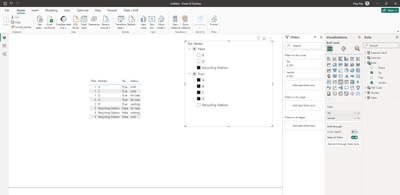
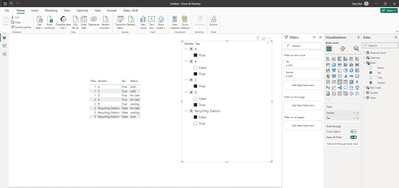
But I can't see that I have the options of adding second + third conditions in either my browser or desktop versions of PBI.
Chat GPT then advises that I create formulas in DAX instead. Can anyone confirm if that is necessary or if there is a way of doing it with the existing filtering functionalities?
Much appreciated from a Power-BI padawan.