Join the FabCon + SQLCon recap series. Up next: Power BI, Real-Time Intelligence, IQ and AI, and Data Factory take center stage. All sessions are available on-demand after the live show. Register now
Hey Power Users,
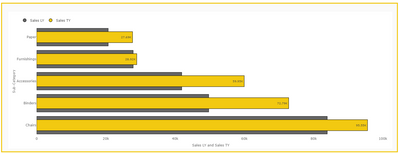
I am comparatively new to Power BI and would lilke to explore the complete functionality and capabilites. I have a question regarding bar graphs. I want to display multiple values on a the same bar graph on the same bar. For example lets say Sales from last year and this year. I want to display these values on the same bar graph on a single bar rather than having two bars for each year. Is there any solution to this. I want something like this: (The bars represent sales from current year and the teal lines represent sales from last year)
Please help me to understand if this is possible in Power BI. Thank you beautiful people!!!
Solved! Go to Solution.
Hi @sufiyanakhtar ,
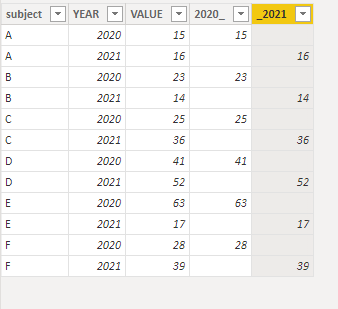
I have created a simple sample. Please refer to my pbix file to see if it helps you.
Split the years if they are in the same column.
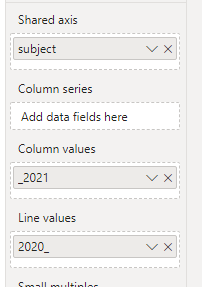
Then choose the line and stacked column chart.
Then Place the corresponding column in the appropriate position.
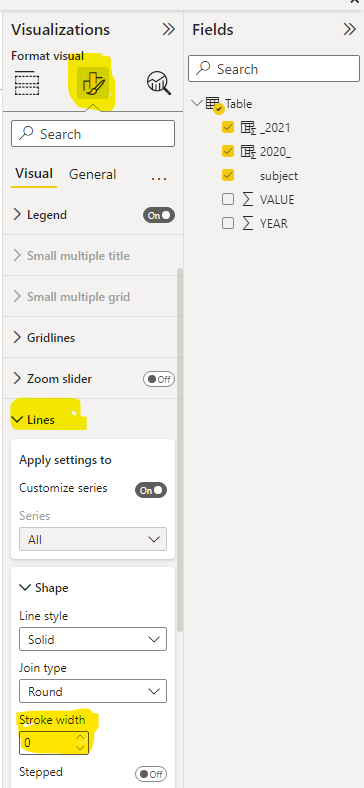
Then enable the Markers and adjust the Marker size.
Finally, change the Stroke width to 0.
If I have misunderstood your meaning, please provide your pbix file without privacy information and desired output.
Best Regards
Community Support Team _ Polly
If this post helps, then please consider Accept it as the solution to help the other members find it more quickly.
A better way could be to use an overlap chart or lipstick column chart to get the same results
Hi @sufiyanakhtar ,
I have created a simple sample. Please refer to my pbix file to see if it helps you.
Split the years if they are in the same column.
Then choose the line and stacked column chart.
Then Place the corresponding column in the appropriate position.
Then enable the Markers and adjust the Marker size.
Finally, change the Stroke width to 0.
If I have misunderstood your meaning, please provide your pbix file without privacy information and desired output.
Best Regards
Community Support Team _ Polly
If this post helps, then please consider Accept it as the solution to help the other members find it more quickly.
@sufiyanakhtar , Cluster line visual, Put one of them on line. Enable Marker(Under shape) and make the width of line 0 under shape, That should give you this visual
Check out the April 2026 Power BI update to learn about new features.
If you have recently started exploring Fabric, we'd love to hear how it's going. Your feedback can help with product improvements.
A new Power BI DataViz World Championship is coming this June! Don't miss out on submitting your entry.
| User | Count |
|---|---|
| 40 | |
| 38 | |
| 31 | |
| 20 | |
| 15 |
| User | Count |
|---|---|
| 67 | |
| 58 | |
| 29 | |
| 27 | |
| 25 |