Share feedback directly with Fabric product managers, participate in targeted research studies and influence the Fabric roadmap.
Sign up nowGet Fabric certified for FREE! Don't miss your chance! Learn more
Hi Experts
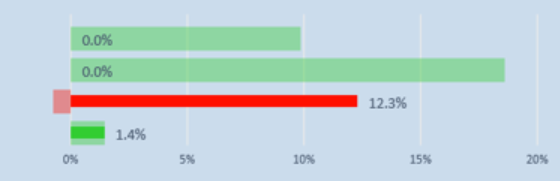
I am using a clustered bar chart for the vuisulaisation and i cannot find the colour stauration field, so my postive values are being shown as red as opposed to green variance.
see image below.
Solved! Go to Solution.
Hi @Anonymous ,
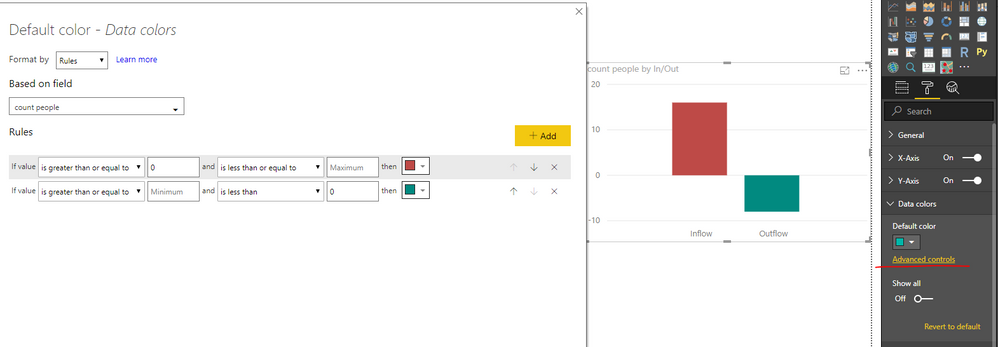
Color saturation on visuals was upgraded to use conditional formatting since 2018 November release for Power BI desktop. Please check: Color saturation on visuals upgraded to use conditional formatting
Best regards,
Yuliana Gu
Hi @Anonymous,
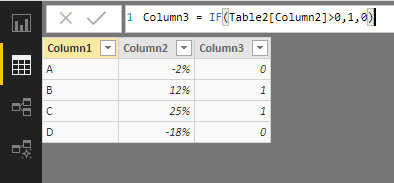
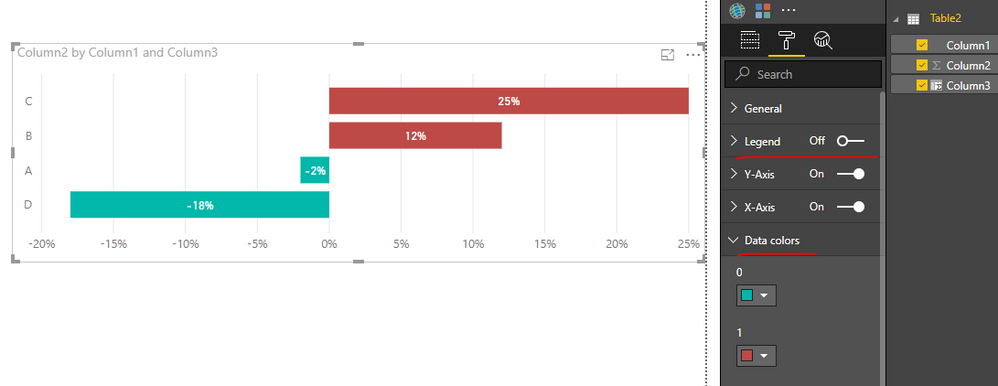
You could add a calculated column like below.
Column3 = IF(Table2[Column2]>0,1,0)
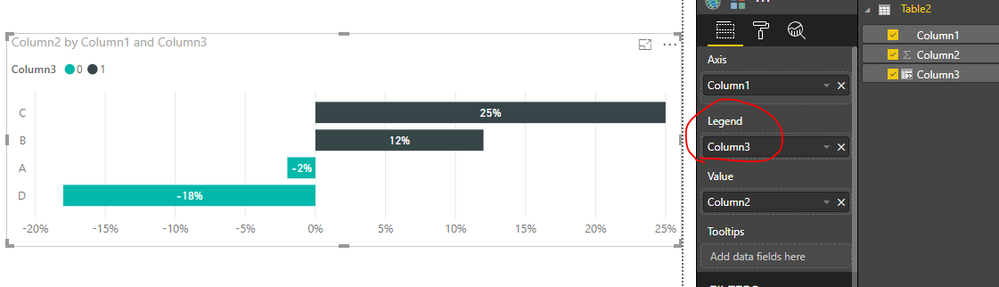
Add the calculated column into chart legend. You can customize the color for column bars under "Data Colors".
Best regards,
Yuliana Gu
Hi @Anonymous ,
Color saturation on visuals was upgraded to use conditional formatting since 2018 November release for Power BI desktop. Please check: Color saturation on visuals upgraded to use conditional formatting
Best regards,
Yuliana Gu
Share feedback directly with Fabric product managers, participate in targeted research studies and influence the Fabric roadmap.
If you love stickers, then you will definitely want to check out our Community Sticker Challenge!
Check out the January 2026 Power BI update to learn about new features.
| User | Count |
|---|---|
| 62 | |
| 62 | |
| 42 | |
| 21 | |
| 18 |
| User | Count |
|---|---|
| 120 | |
| 113 | |
| 38 | |
| 29 | |
| 28 |