Join us at FabCon Atlanta from March 16 - 20, 2026, for the ultimate Fabric, Power BI, AI and SQL community-led event. Save $200 with code FABCOMM.
Register now!The Power BI Data Visualization World Championships is back! Get ahead of the game and start preparing now! Learn more
Sorry I couldn't think of a better title !
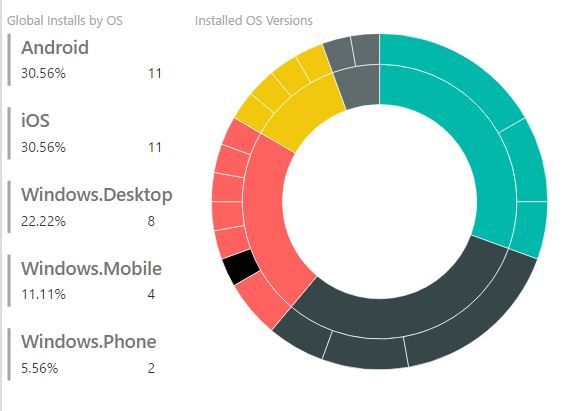
Below is a summary of Installs by OS and Installed OS Versions.
Is there a way that I can assign a color to each OS such that the same color is used through out any other chart that uses OS data ?
... I haven't used your custom visual, but does this describe the issue you are seeing? Hopefuly it helps..? FOrrest
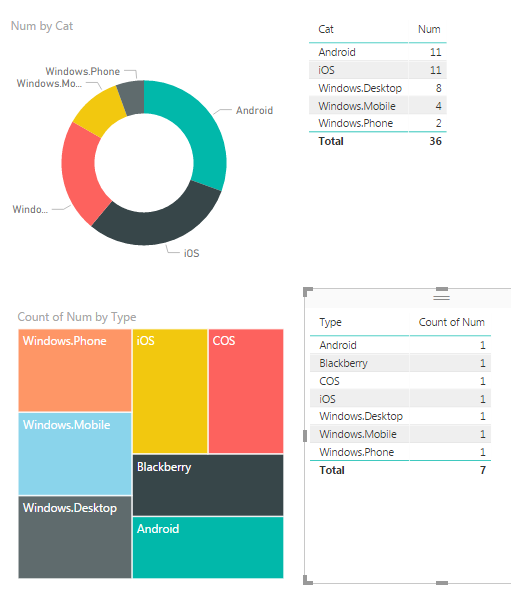
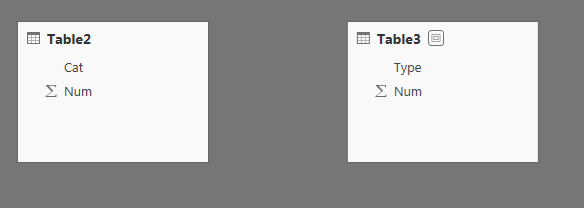
Because my data for each visual comes from different tables (summarized to the right), and each table has multiple rows and not a single 'master category' your multiple visuals on a page have different colors...
As you can see there's no LINK between the two tables.
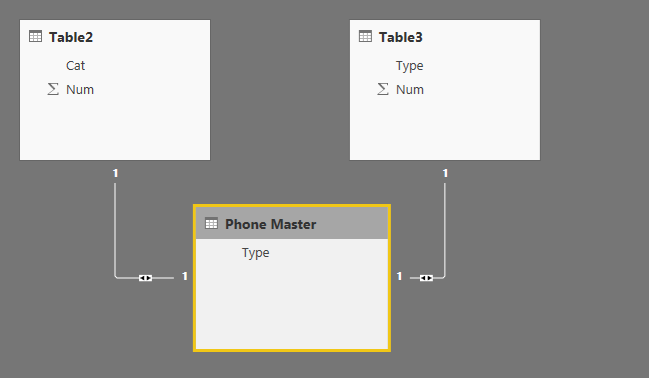
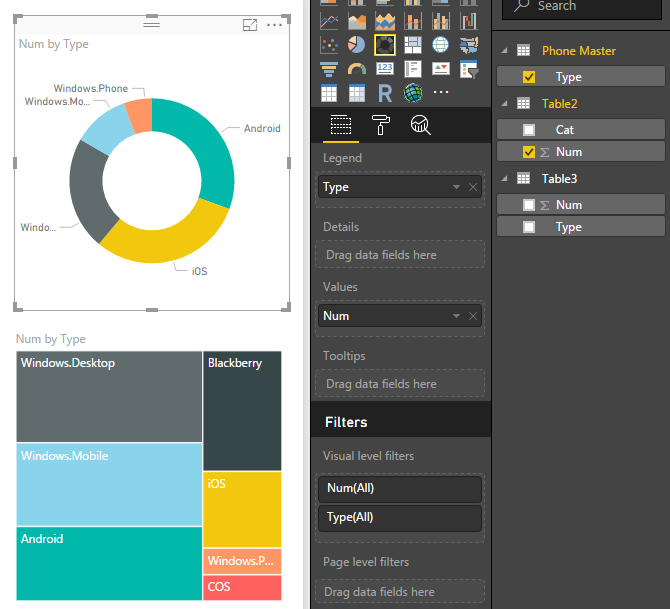
I manually created a LIST of phone Types and then 'Managed Relationship' using the list to create two 1:many relationships between teh two sets of data: (It says 1:1 below, but 1:many if you have lots of rows.)
Now, I change the Legends of both Visuals to use the 'Master List' instead of the individual categories. Now all the colors allign...
Proud to give back to the community!
Thank You!
Both of those last visuals use the same data where as your first pair had different tables...
Hi @maf,
There are two visuals in your screenshot, one is Multi-row chart, another one is Sunburst visual, right? You want the color of same category is same. As I tested, we can not set the category custom color for Sunburst visual as well as Multi-row chart. For power BI visual, we can set categories' color, most of them can not be changed. Thanks for understanding.
Best Regards,
Angelia
The Power BI Data Visualization World Championships is back! Get ahead of the game and start preparing now!
| User | Count |
|---|---|
| 40 | |
| 35 | |
| 34 | |
| 31 | |
| 28 |
| User | Count |
|---|---|
| 137 | |
| 102 | |
| 71 | |
| 67 | |
| 65 |