Share feedback directly with Fabric product managers, participate in targeted research studies and influence the Fabric roadmap.
Sign up nowGet Fabric certified for FREE! Don't miss your chance! Learn more
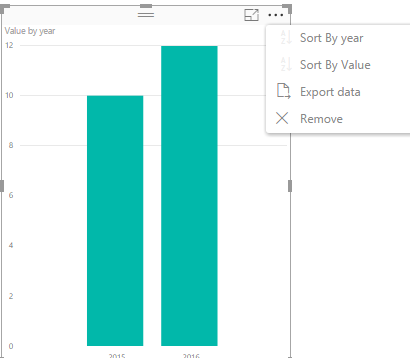
I have question on clustered column chart. I am comparing data from two year 2016 and 2015. It would be logical to have the 2016 value presented as the 1st bar. The visual however shows previous year as the 1st column. How can I sort columns as required?
Generally you would click on the ellipses and click the "Year" column to reverse the sort.
Sorry, what do you mean by clicking on the ellipses?
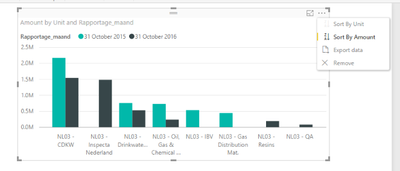
I have a different dimension on x-axis. So I can not sort on the date with click on ...
@BenB66
In Clustered column chart, we are not able to sort the bar. When we create the chart, the 2015 value presented as the 1st bar automatically.
Best Regards,
Angelia
If you love stickers, then you will definitely want to check out our Community Sticker Challenge!
Check out the January 2026 Power BI update to learn about new features.
| User | Count |
|---|---|
| 64 | |
| 63 | |
| 49 | |
| 21 | |
| 18 |
| User | Count |
|---|---|
| 121 | |
| 118 | |
| 38 | |
| 36 | |
| 29 |