Join us at FabCon Atlanta from March 16 - 20, 2026, for the ultimate Fabric, Power BI, AI and SQL community-led event. Save $200 with code FABCOMM.
Register now!View all the Fabric Data Days sessions on demand. View schedule
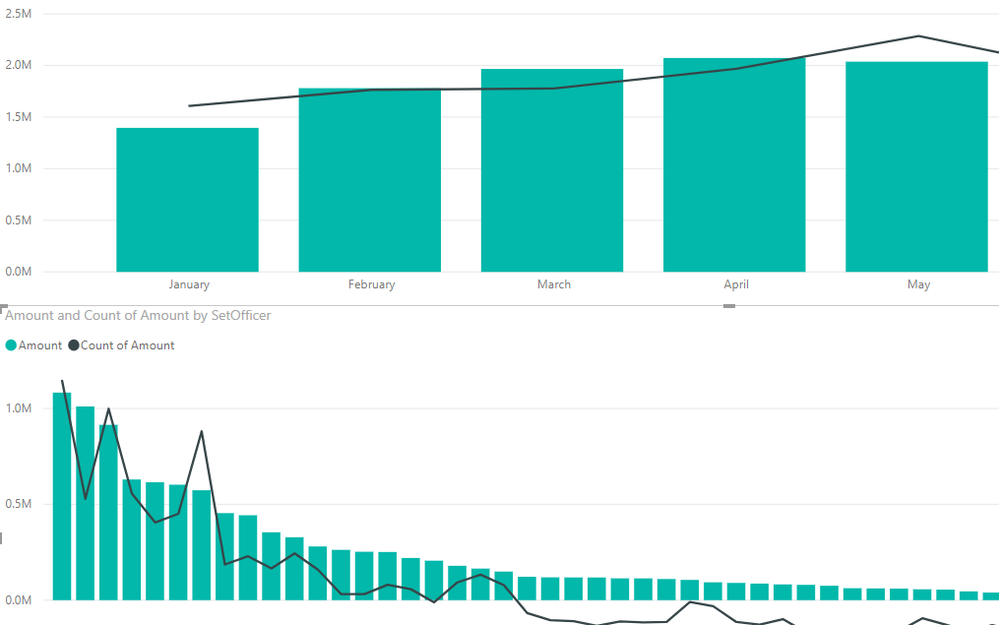
I have two graphs/visuals that I am placing on the same page. The first graph is basically sales per month and the second graph is sales per person. When I click the month in the first graph, I want the second graph to only take the sales from that month.
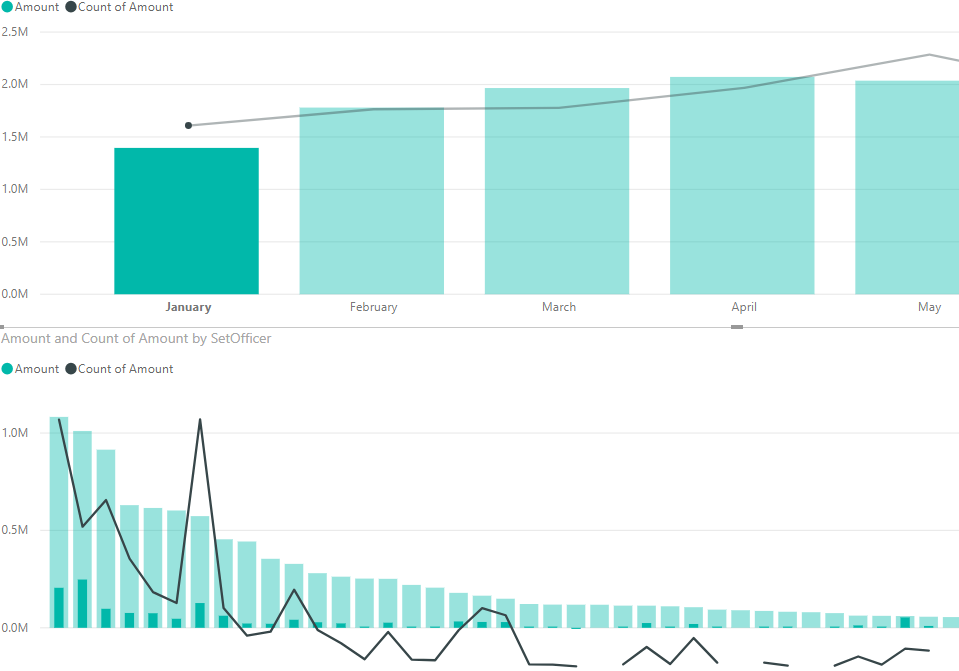
It sort of works. When I click the first graph it creates the shadow bar (which shows the total/the same amount before the click) and it shows the amount per month per person in the smaller/darker shade bar.
Thanks in advanced.
BEFORE CLICK
Before Click
AFTER CLICKClicked on Month
Solved! Go to Solution.
Hi @Anonymous I assume you want the 2nd graph to filter the data and not show a subset. Here are the steps:
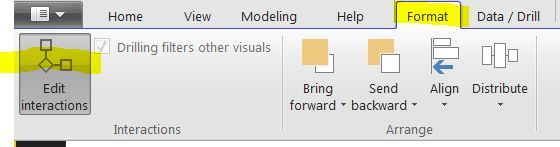
1) Go to Format - Edit Ineractions
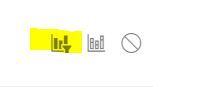
2) Hover over the 2nd graph and click on the 'Filter Icon'
The 2nd graph will now show the filtered data and not a subset. Images are attached.
Hi @Anonymous ,
You want to filter out other values in the second chart, only to show related month values when clicking a specifc bar in the first chart, right? I'm not this is not supported by now. It will highlight the bars by default. As a workaround, you can add a slicer to filter both charts.
Best regards,
Yuliana Gu
Hi @Anonymous I assume you want the 2nd graph to filter the data and not show a subset. Here are the steps:
1) Go to Format - Edit Ineractions
2) Hover over the 2nd graph and click on the 'Filter Icon'
The 2nd graph will now show the filtered data and not a subset. Images are attached.
Thank you Sensei!
*bows*
Check out the November 2025 Power BI update to learn about new features.
Advance your Data & AI career with 50 days of live learning, contests, hands-on challenges, study groups & certifications and more!