We've captured the moments from FabCon & SQLCon that everyone is talking about, and we are bringing them to the community, live and on-demand. Starts on April 14th. Register now
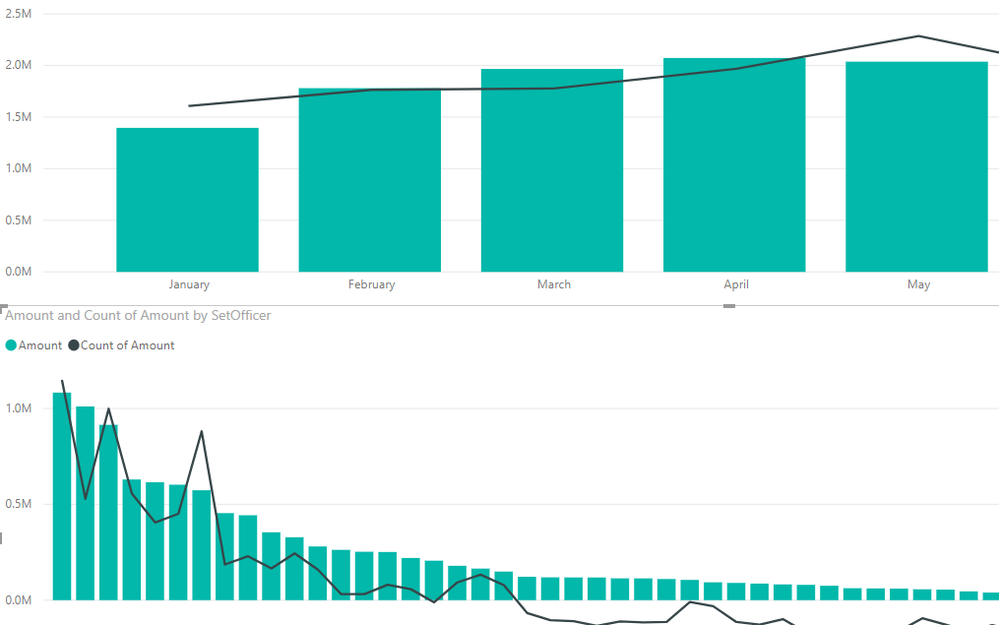
I have two graphs/visuals that I am placing on the same page. The first graph is basically sales per month and the second graph is sales per person. When I click the month in the first graph, I want the second graph to only take the sales from that month.
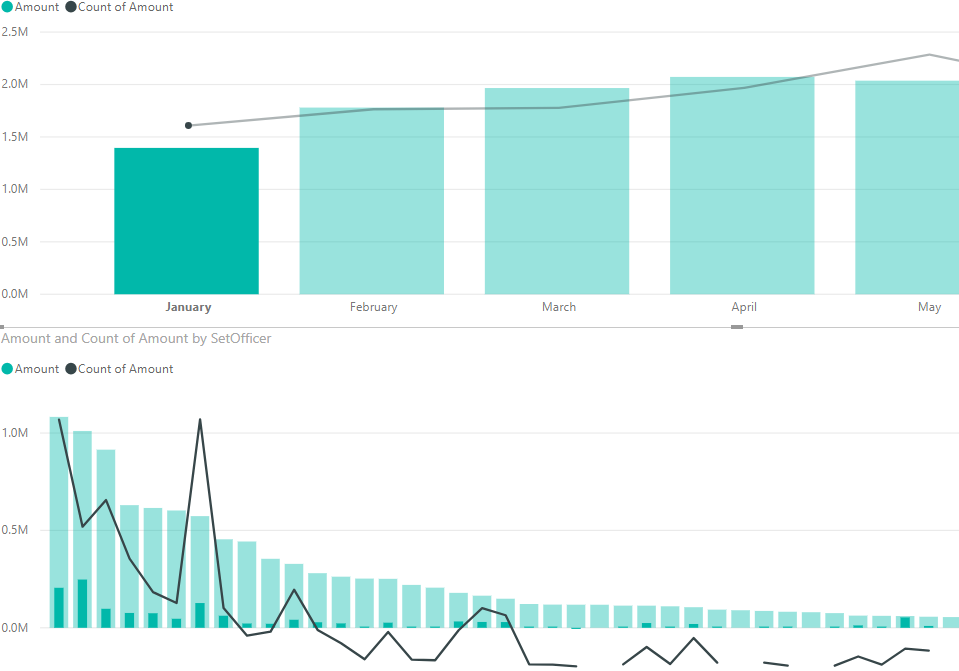
It sort of works. When I click the first graph it creates the shadow bar (which shows the total/the same amount before the click) and it shows the amount per month per person in the smaller/darker shade bar.
Thanks in advanced.
BEFORE CLICK
Before Click
AFTER CLICKClicked on Month
Solved! Go to Solution.
Hi @Anonymous I assume you want the 2nd graph to filter the data and not show a subset. Here are the steps:
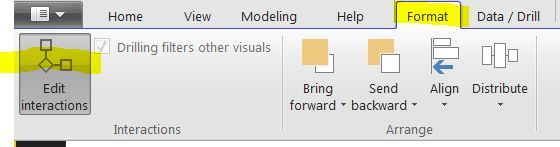
1) Go to Format - Edit Ineractions
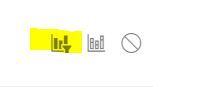
2) Hover over the 2nd graph and click on the 'Filter Icon'
The 2nd graph will now show the filtered data and not a subset. Images are attached.
Hi @Anonymous ,
You want to filter out other values in the second chart, only to show related month values when clicking a specifc bar in the first chart, right? I'm not this is not supported by now. It will highlight the bars by default. As a workaround, you can add a slicer to filter both charts.
Best regards,
Yuliana Gu
Hi @Anonymous I assume you want the 2nd graph to filter the data and not show a subset. Here are the steps:
1) Go to Format - Edit Ineractions
2) Hover over the 2nd graph and click on the 'Filter Icon'
The 2nd graph will now show the filtered data and not a subset. Images are attached.
Thank you Sensei!
*bows*
If you have recently started exploring Fabric, we'd love to hear how it's going. Your feedback can help with product improvements.
A new Power BI DataViz World Championship is coming this June! Don't miss out on submitting your entry.
Share feedback directly with Fabric product managers, participate in targeted research studies and influence the Fabric roadmap.
| User | Count |
|---|---|
| 53 | |
| 38 | |
| 33 | |
| 17 | |
| 17 |
| User | Count |
|---|---|
| 67 | |
| 63 | |
| 38 | |
| 34 | |
| 22 |