Join us at FabCon Atlanta from March 16 - 20, 2026, for the ultimate Fabric, Power BI, AI and SQL community-led event. Save $200 with code FABCOMM.
Register now!The Power BI Data Visualization World Championships is back! Get ahead of the game and start preparing now! Learn more
Hi
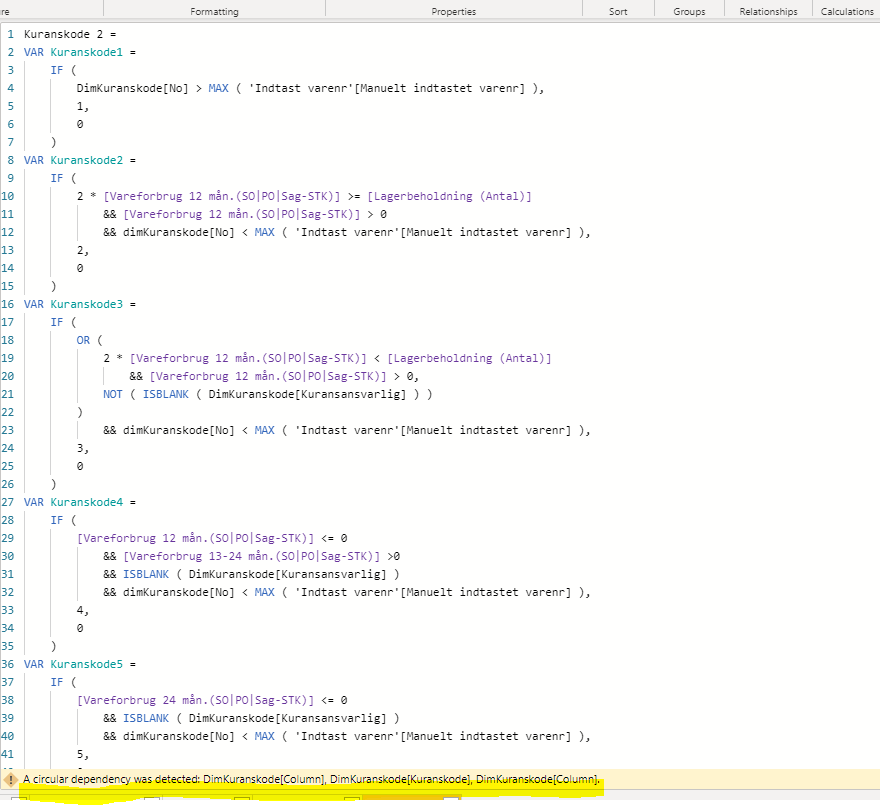
I am trying to make a new column and it works perfectly, but when I copy the dax to make another column (almost the same column), I meet an error message "Circular Dependency was detected".
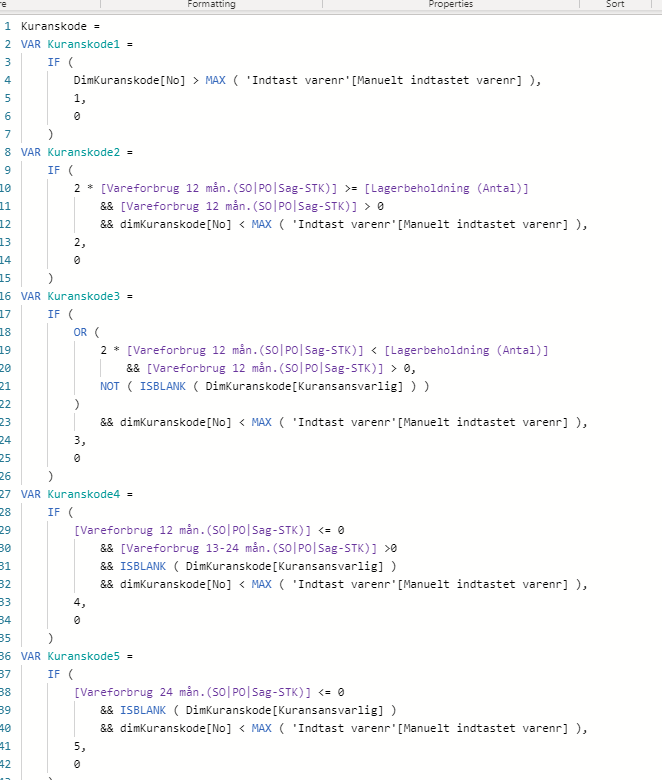
The function for the column that works:
How can that be possible? it is the same dax function?
Best regards
Rune
@Anonymous Have you tried to explore below articles to understand the reason behind circular dependency
https://www.sqlbi.com/articles/avoiding-circular-dependency-errors-in-dax/
Proud to be a Super User!
Hi @Anonymous ,
Circular dependency error occurs when you are trying to create calculated columns in your dataset. Here you are trying to create nearly same column which is already there.
I would suggest creating a measure rather tan a column.
Thanks,
Pragati
HI
I need to be able to slice on the "kuranskode". The function returns 1,2,3,4 or 5. If I make to a measure, I can't put it in a slicer.
BR
Hi @Anonymous ,
There is a workaround to use a Measure as a slicer in Power BI. Refer following blog:
https://www.fourmoo.com/2018/07/10/creating-a-slicer-that-also-contains-a-dax-measure/
Thanks,
Pragati
The Power BI Data Visualization World Championships is back! Get ahead of the game and start preparing now!
| User | Count |
|---|---|
| 39 | |
| 37 | |
| 33 | |
| 32 | |
| 29 |
| User | Count |
|---|---|
| 132 | |
| 86 | |
| 85 | |
| 68 | |
| 64 |