Get certified for free when you join Fabric Data Days 2026 and dive into Fabric, Power BI, SQL, AI, and other essential data skills.
Join nowTry your skills in the Power BI Dataviz World Championship! Round one ends June 26. Join now
Hi
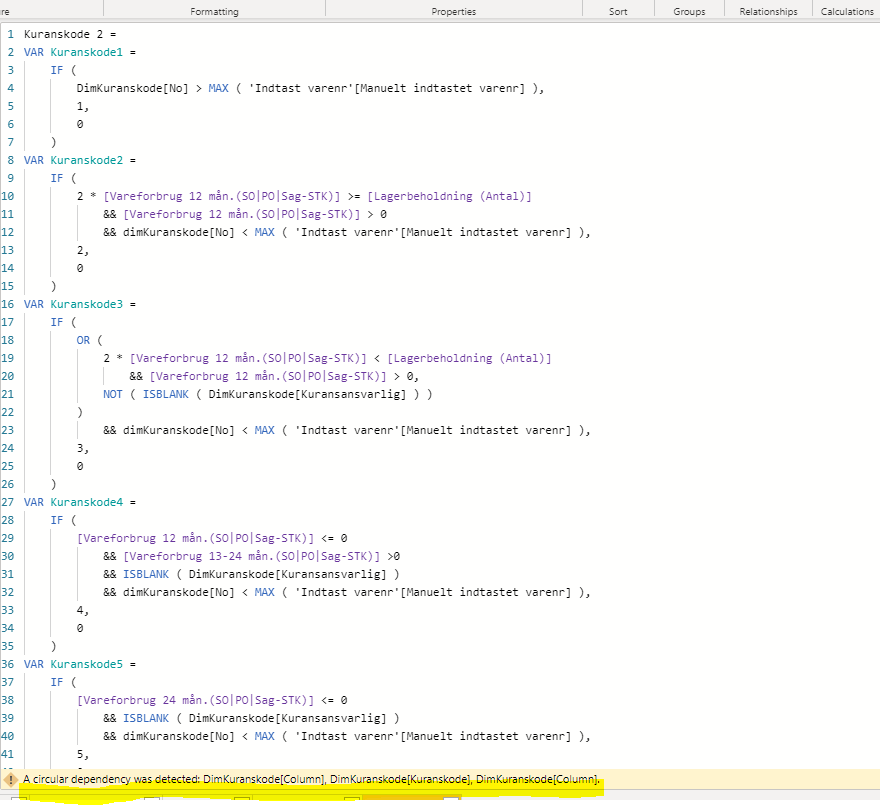
I am trying to make a new column and it works perfectly, but when I copy the dax to make another column (almost the same column), I meet an error message "Circular Dependency was detected".
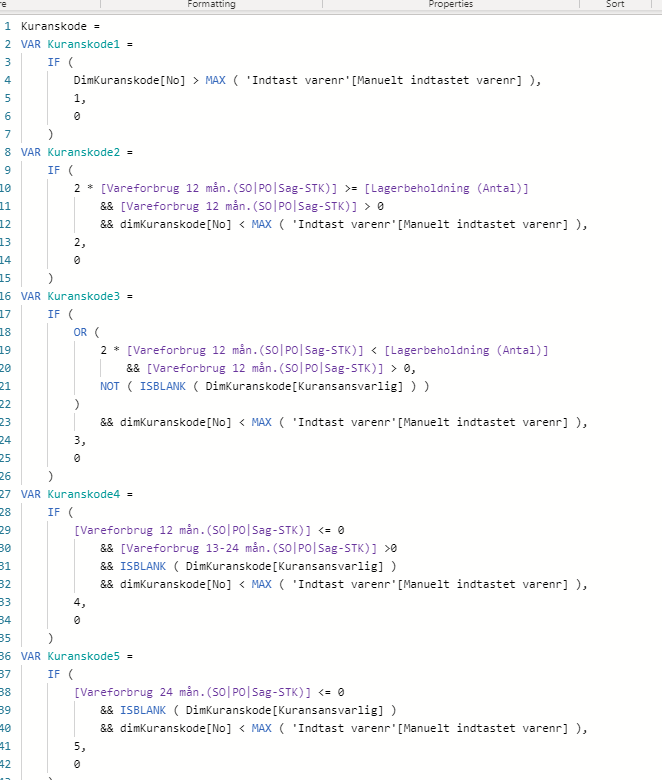
The function for the column that works:
How can that be possible? it is the same dax function?
Best regards
Rune
@Anonymous Have you tried to explore below articles to understand the reason behind circular dependency
https://www.sqlbi.com/articles/avoiding-circular-dependency-errors-in-dax/
Proud to be a Super User!
Hi @Anonymous ,
Circular dependency error occurs when you are trying to create calculated columns in your dataset. Here you are trying to create nearly same column which is already there.
I would suggest creating a measure rather tan a column.
Thanks,
Pragati
HI
I need to be able to slice on the "kuranskode". The function returns 1,2,3,4 or 5. If I make to a measure, I can't put it in a slicer.
BR
Hi @Anonymous ,
There is a workaround to use a Measure as a slicer in Power BI. Refer following blog:
https://www.fourmoo.com/2018/07/10/creating-a-slicer-that-also-contains-a-dax-measure/
Thanks,
Pragati
Don't miss out on Data Days, June 15 through August 7. Learn Fabric, Power BI, SQL, AI and more.
Check out the May 2026 Power BI update to learn about new features.
| User | Count |
|---|---|
| 22 | |
| 21 | |
| 21 | |
| 20 | |
| 13 |
| User | Count |
|---|---|
| 59 | |
| 53 | |
| 40 | |
| 31 | |
| 26 |