Join us at FabCon Atlanta from March 16 - 20, 2026, for the ultimate Fabric, Power BI, AI and SQL community-led event. Save $200 with code FABCOMM.
Register now!Get Fabric Certified for FREE during Fabric Data Days. Don't miss your chance! Request now
Hello,
Below is a snag of a chart that's displaying numbers to the E-n and I don't want it to. Those numbers are measures. If they weren't, I could change the data type to fixed decimal, 2 decimal places, and it would display the numbers as 0.00.
Does anyone know if it's possible to change the data type of a measure to fixed decimal via DAX since we're not able to change the data type via the modeling tab?
HI @Anonymous,
Can you please share some dummy data with a similar data structure? It will help for test and coding formula on them.
How to Get Your Question Answered Quickly
Regards,
Xiaoxin Sheng
Neither of these help unfortunately. The FIXED function changes the data format to text.
@Anonymous
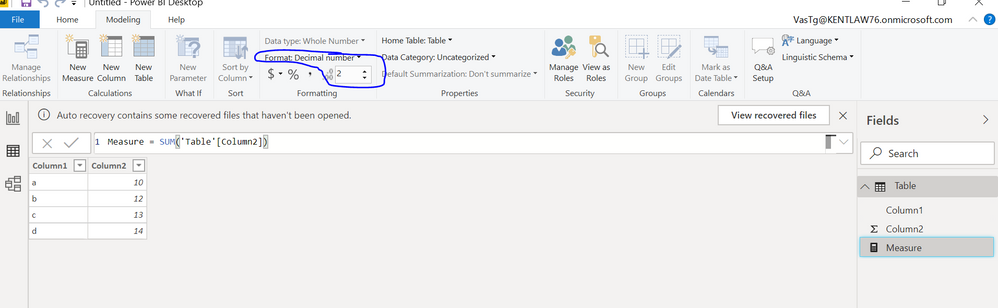
I don't know if that solves the problem but you could change the measure datatype .
Unders Report tab,
If you are using latest desktop with new ribbon preview, when you click on a measure a "Measure tools" menu appears and you could change the data type and no. of decimals.
Please see the image for old design.
If this helps, mark it as a solution
Kudos are nice too.
This doesn't work unfortunately. As I noted originally, we are unable to change the data type of a measure within the modeling tab or within the measure tools.
Check out the November 2025 Power BI update to learn about new features.
Advance your Data & AI career with 50 days of live learning, contests, hands-on challenges, study groups & certifications and more!