cancel
Showing results for 
Search instead for 
Did you mean: 

The Power BI Data Visualization World Championships is back! Get ahead of the game and start preparing now! Learn more

Reply
zugabe
Frequent Visitor

Changing legend dynamically

Hi,

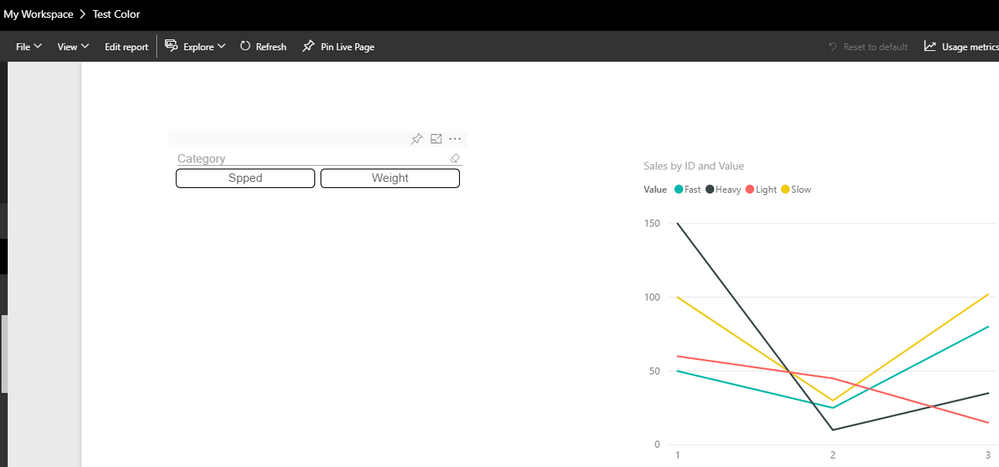
i'm using a chiclet slicer (with forced & single selection) to change the legend of one of my visuals.

For that case I have created two columns in my dataset. They look more or less like this:

CategoryValue
SpeedFast
SpeedSlow
Speed...
WeightHeavy
Weight...


I'm inserting the "Category" into the chiclet slicer and the "Value" into my visuals legend.

Now I am able to switch between two legend, which works extremly well!.

Unfortunately sometimes when I open my report online in my workspace, all entries will be shown in the legend, although just one of the two categories is selected in my chiclet slicer...

Is there a solution or at least an explanation for this behaviour?


Thanks in advance !!

1 REPLY 1
v-yulgu-msft
Microsoft Employee
Microsoft Employee

Hi @zugabe,


I didn't encounter this problem when I tested on my service.

1.PNG2.PNG


In your scenario, please try to re-publish the .pbix file for a test. Also, please try to upload .pbix file directly from serivce via "Get data -> File -> Local File". 


Best regards,

Yuliana Gu

Community Support Team _ Yuliana Gu
If this post helps, then please consider Accept it as the solution to help the other members find it more quickly.

Helpful resources

Announcements
Power BI DataViz World Championships

Power BI Dataviz World Championships

The Power BI Data Visualization World Championships is back! Get ahead of the game and start preparing now!

December 2025 Power BI Update Carousel

Power BI Monthly Update - December 2025

Check out the December 2025 Power BI Holiday Recap!

FabCon Atlanta 2026 carousel

FabCon Atlanta 2026

Join us at FabCon Atlanta, March 16-20, for the ultimate Fabric, Power BI, AI and SQL community-led event. Save $200 with code FABCOMM.