Join us at FabCon Atlanta from March 16 - 20, 2026, for the ultimate Fabric, Power BI, AI and SQL community-led event. Save $200 with code FABCOMM.
Register now!The Power BI Data Visualization World Championships is back! Get ahead of the game and start preparing now! Learn more
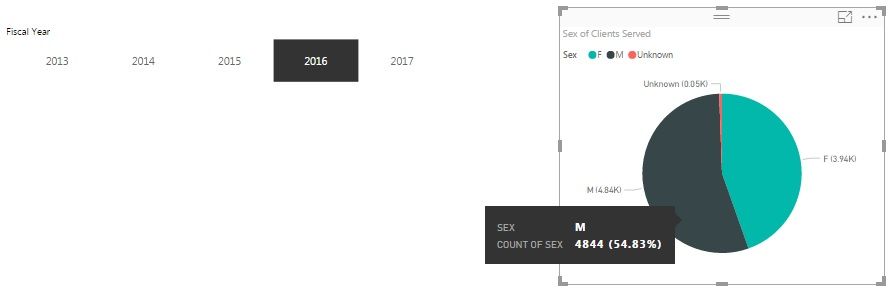
I am sure this has been asked an answered several times, but I dont have a clear cut answer without creating another calculated measure or column. Here I have a simple display showing the number (count) of males/females/other served in a given Fiscal Year (a slicer). The data labels properly display the count and when I hover it does show the percentage. Is there a way to get THAT percentage to display instead of the actual count?
Thanks for the information.
Solved! Go to Solution.
@Anonymous
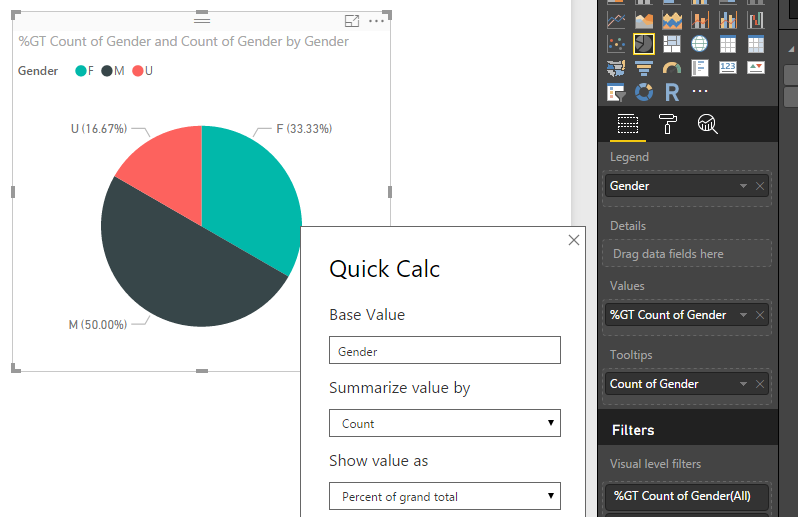
You can using QuickCalc of your Column.
Click on your column in values and select Quick Calc
@Anonymous
You can using QuickCalc of your Column.
Click on your column in values and select Quick Calc
I have tried this, but all my percentages show as 100% which obviously isn't right. I am sure I must be doing something wrong, but not sure what!
Jeff
Gracias! This is exactly what I needed and yes, it worked.
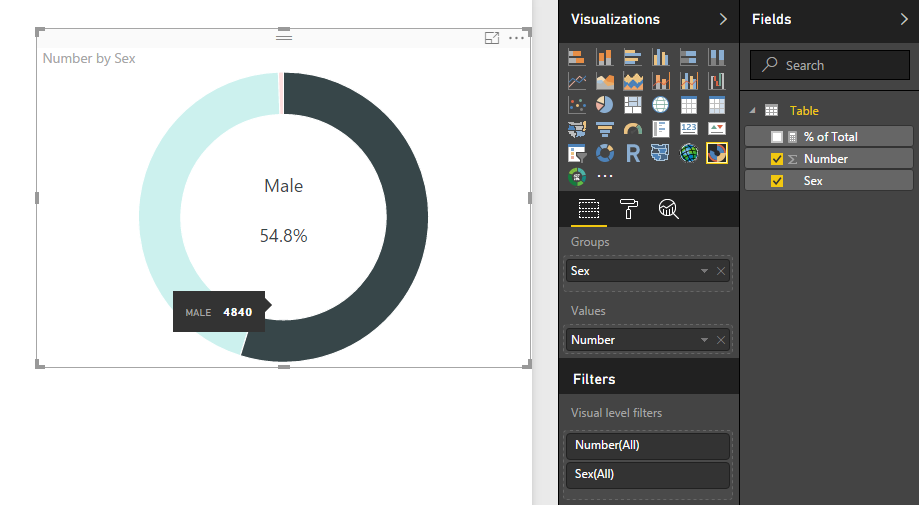
@Anonymous Try the Sunburst Custom Visual (its a Microsoft Visual)
Then you won't have to create a Measure (its a bit... tricky to use and not very customizable...)
But here's the result
Also give the Donut Chart a try - but you'll need a Measure there however it is more customizable!
Good Luck! ![]()
The Power BI Data Visualization World Championships is back! Get ahead of the game and start preparing now!
| User | Count |
|---|---|
| 40 | |
| 38 | |
| 36 | |
| 29 | |
| 28 |
| User | Count |
|---|---|
| 127 | |
| 88 | |
| 78 | |
| 66 | |
| 65 |