Join us at FabCon Atlanta from March 16 - 20, 2026, for the ultimate Fabric, Power BI, AI and SQL community-led event. Save $200 with code FABCOMM.
Register now!Learn from the best! Meet the four finalists headed to the FINALS of the Power BI Dataviz World Championships! Register now
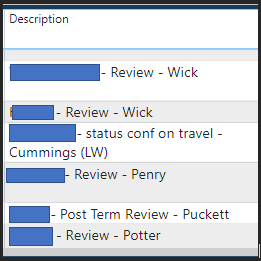
How do I change part of the text in a column. Where ever it shows (LW) in a coulmn I need the text to replace everything in the line and read "Letter Waived". So in this example the Table is called "Legal Files" Coulmn is called "Description_1". Any of the data that shows (LW) needs to replace all the text in that line to say "Letter Waived".
Thank you.
Solved! Go to Solution.
Go to power query, right click on the column you want to replace values in.
Right click then choose replace values then set values to find = LW and value to replace by is = Legal Files
Dont forget to accept this as solution if it helped
Hi
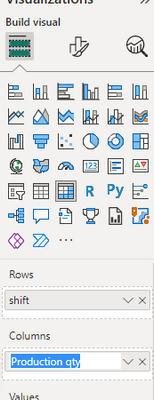
I hope you can edit column name by double click on the name in visualization part.
Like below
I'm not needing to change the name of the Column.
Go to power query, right click on the column you want to replace values in.
Right click then choose replace values then set values to find = LW and value to replace by is = Legal Files
Dont forget to accept this as solution if it helped
Share feedback directly with Fabric product managers, participate in targeted research studies and influence the Fabric roadmap.
Check out the February 2026 Power BI update to learn about new features.
| User | Count |
|---|---|
| 52 | |
| 48 | |
| 38 | |
| 15 | |
| 14 |
| User | Count |
|---|---|
| 95 | |
| 77 | |
| 35 | |
| 28 | |
| 25 |