Share feedback directly with Fabric product managers, participate in targeted research studies and influence the Fabric roadmap.
Sign up nowGet Fabric certified for FREE! Don't miss your chance! Learn more
Hi
When I am trying to change the column type from Text to Dollar value, I am getting an error message “The selected column has an existing type conversion, would you like to replace the existing conversion, or preserve the existing conversion and add the new conversion as a separate step?” When I press “Replace Current” to convert, all the fields show “Error”.
Similarly, I am also not able to convert data type to range and getting the same message.
Can anyone please help me how to solve this? Where am I going wrong?
Check the locale. It should be concurrent with the dataset being used.
Hi @whoizdeepak,
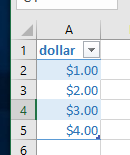
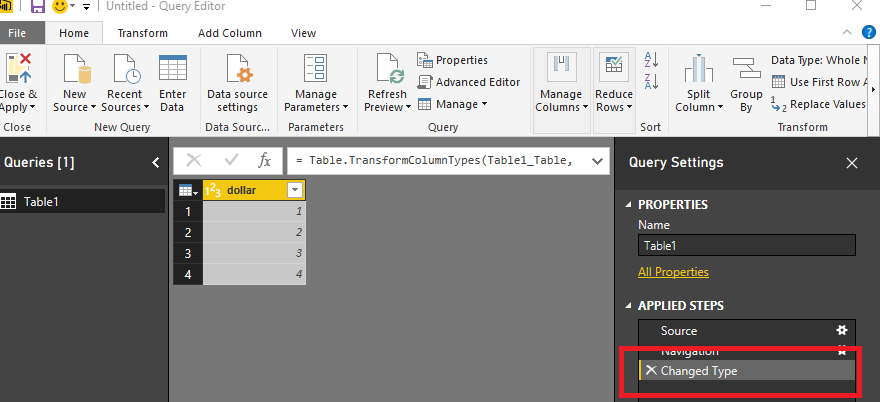
As I tested, I create a new table in Excel, the type of dollar column is Currency. Then load the table into Power BI, it will change the type to number automatically.
How do you load your resource data into power bi? Please check if there is the query state in Edit Query page. If there is not, please check your resource data's type.
Best Regards,
Angelia
Share feedback directly with Fabric product managers, participate in targeted research studies and influence the Fabric roadmap.
| User | Count |
|---|---|
| 57 | |
| 53 | |
| 42 | |
| 18 | |
| 14 |
| User | Count |
|---|---|
| 111 | |
| 104 | |
| 36 | |
| 28 | |
| 27 |