Hello,
I have a query which source is linked to a salesforce report (I don't have the credentials), and I would like to change its source to a local excel file on my local drive. However, when I try to change the source, the pop-up that I get only show the options to change the salesforce source, but I cannot choose a local excel file.
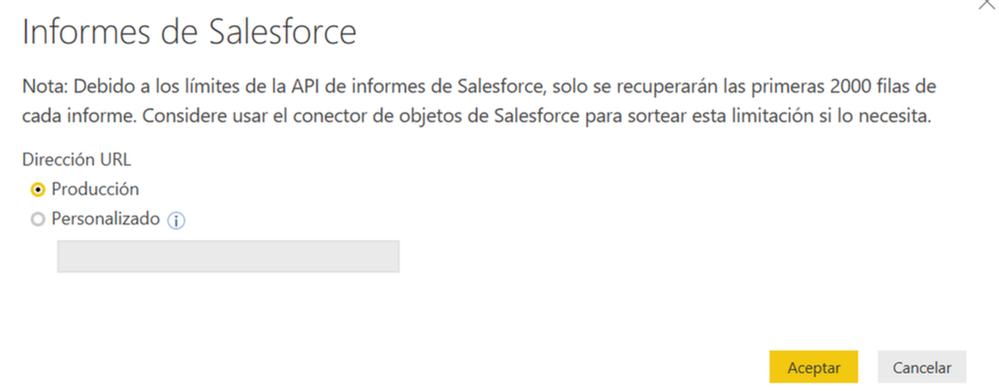
What I did is to change directly the code in the Advanced Editor. The initial code I have was:
Initial code:
Let
Source = Salesforce.Reports(),
#"00O1o000004gOEjEAM" = Source{[Name="00O1o000004gOEjEAM"]}[Data],
#"Expanded CV (converted)" = Table.ExpandRecordColumn(#"00O1o000004gOEjEAM", "CV (converted)", {"amount", "currency"}, {"CV (converted).amount", "CV (converted).currency"}),
#"Expanded Weighted CV (converted)" = Table.ExpandRecordColumn(#"Expanded CV (converted)", "Weighted CV (converted)", {"amount", "currency"}, {"Weighted CV (converted).amount", "Weighted CV (converted).currency"}),
#"Added Date.StartOfMonth" = Table.AddColumn(#"Expanded Weighted CV (converted)", "Date.StartOfMonth", each Date.StartOfMonth([Contract Sign Date])),
New code I wrote:
let
Origen = Excel.Workbook(File.Contents("C:\Users\PowerBIfiles\Book_v.0.3.xlsx"), null, true),
report1540539768565_Sheet = Origen{[Item="report1540539768565",Kind="Sheet"]}[Data],
#"Encabezados promovidos" = Table.PromoteHeaders(report1540539768565_Sheet, [PromoteAllScalars=true]),
#"Expanded CV (converted)" = Table.ExpandRecordColumn(#"Encabezados promovidos", "CV (converted)", {"amount", "currency"}, {"CV (converted).amount", "CV (converted).currency"}),
#"Expanded Weighted CV (converted)" = Table.ExpandRecordColumn(#"Expanded CV (converted)", "Weighted CV (converted)", {"amount", "currency"}, {"Weighted CV (converted).amount", "Weighted CV (converted).currency"}),
#"Added Date.StartOfMonth" = Table.AddColumn(#"Expanded Weighted CV (converted)", "Date.StartOfMonth", each Date.StartOfMonth([Contract Sign Date])),
It worked to change the source to my excel file, because I can see the table in PBI as it is on excel. However, there is an error in the #"Expanded CV (converted)" and #"Expanded Weighted CV (converted)" steps.
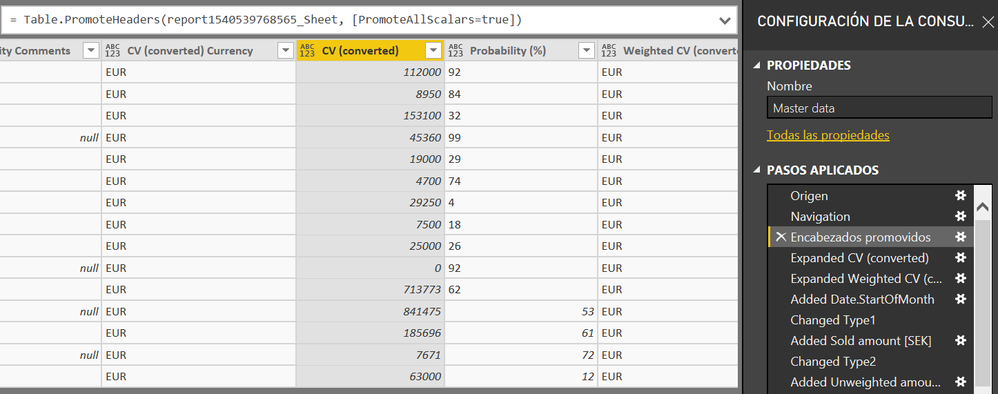
This is the table on the #"Encabezados promovidos" step:
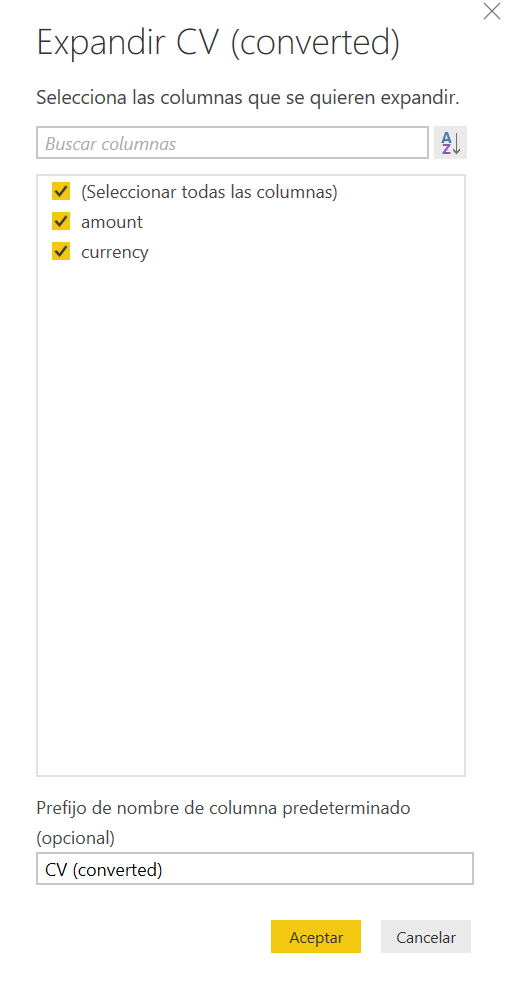
And this is the table in the #"Expanded CV (converted)" step:

This is the step applied:
Does anyone know what might be the problem?
Thank you very much for your help.
Ignacio