Share feedback directly with Fabric product managers, participate in targeted research studies and influence the Fabric roadmap.
Sign up nowGet Fabric certified for FREE! Don't miss your chance! Learn more
Hi.
I have these 2 SQL clauses I need to use in PowerBI measure.
This one I need to add decimals = Rivisumma alv 0% = SUMX ( 'ol', [price] * ( [quantity] ) / (1 + [alv] /100))
This is how I do it in SQL, but haven't found how to do it in DAX.
SELECT ROUND(SUM(ol.quantity * ol.price / (1 + CAST(ol.alv AS DECIMAL(10, 6)) / 100)), 2) Summa
And this one I have tried multiple IF-statements in DAX, but nothing is working. If ol.price is over 0, then sum ol.quantity. If ol.price is under 0 then decrease from ol.quantity.
SUM(CASE WHEN ol.price > 0 THEN ol.quantity ELSE CASE WHEN ol.price < 0 THEN - ol.quantity ELSE 0 END END) Kpl
Thanks for any help with these.
Solved! Go to Solution.
@Anonymous , Try like
round(SUMX ( 'ol',divide( [price] * ( [quantity] )*1.0 ,(1 + [alv] /100.0))),2)
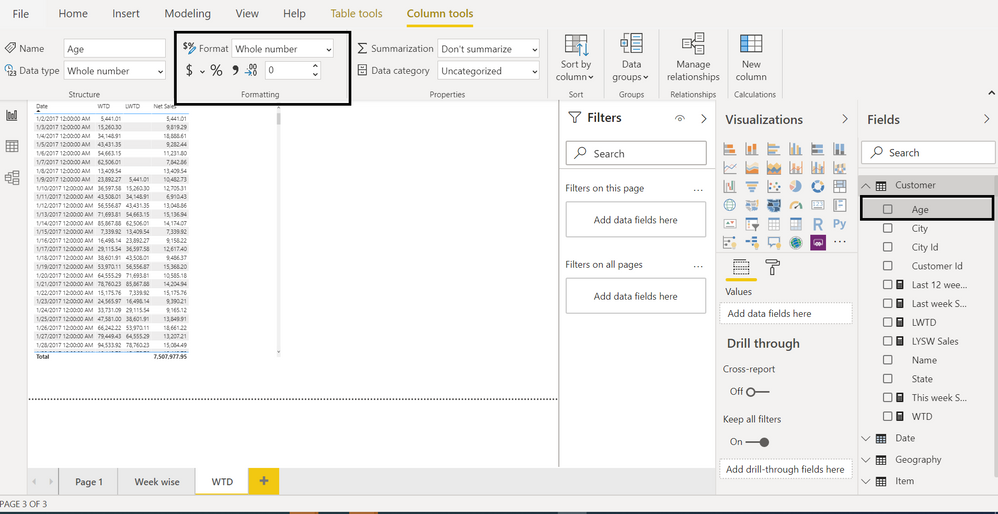
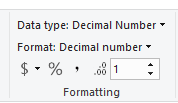
Change data type to decimal. You can Avoid round by giving it column/measure tools
SUMX('ol' , Switch(True(), ol[price] > 0 , ol[quantity] , ol[price] < 0 , -1* ol[quantity] , 0 ))
Try like this in DAX -
Rivisumma alv 0% = SUMX ( 'ol', [price] * ( [quantity] ) / (1 + [alv] /100))
Rivisumma alv 0% =
VAR A = SUMX ( 'ol', [price] * ( [quantity] )
VAR B = 1+ Divide([alv],100,0)
Return
Divide(A,B)
Measure_2 =
Switch(True(),
ol.price >0, sum(ol.quantity),
ol.price < 0, write the comdition here like above,
0
)
hope this helps.
Regards,
Hemant
@Anonymous , Try like
round(SUMX ( 'ol',divide( [price] * ( [quantity] )*1.0 ,(1 + [alv] /100.0))),2)
Change data type to decimal. You can Avoid round by giving it column/measure tools
SUMX('ol' , Switch(True(), ol[price] > 0 , ol[quantity] , ol[price] < 0 , -1* ol[quantity] , 0 ))
For the first one you can change the precision of your column in "Columns Tools" ribbon
2nd one you need to create measure like this.
_Qty = IF(price > 0,SUM(quantity),SUM(quantity)*-1)
Proud to be a Super User!
If you love stickers, then you will definitely want to check out our Community Sticker Challenge!
Check out the January 2026 Power BI update to learn about new features.
| User | Count |
|---|---|
| 62 | |
| 60 | |
| 45 | |
| 21 | |
| 18 |
| User | Count |
|---|---|
| 122 | |
| 117 | |
| 37 | |
| 34 | |
| 30 |