Join us at FabCon Atlanta from March 16 - 20, 2026, for the ultimate Fabric, Power BI, AI and SQL community-led event. Save $200 with code FABCOMM.
Register now!The Power BI Data Visualization World Championships is back! Get ahead of the game and start preparing now! Learn more
Dears:
Quick question.![]()
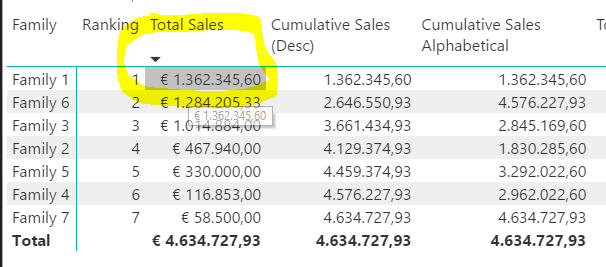
Is it possible to change the highlight color on tables?
It would great to change from grey to any other color.... for instance red.
Thanks for the support.![]()
Solved! Go to Solution.
Hi @Ciria,
=> What I do, is the possibility to change the color when you move over every cell.
No, as I know there's no such feature on visual itself. I'm afraid your requirement cannot be achieved in current Power BI desktop. So I would suggest you to submit an Idea for feature request.
Thanks,
Xi Jin.
Hey,
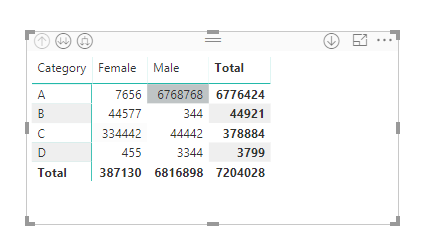
I faced the same issue, so I basically overallped my visual with transparent text box. In this way, no grey shade will be visible while mouseover to the rows of grid or matrix.
Hi @Ciria,
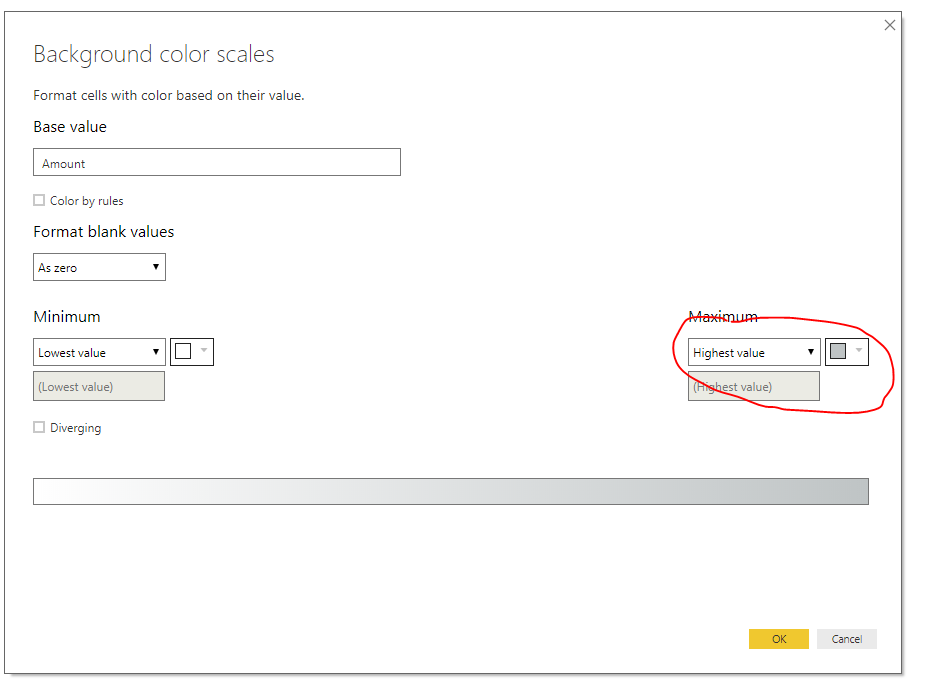
To achieve your requirement, I think you can try Conditional Formatting.
Right click the Values in visual pane -> Conditional Formatting -> Change the Max value color.
Thanks,
Xi Jin.
Hi @v-xjiin-msft , Dear all:
Thanks for the reply but this is not what I'm looking for.
What I do, is the possibility to change the color when you move over every cell.
This behaviour is named as "MouseOver" in database like Ms Access.
I know DAX or Powerbi is not a OOP (Objects oriented programming) but, this should a feature you could adjust on the visual itself.
Awaiting for your comments 🙂
Regards,
Hi @Ciria,
=> What I do, is the possibility to change the color when you move over every cell.
No, as I know there's no such feature on visual itself. I'm afraid your requirement cannot be achieved in current Power BI desktop. So I would suggest you to submit an Idea for feature request.
Thanks,
Xi Jin.
Thanks for the response, I was afraid it was in that way...
I will create the idea and I will link here for voting.
Regards,
Dears:
Here the link for voting:
Thanks a lot!
The Power BI Data Visualization World Championships is back! Get ahead of the game and start preparing now!
| User | Count |
|---|---|
| 39 | |
| 38 | |
| 38 | |
| 28 | |
| 27 |
| User | Count |
|---|---|
| 124 | |
| 88 | |
| 73 | |
| 66 | |
| 65 |