Don't miss your chance to take exam DP-600 or DP-700 on us!
Request nowLearn from the best! Meet the four finalists headed to the FINALS of the Power BI Dataviz World Championships! Register now
I have a Gauge visual that is used to show total amount of Sales Orders booked. I have a slicer that allow selection of a specific Salesperson. I would like that Gauge Target value to dynamically changes depending on which Salesperson is selected in the slicer since they all have different quotas. Is that possible and if so, can someone point me in the direction to getting that accomplished?
Thanks in advance.
Solved! Go to Solution.
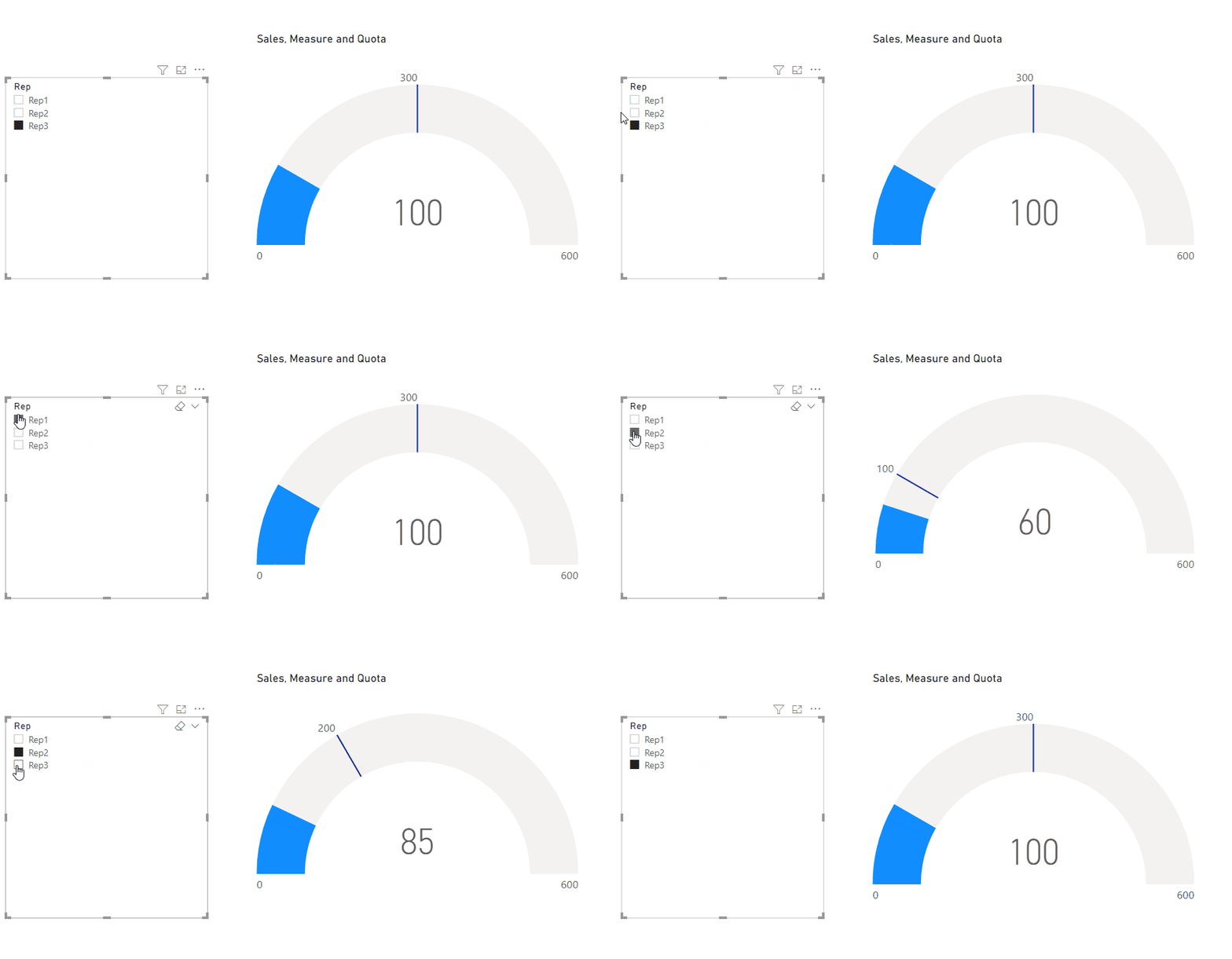
Hi @jbrinker ,
Please refer to the pbix file
If this post helps, then please consider Accept it as the solution to help the other members find it more quickly.
Best Regards,
Dedmon Dai
Hi @jbrinker ,
Please refer to the pbix file
If this post helps, then please consider Accept it as the solution to help the other members find it more quickly.
Best Regards,
Dedmon Dai
Thanks Dedmon at that was really helpful. The issues was that the Cross filter relationship between the two tables was set to single. Once I changed to Both it worked as expect. Thanks again!
@jbrinker , Please create a target table with Salesperson, and then it should filter. Create a target measure and use that in Visual
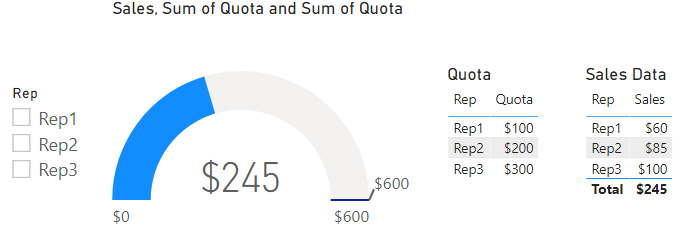
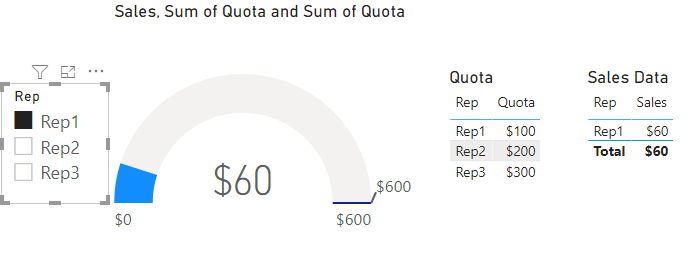
Thanks for the fast reponse @amitchandak. Unfortunatly the Gauge Target does not change when selecting the various slicer options. See the attached image of a very simple example. When either of the Reps in the slicer are selected, the Gauge target always stays at $600 (sum of the Quota) instead of showing it for the Rep that is selected. I tried to send the PBIX file but could not find a way to post attachments.
Share feedback directly with Fabric product managers, participate in targeted research studies and influence the Fabric roadmap.
Check out the February 2026 Power BI update to learn about new features.
| User | Count |
|---|---|
| 50 | |
| 40 | |
| 37 | |
| 14 | |
| 14 |
| User | Count |
|---|---|
| 85 | |
| 69 | |
| 37 | |
| 29 | |
| 27 |