
cancel
Showing results for 
Search instead for 
Did you mean: 

The Power BI Data Visualization World Championships is back! It's time to submit your entry. Live now!

Reply
Anonymous
Not applicable

Change Chart Color

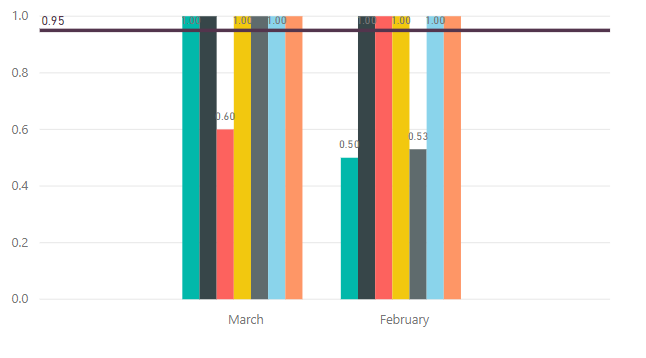
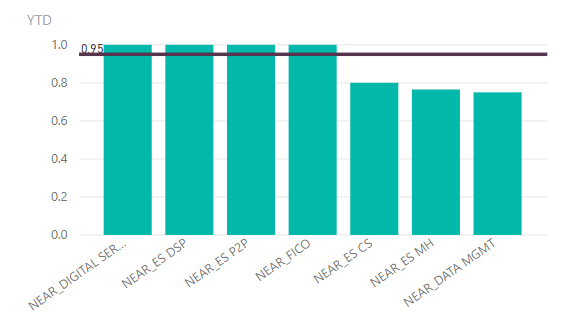
I want the color of the charts to change whenever the data value is under constant line.2019-04-15_22-00-49.png2019-04-15_22-10-42.png

4 REPLIES 4
Gesserovic
Frequent Visitor

Create a custom column, where it will be validaded if the value is under constant line. 

something like this: 

Column = if(Table[Value] >= 1,"Over_Constant_line","Under_Constant_line")
and then add this custom column to legend and decide your colours.
 
 
v-chuncz-msft
Community Support
Community Support

@Anonymous ,


This is not yet supported. But you may try conditional formatting.

Community Support Team _ Sam Zha
If this post helps, then please consider Accept it as the solution to help the other members find it more quickly.
Anonymous
Not applicable

2019-04-21_13-56-49.png


so i can only do something like in the photos above by changing the bars colors from format > data colors every time tha data changes?

Anonymous
Not applicable

Helpful resources

Announcements
December 2025 Power BI Update Carousel

Power BI Monthly Update - December 2025

Check out the December 2025 Power BI Holiday Recap!

FabCon Atlanta 2026 carousel

FabCon Atlanta 2026

Join us at FabCon Atlanta, March 16-20, for the ultimate Fabric, Power BI, AI and SQL community-led event. Save $200 with code FABCOMM.