
Don't miss your chance to take the Fabric Data Engineer (DP-600) exam for FREE! Find out how by watching the DP-600 session on-demand now through April 28th.
Learn moreJoin the FabCon + SQLCon recap series. Up next: Power BI, Real-Time Intelligence, IQ and AI, and Data Factory take center stage. All sessions are available on-demand after the live show. Register now
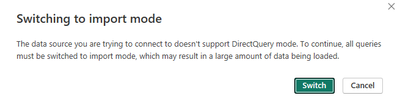
I currently have a DirectQuery model created from a SQL Server query. Now I want to add an excel file import to create a composite model. But when I add the import, a popup says if I want to continue I'll have to switch all models to import mode. I read the documentation and searched all over the internet, but can't find any solution. Desktop version is 2.121.1642.0 64-bit (September 2023).
Thanks a lot for your help!
Hi @mihofmann ,
I tried to reproduce what you are experiencing on my own Desktop, but everything works fine. I'm guessing it might be a Desktop version issue, please try the November version or the December version of Desktop, I tested it and had no problems.
Best Regards,
Dino Tao
If this post helps, then please consider Accept it as the solution to help the other members find it more quickly.
Any chance that you have mistaken"adding local model" with switching to import mode?
When I connect anything to my Power BI Dataset data source, I get this message.
Adding a local model doesn't switch to import however.
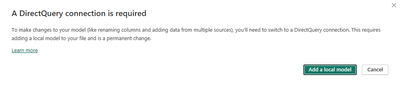
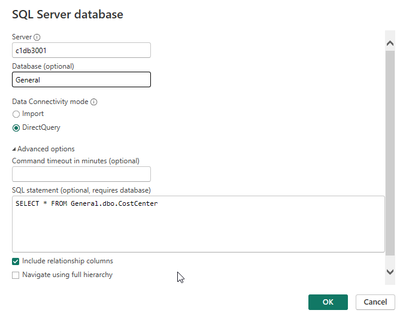
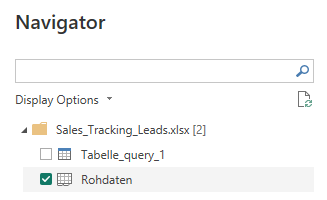
I don't think so. Here are some example steps:
1. Create DQ model:
2. Add Excel import:
3. This message pops up:
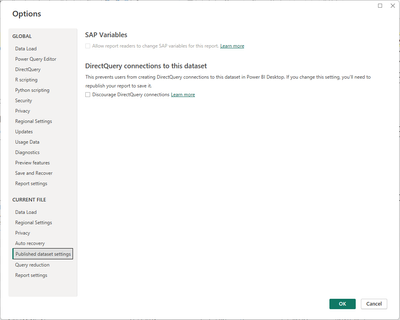
There must be something wrong with your settings. I tried at mine and worked fine. Any chance you have this button on?
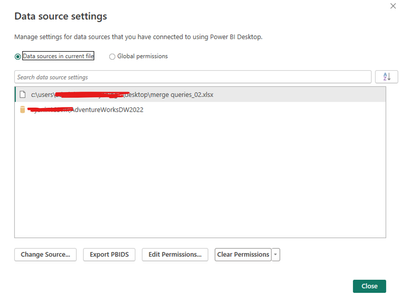
Check your global and current file settings.
Does the DQ work fine just by itself, without adding the excel file? Can you load the data to desktop?
Any chance your privacy settings on desktop would not allow it?
When I open this settings page it is blank. DirectQuery itself works though.
I think it might have to do with my corp limiting the features to those available in Power BI Report Server. For regulatory reasons we can only use on-premise and Report Server does not support composite models yet. Was hoping to at least have them available in Desktop, though.
Very likely.
Can you publish your DQ to Service? If yes, you could try to connect to Power BI Dataset and then try adding the Excel.
Check out the April 2026 Power BI update to learn about new features.
If you have recently started exploring Fabric, we'd love to hear how it's going. Your feedback can help with product improvements.
A new Power BI DataViz World Championship is coming this June! Don't miss out on submitting your entry.
| User | Count |
|---|---|
| 42 | |
| 37 | |
| 34 | |
| 21 | |
| 16 |
| User | Count |
|---|---|
| 65 | |
| 62 | |
| 31 | |
| 26 | |
| 25 |