Join us at FabCon Atlanta from March 16 - 20, 2026, for the ultimate Fabric, Power BI, AI and SQL community-led event. Save $200 with code FABCOMM.
Register now!The Power BI Data Visualization World Championships is back! Get ahead of the game and start preparing now! Learn more
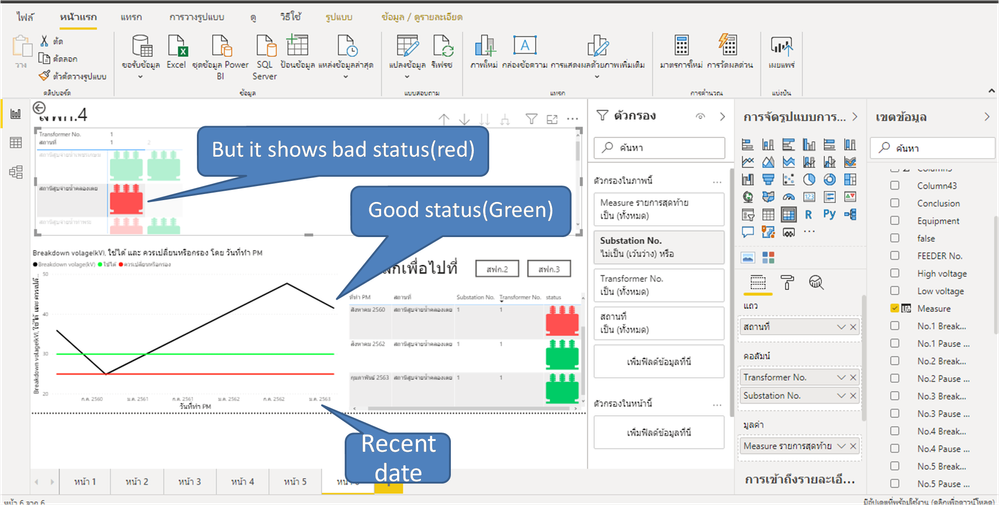
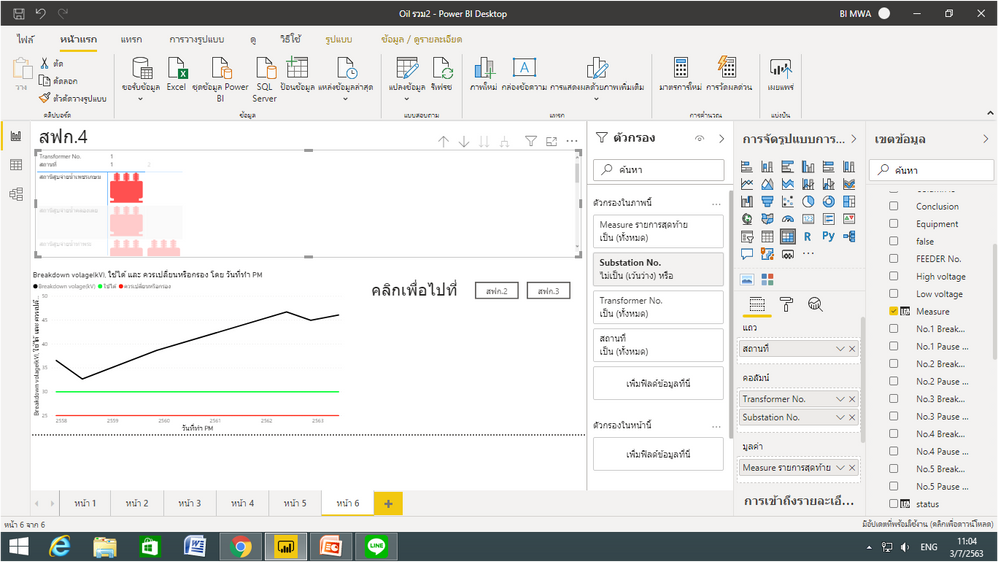
I need to show status(image URL GREEN/ORANGE/RED) of transformer at every location on recent date that workers do oil dielectric test but dashboard still shows wrong image URL.
For example
DATE Status
1/1/2020 Red(should change oil)
2/1/2020 orange(should filter oil)
3/1/2020 Green(good condition)
In Matrix
No.
Substation No.
Location Green
Solved! Go to Solution.
@can5539 , Try one of the 2
Measure =
var _max = calculate(lastedate(Table[Date]))
return
calculat(max(Table[url]), filter(Table,Table[Date]=_max))
or
Measure =
var _max = maxx(allselected(Table),Table[Date])
return
calculat(max(Table[url]), filter(Table,Table[Date]=_max))
@can5539 , you can create a measure to return URL and at recent date only and change is the type to URL
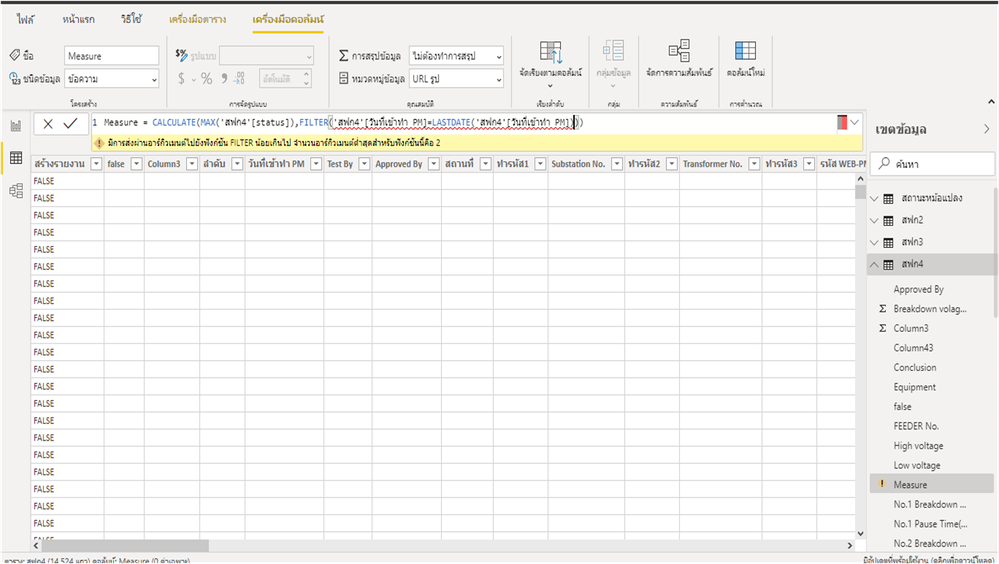
Measure = calculat(max(Table[url]), filter(Table[Date]=lastedate(Table[Date]))
@amitchandak It shows error "The argument is passed too little to the FILTER function. The minimum number of arguments for this function is 2."
I can't do your recommendation.
@can5539 , Try one of the 2
Measure =
var _max = calculate(lastedate(Table[Date]))
return
calculat(max(Table[url]), filter(Table,Table[Date]=_max))
or
Measure =
var _max = maxx(allselected(Table),Table[Date])
return
calculat(max(Table[url]), filter(Table,Table[Date]=_max))
The Power BI Data Visualization World Championships is back! Get ahead of the game and start preparing now!
Check out the November 2025 Power BI update to learn about new features.
| User | Count |
|---|---|
| 59 | |
| 46 | |
| 42 | |
| 23 | |
| 18 |
| User | Count |
|---|---|
| 193 | |
| 123 | |
| 99 | |
| 67 | |
| 49 |