cancel
Showing results for 
Search instead for 
Did you mean: 

We've captured the moments from FabCon & SQLCon that everyone is talking about, and we are bringing them to the community, live and on-demand. Starts on April 14th. Register now

Reply
Analitika
Post Prodigy
Post Prodigy

Can't get multiple lines in visual in Power BI

Hi,


I have visual of sales and hours. I need make that will appear two lines if we select 2021,2022 years. Now when I select 2021,2022 I am getting one average line. But I need see that lines quantity as selected years. How to fix my visual or measures? I am attaching .pbix file to be more clear about my case. My pbix is placed here: https://drive.google.com/file/d/15hoVTSJQb41v_QrsBVnAbDcdY3pOI6SE/view?usp=sharing.

6 REPLIES 6
TomMartens
Super User
Super User

Hey @Analitika ,


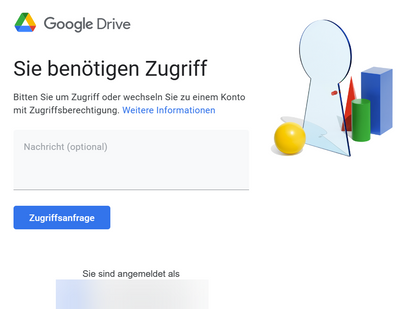
unfortunately the link requires a login, make sure that the link allows anonymous access.

Not sure, but maybe adding the years column to te legend bucket of your line chart might help. Of course you have to be aware, that this will only work if only have one colum/measuer added to your values bucket.


Regards,

Tom


Did I answer your question? Mark my post as a solution, this will help others!

Proud to be a Super User!
I accept Kudos 😉
Hamburg, Germany

Check again link.

HEy @Analitika ,

still the same:
image.png
For privacy reasons I will not request access.

Regards,

Tom


Did I answer your question? Mark my post as a solution, this will help others!

Proud to be a Super User!
I accept Kudos 😉
Hamburg, Germany

What is your email I will send link.

Hey @Analitika ,


for other reasons I will only try to answer questions if sample data is publicly available meaning accessible by everyone. Due to this, I will not share my email.

Regards,
Tom


Did I answer your question? Mark my post as a solution, this will help others!

Proud to be a Super User!
I accept Kudos 😉
Hamburg, Germany

Here is a link: https://files.fm/u/7bbf59hk3.

Helpful resources

Announcements
New to Fabric survey Carousel

New to Fabric Survey

If you have recently started exploring Fabric, we'd love to hear how it's going. Your feedback can help with product improvements.

Power BI DataViz World Championships carousel

Power BI DataViz World Championships - June 2026

A new Power BI DataViz World Championship is coming this June! Don't miss out on submitting your entry.

Join our Fabric User Panel

Join our Fabric User Panel

Share feedback directly with Fabric product managers, participate in targeted research studies and influence the Fabric roadmap.

March Power BI Update Carousel

Power BI Community Update - March 2026

Check out the March 2026 Power BI update to learn about new features.