Join us at FabCon Atlanta from March 16 - 20, 2026, for the ultimate Fabric, Power BI, AI and SQL community-led event. Save $200 with code FABCOMM.
Register now!The Power BI Data Visualization World Championships is back! Get ahead of the game and start preparing now! Learn more
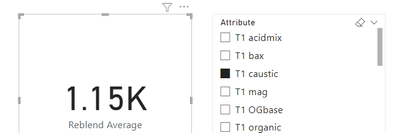
I have the following visual. It calculates the total average for 20 different fields but I want to display individual averages for the fields without making 20 different measures. I have done this by just unpivoting all the fields into one column and adding a slicer to filter out for each one which seems to work. However, I want to make 20 different visuals, with each one displaying the average for one of the attributes. Is there a way to do this from the visual rather than adding 20 different slicers that will clog up the report page?
Solved! Go to Solution.
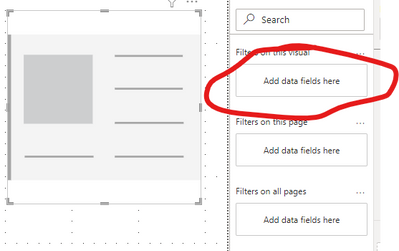
If you click on the visual, on the filters pane you can define the criteria there for each individual attribute without needing a slicer.
Check out the November 2025 Power BI update to learn about new features.
Advance your Data & AI career with 50 days of live learning, contests, hands-on challenges, study groups & certifications and more!
| User | Count |
|---|---|
| 58 | |
| 45 | |
| 40 | |
| 21 | |
| 18 |