Join us at FabCon Atlanta from March 16 - 20, 2026, for the ultimate Fabric, Power BI, AI and SQL community-led event. Save $200 with code FABCOMM.
Register now!The Power BI Data Visualization World Championships is back! Get ahead of the game and start preparing now! Learn more
Hi,
I have no clue why i get this result. It's very frustrated..
I tried to show running total progress by week.
i used this query for running total
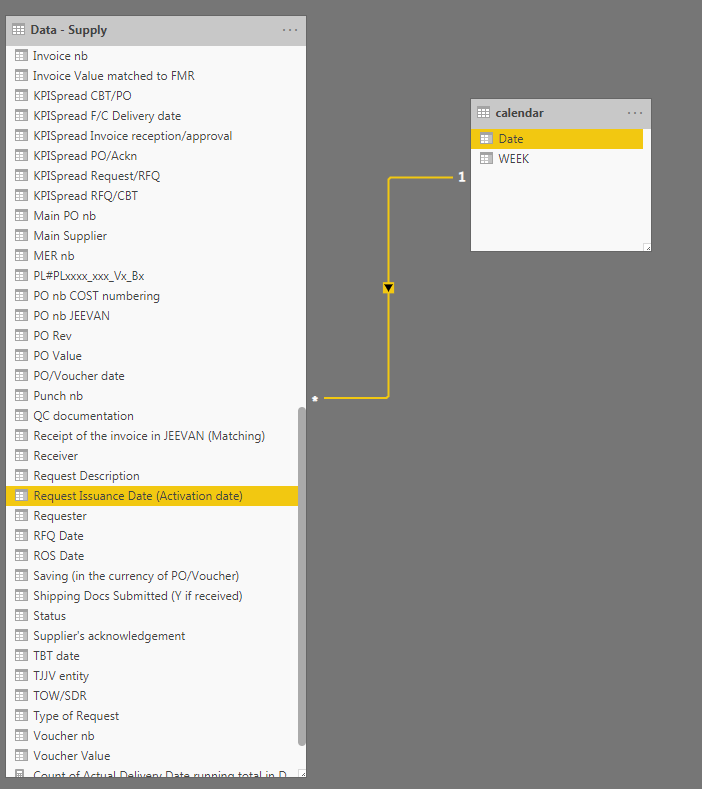
and this is the relationship
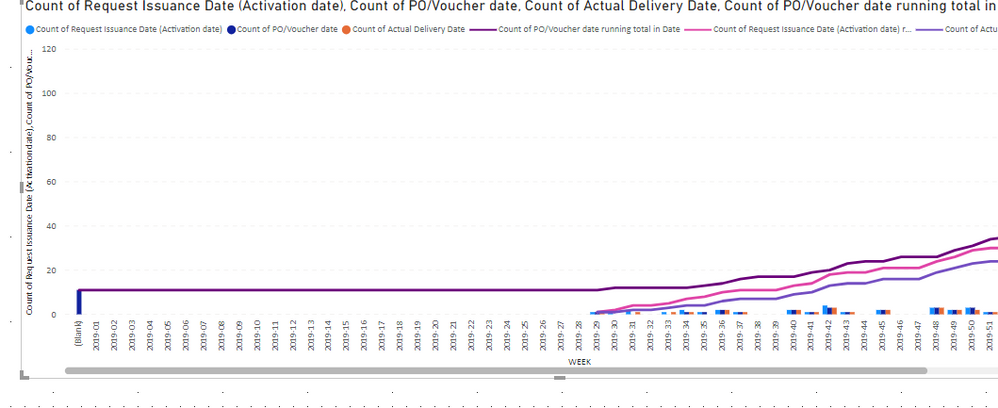
this is the result graph.. not sure why i get the blank although i don't have blank in the database..!
any advice would be much appreciated.!
thanks,
CL
Solved! Go to Solution.
Hi, @Anonymous
Based on your description, I created data to reproduce your scenario.
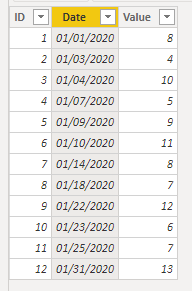
Table:
Calendar(a calculated table):
Calendar = CALENDAR(DATE(2020,1,1),DATE(2020,3,31))
You may create a calculated column as below.
WeekNum = WEEKNUM('Calendar'[Date])
There is a one-to-one relationship between two tables.
Then you can create a measure as below.
Count Running total =
var _weeknum = SELECTEDVALUE('Calendar'[WeekNum])
var _date = SELECTEDVALUE('Calendar'[Date])
return
IF(
ISINSCOPE('Calendar'[Date]),
CALCULATE(
COUNT('Table'[Date]),
FILTER(
ALLSELECTED('Calendar'),
'Calendar'[Date]<=_date
)
),
CALCULATE(
COUNT('Table'[Date]),
FILTER(
ALLSELECTED('Calendar'),
'Calendar'[WeekNum]<=_weeknum
)
)
)
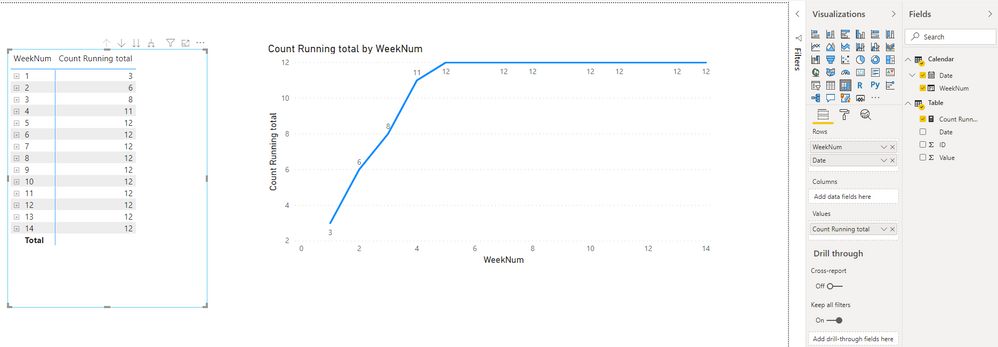
Result:
Best Regards
Allan
If this post helps, then please consider Accept it as the solution to help the other members find it more quickly.
Hi, @Anonymous
Based on your description, I created data to reproduce your scenario.
Table:
Calendar(a calculated table):
Calendar = CALENDAR(DATE(2020,1,1),DATE(2020,3,31))
You may create a calculated column as below.
WeekNum = WEEKNUM('Calendar'[Date])
There is a one-to-one relationship between two tables.
Then you can create a measure as below.
Count Running total =
var _weeknum = SELECTEDVALUE('Calendar'[WeekNum])
var _date = SELECTEDVALUE('Calendar'[Date])
return
IF(
ISINSCOPE('Calendar'[Date]),
CALCULATE(
COUNT('Table'[Date]),
FILTER(
ALLSELECTED('Calendar'),
'Calendar'[Date]<=_date
)
),
CALCULATE(
COUNT('Table'[Date]),
FILTER(
ALLSELECTED('Calendar'),
'Calendar'[WeekNum]<=_weeknum
)
)
)
Result:
Best Regards
Allan
If this post helps, then please consider Accept it as the solution to help the other members find it more quickly.
@Anonymous ,
Try with a date calendar. like
Cumm Sales = CALCULATE(SUM(Sales[Sales Amount]),filter(date,date[date] <=maxx(date,date[date])))
Cumm Sales = CALCULATE(SUM(Sales[Sales Amount]),filter(date,date[date] <=maxx(date,max(dateadd(date[date]),-1,year))))
Cumm Sales = CALCULATE(SUM(Sales[Sales Amount]),filter(date,date[date] <=max(Sales[Sales Date])))
hello @amitchandak
thanks for your reply!
can you tell me a bit more detail? i am pretty new in PBI.. i am not sure where i need those codes?
The Power BI Data Visualization World Championships is back! Get ahead of the game and start preparing now!
Check out the November 2025 Power BI update to learn about new features.
| User | Count |
|---|---|
| 59 | |
| 43 | |
| 42 | |
| 23 | |
| 17 |
| User | Count |
|---|---|
| 190 | |
| 122 | |
| 96 | |
| 66 | |
| 47 |