cancel
Showing results for 
Search instead for 
Did you mean: 

The Power BI Data Visualization World Championships is back! Get ahead of the game and start preparing now! Learn more

Reply
Titatovenaar2
Advocate II
Advocate II

CalculationGroup Format string expression does not react

Hi everyone,


I've tried to adjust the format string expressions within a calculation group of certain fields to percentages in Tabular Editor within a Dataset model, but they don't seem to react at all to anything.


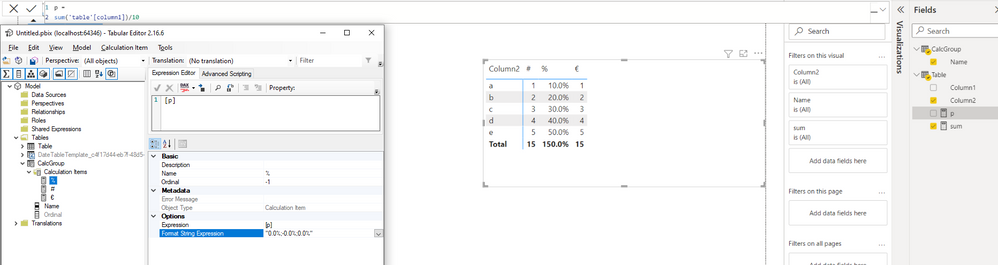
They DO work however on a new local model .pbix file, with the following settings:

Titatovenaar2_0-1657705821558.png


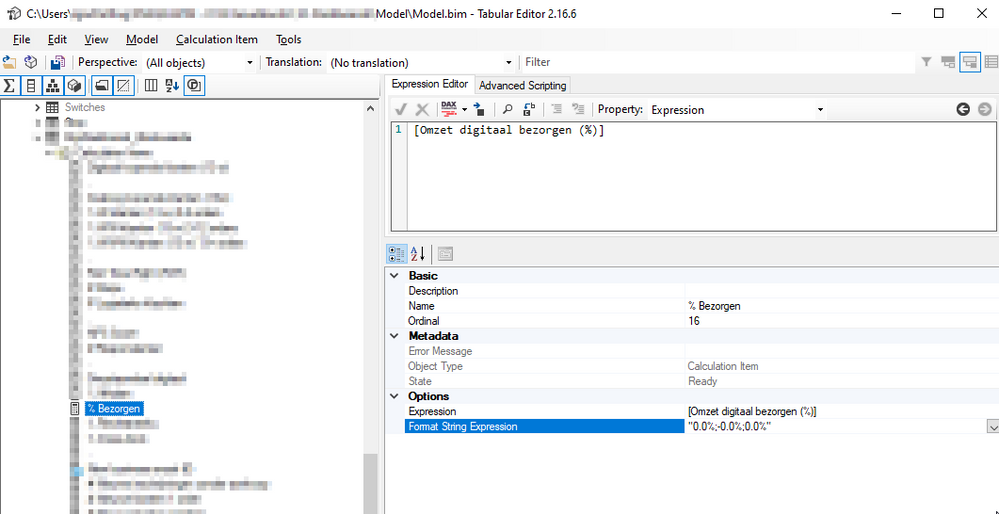
On the Dataset model, saved, deployed afterwards, and fully recalculated and/or processed afterwards, the following settings do not work somehow:

Titatovenaar2_1-1657706021325.png


I have tried the following format string expressions, which both work on the local model .pbix, but neither of them work on the Dataset model.

- "0.0%"

- "0.0%;-0.0%;0.0%"


What can I adjust to make this work on a Dataset model?


Kind regards,

Igor


1 ACCEPTED SOLUTION
Anonymous
Not applicable

Hi @Titatovenaar2 ,

There is the following limitation when using calculation group, please find the details in this official documentation.

When creating Power BI reports using LiveConnection, Dynamic format strings are not applied to report-level measures.

Power BI Connections: Live Connection

Live Connection; When Power BI comes Hybrid

The only four types of data sources supported by this type of connection are:

  • Azure Analysis Services
  • SQL Server Analysis Services Tabular
  • SQL Server Analysis Services Multi-Dimensional
  • Power BI Service Dataset
The type of measure that you create a Live Connection is called Report Level Measures. Report Level Measures as the name of it explains, is only for this Power BI report.

Best Regards

View solution in original post

4 REPLIES 4
Anonymous
Not applicable

Hi @Titatovenaar2 ,

There is the following limitation when using calculation group, please find the details in this official documentation.

When creating Power BI reports using LiveConnection, Dynamic format strings are not applied to report-level measures.

Power BI Connections: Live Connection

Live Connection; When Power BI comes Hybrid

The only four types of data sources supported by this type of connection are:

  • Azure Analysis Services
  • SQL Server Analysis Services Tabular
  • SQL Server Analysis Services Multi-Dimensional
  • Power BI Service Dataset
The type of measure that you create a Live Connection is called Report Level Measures. Report Level Measures as the name of it explains, is only for this Power BI report.

Best Regards

Titatovenaar2
Advocate II
Advocate II

Anyone else maybe? please carefully read the post, because an obvious answer that doesn't solve my post leads to less reaction of others who might actually do know the solution.


Kind regards,

Igor

Titatovenaar2
Advocate II
Advocate II

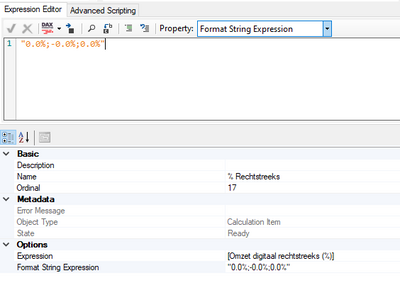
I know where to write the format string expression, but you can see that already in the screenshots I have posted above.


In my following screen you can see it has already been filled in, which also correspondents with the string all the way down to the right:


Titatovenaar2_0-1657708859868.png


What could be the solution?


amitchandak
Super User
Super User

@Titatovenaar2 , On the top where you write the expression, the is slicer - Property - you can select string format there and then write the format of string

Share with Power BI Enthusiasts: Full Power BI Video (20 Hours) YouTube
Microsoft Fabric Series 60+ Videos YouTube
Microsoft Fabric Hindi End to End YouTube

Helpful resources

Announcements
Power BI DataViz World Championships

Power BI Dataviz World Championships

The Power BI Data Visualization World Championships is back! Get ahead of the game and start preparing now!

December 2025 Power BI Update Carousel

Power BI Monthly Update - December 2025

Check out the December 2025 Power BI Holiday Recap!

FabCon Atlanta 2026 carousel

FabCon Atlanta 2026

Join us at FabCon Atlanta, March 16-20, for the ultimate Fabric, Power BI, AI and SQL community-led event. Save $200 with code FABCOMM.