Join us at FabCon Atlanta from March 16 - 20, 2026, for the ultimate Fabric, Power BI, AI and SQL community-led event. Save $200 with code FABCOMM.
Register now!Vote for your favorite vizzies from the Power BI Dataviz World Championship submissions. Vote now!
I am working with porting a Excel monthly report over to Power BI.
I am having difficulty doing relative date per column filtering on the power bi report.
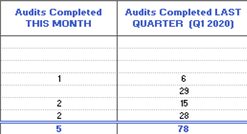
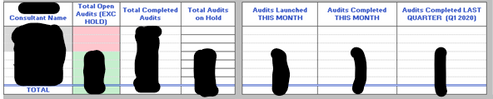
In excel I used a data tab/pivot tables which would have separate tables calculating, Total Completed Audit This month, last month, last quarter which would look something like:
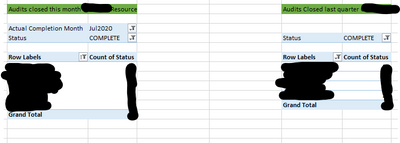
Then I would just reference column 2 from each table adding it to a table on the main dashboard.
Excel reports would look like this:
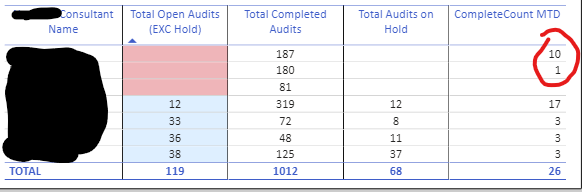
Power BI I have got this far:

Relevant Fields from "Master Report"
"Actual Finish"
"Assigned To"
I tried creating a new column with this formula:
Completed This Month =
CALCULATE (
SUM ( 'Master Report'[ActualFinish] ),
DATESBETWEEN (
'Master Report'[ActualFinish].[Date],
(MIN ( 'Master Report'[ActualFinish] ) -30),
MIN ( 'Master Report'[ActualFinish] )
)
)
This is not working. This date only appears once in the ActualFinish field.
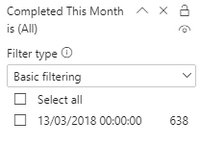
Does anyone have any ideas on how to achieve what I am after?
Hi @DMB1 ,
According to your requirements, you could refer to this blog:
https://www.poweredsolutions.co/2019/07/23/fill-dates-between-dates-with-power-bi-power-query/
@DMB1
Share some sample data and expected output with a clear explanation of what and how the calculation should be done.
The Completed This Month formula is to calculate the past 30 days total of Actual/Finish.
________________________
Did I answer your question? Mark this post as a solution, this will help others!.
I accept KUDOS 🙂
⭕ Subscribe and learn Power BI from these videos
⚪ Website ⚪ LinkedIn ⚪ PBI User Group
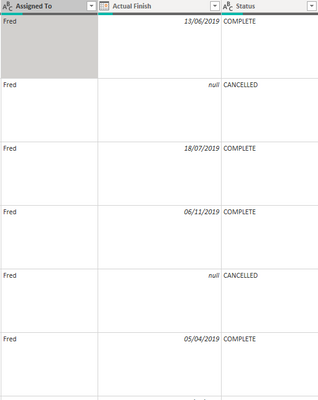
The data looks like this:
I want to have 2 columns showing a count of status "Complete" separated by "assigned to" filtered by "Actual Finish" date to the last 30 days for column1 and 90 days for column2.
I want final data to be 2 columns in one table. showing Last 30 days, Last 90 days.
Hi Guys,
I am still having difficulty with this.
I have created 2 measures:
Vote for your favorite vizzies from the Power BI World Championship submissions!
If you love stickers, then you will definitely want to check out our Community Sticker Challenge!
Check out the January 2026 Power BI update to learn about new features.
| User | Count |
|---|---|
| 57 | |
| 54 | |
| 42 | |
| 16 | |
| 16 |
| User | Count |
|---|---|
| 113 | |
| 106 | |
| 38 | |
| 35 | |
| 26 |