This time we’re going bigger than ever. Fabric, Power BI, SQL, AI and more. We're covering it all. You won't want to miss it.
Learn moreLevel up your Power BI skills this month - build one visual each week and tell better stories with data! Get started
Hi,
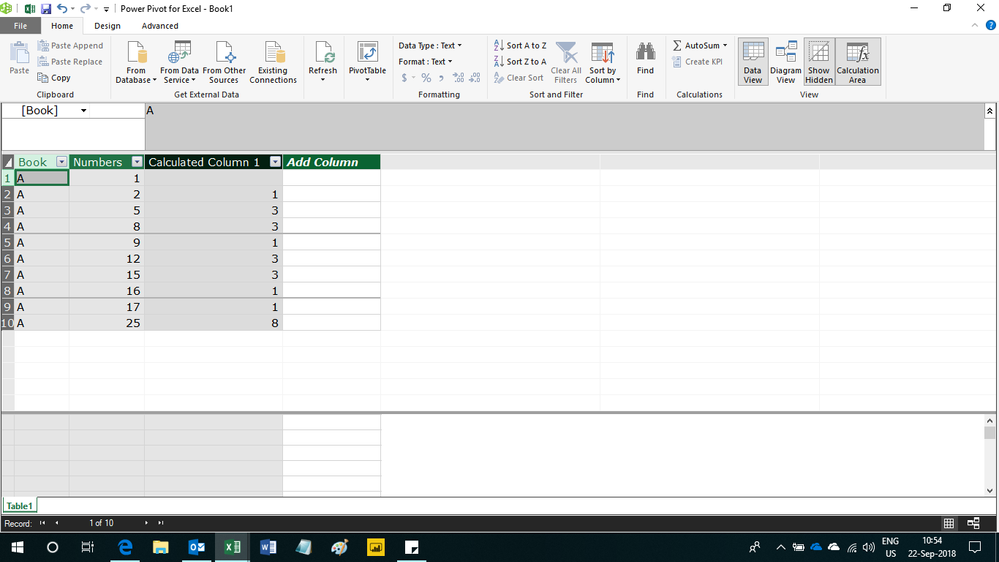
I am looking for help calculating the difference between the Numbers column below if 'Table'[Book] = EARLIER ('Table'[Book]) . The column below is what I would need. This would help determine if Numbers were skipped if Column => 1
| Book | Numbers | Column |
| A | 1 | 0 |
| A | 2 | 1 |
| A | 5 | 3 |
| A | 8 | 3 |
| A | 9 | 1 |
| A | 12 | 3 |
| A | 15 | 3 |
| A | 16 | 1 |
| A | 17 | 1 |
| A | 25 | 8 |
Any help is appreciated.
Solved! Go to Solution.
Right, so you would subtract the numbers. The intention was to show you how to use MAXX/MINX coupled with EARLIER and other filters to figure out the previous row value that you want to target and then you can use that to calculate what you want.
Hi,
Try this calculated column formula
=if(ISBLANK(CALCULATE(MAX(Table1[Numbers]),FILTER(Table1,Table1[Book]=EARLIER(Table1[Book])&&Table1[Numbers]<EARLIER(Table1[Numbers])))),BLANK(),[Numbers]-CALCULATE(MAX(Table1[Numbers]),FILTER(Table1,Table1[Book]=EARLIER(Table1[Book])&&Table1[Numbers]<EARLIER(Table1[Numbers]))))
Hope this helps.
Hey thank you for your reply. Is it possible to have a calculated measure for this scenario. As the data i have to deal with contains so many rows and with calculated columns it takes alot of time. And our basic necessity is to reduce the time for the reporting.
Thank you
This is awesome and if you were doing this with dates just substitue with Datediff vs the -.
Thanks again!
See my article on Mean Time Before Failure (MTBF) which uses EARLIER: http://community.powerbi.com/t5/Community-Blog/Mean-Time-Between-Failure-MTBF-and-Power-BI/ba-p/3395...
I can't use DATEDIFF because there is no date in this case.
Right, so you would subtract the numbers. The intention was to show you how to use MAXX/MINX coupled with EARLIER and other filters to figure out the previous row value that you want to target and then you can use that to calculate what you want.
Check out the April 2026 Power BI update to learn about new features.
Sign up to receive a private message when registration opens and key events begin.
If you have recently started exploring Fabric, we'd love to hear how it's going. Your feedback can help with product improvements.
| User | Count |
|---|---|
| 34 | |
| 26 | |
| 25 | |
| 22 | |
| 18 |
| User | Count |
|---|---|
| 65 | |
| 35 | |
| 32 | |
| 25 | |
| 23 |