Don't miss your chance to take the Fabric Data Engineer (DP-600) exam for FREE! Find out how by watching the DP-600 session on-demand now through April 28th.
Learn moreJoin the FabCon + SQLCon recap series. Up next: Power BI, Real-Time Intelligence, IQ and AI, and Data Factory take center stage. All sessions are available on-demand after the live show. Register now
Hola a todos, ¿ sabéis si aun el conector de GA4 Beta acepta sólo 50 cuentas ? no se ha solucionado? Estamos borrando cuentas pero aún no salen las más recientes 😞 Gracias!
HI @ANAU,
Which type of data connector are you used? The default GA connector to a third party GA connector?
If you mean the first one, it should only be limited by the GA API definition, you can check the document to know more about the limitations.
Limits and Quotas on API Requests | Analytics Reporting API v4 | Google for Developers
If you mean the second one, it should be limited by the connector itself. You can contact to the connector authority to get further support.
Regards,
Xiaoxin Sheng
I Use Ga4 direct from Power Bi el beta from Power Bi desktop.
And I understand that I can only see 50 of the accounts I have in GA4 as discharged, right? Do I have to delete accounts so that the last one registered appears? or do I have another alternative?
Thank You so much,
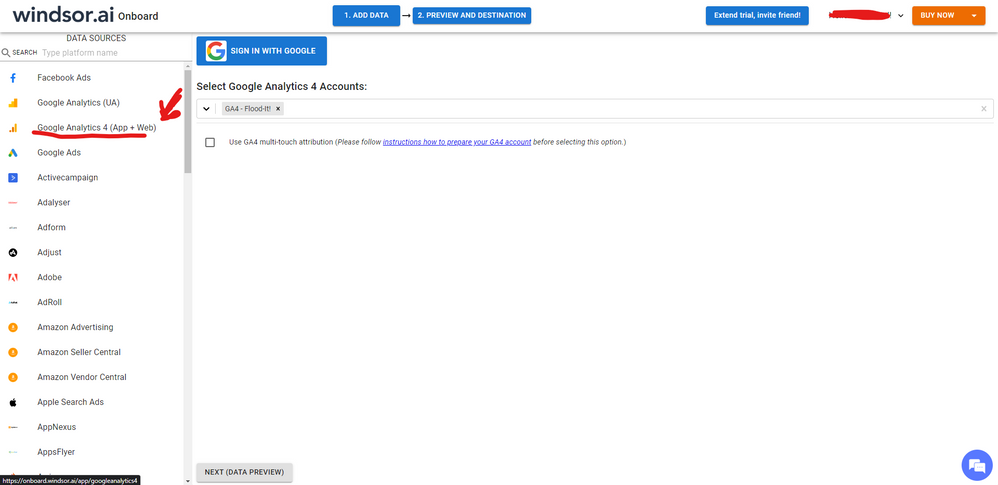
Hi @ANAU Seems like the 2.0 beta connector is still having some flaws. As a workaround, maybe you can try to test your connection with a 3rd party tool. I currently use windsor.ai's GA4 connector and I can connect the number of accounts I wish without any problem. In case you wonder, to make the connection first search for the GA4 connector in the data sources list:
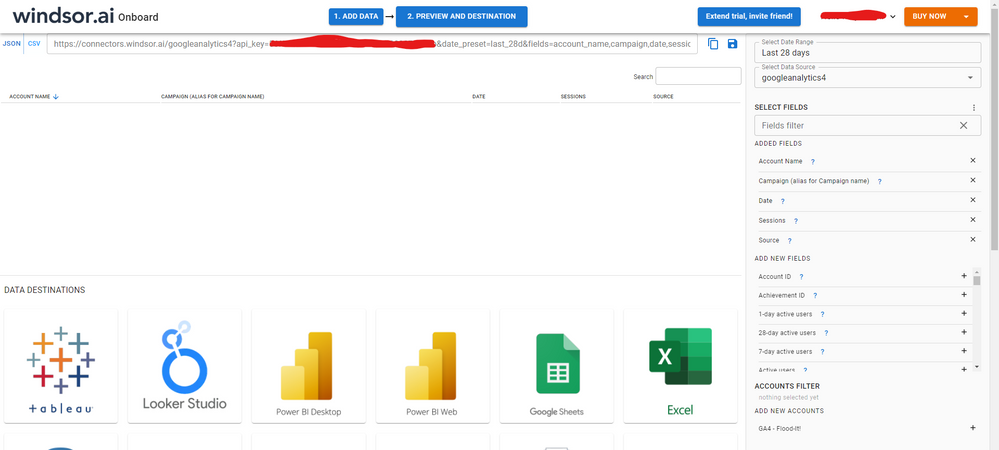
After that, just grant access to your GA4 account using your credentials, then on preview and destination page you will see a preview of your GA4 fields:
There just select the fields you need. Finally, just select PBI as your data destination and finally just copy and paste the url on PBI --> Get Data --> Web --> Paste the url.
Check out the April 2026 Power BI update to learn about new features.
If you have recently started exploring Fabric, we'd love to hear how it's going. Your feedback can help with product improvements.
A new Power BI DataViz World Championship is coming this June! Don't miss out on submitting your entry.
| User | Count |
|---|---|
| 45 | |
| 38 | |
| 34 | |
| 21 | |
| 17 |
| User | Count |
|---|---|
| 66 | |
| 65 | |
| 31 | |
| 26 | |
| 26 |