cancel
Showing results for 
Search instead for 
Did you mean: 

The Power BI Data Visualization World Championships is back! Get ahead of the game and start preparing now! Learn more

Reply
Anonymous
Not applicable

CDS Data Source.

Hi, 

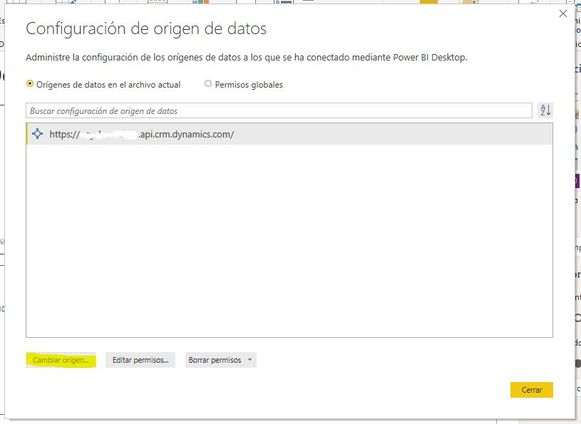
I want to chage my trial CDS data source to my production CDS Data Source but I don't have that option avaliable in Power BI, What can I do?


CDS.JPG


1 ACCEPTED SOLUTION

Hi @Anonymous ,


By my test in the latest version 2.76.5678.782 of Power BI Desktop, the option works well. You may upgrade Power BI Desktop, and try it again.


Best Regards,

Amy


Community Support Team _ Amy

If this post helps, then please consider Accept it as the solution to help the other members find it more quickly.

View solution in original post

5 REPLIES 5
manishsg
New Member

Hi All,


We are encountering the similar issue The Change data source button is disabled in case of Common Data Service connection for Power Apps.


Any help would highly be appreciated.


Thanks

urruegg
Microsoft Employee
Microsoft Employee

Hi 

there are simple step within Power Query to achive this using parameters.

1. Create a new parameter --> cds_environment_connection_urlhttps://<environement>.crm.dynamics.com/

2. Select the query and open "Advance Editor"

3. Use the parameter within the advanced editor to build the connection string, see below example

let

    Source = Cds.Entities(cds_environment_connection_url&"api/data/v9.1/", [ReorderColumns=null, UseFormattedValue=null]),

    entities = Source{[Group="entities"]}[Data],

    systemusers = entities{[EntitySetName="systemusers"]}[Data]


Hope this helps

Urs

v-xicai
Community Support
Community Support

Hi @Anonymous ,


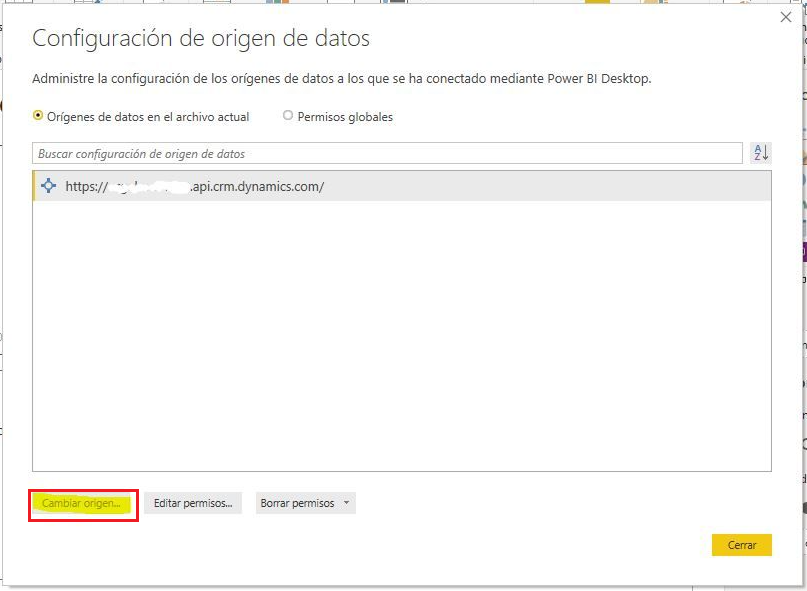
You can change the data source via clicking "Change Source" option.

81.png

You can also refer to the link: Connect to the Power BI Using Common Data Service (CDS).


Best Regards,

Amy


Community Support Team _ Amy

If this post helps, then please consider Accept it as the solution to help the other members find it more quickly.

Anonymous
Not applicable

I don't have available that option, that's why my question.

Hi @Anonymous ,


By my test in the latest version 2.76.5678.782 of Power BI Desktop, the option works well. You may upgrade Power BI Desktop, and try it again.


Best Regards,

Amy


Community Support Team _ Amy

If this post helps, then please consider Accept it as the solution to help the other members find it more quickly.

Helpful resources

Announcements
Power BI DataViz World Championships

Power BI Dataviz World Championships

The Power BI Data Visualization World Championships is back! Get ahead of the game and start preparing now!

December 2025 Power BI Update Carousel

Power BI Monthly Update - December 2025

Check out the December 2025 Power BI Holiday Recap!

FabCon Atlanta 2026 carousel

FabCon Atlanta 2026

Join us at FabCon Atlanta, March 16-20, for the ultimate Fabric, Power BI, AI and SQL community-led event. Save $200 with code FABCOMM.

Top Solution Authors