Join us at FabCon Atlanta from March 16 - 20, 2026, for the ultimate Fabric, Power BI, AI and SQL community-led event. Save $200 with code FABCOMM.
Register now!The Power BI Data Visualization World Championships is back! Get ahead of the game and start preparing now! Learn more
Hi,
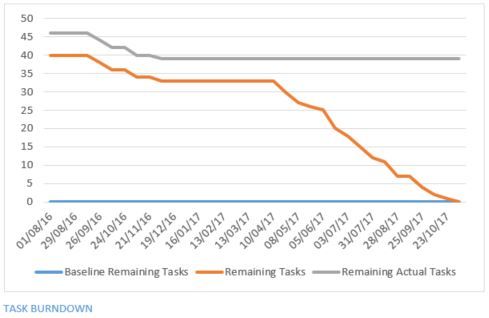
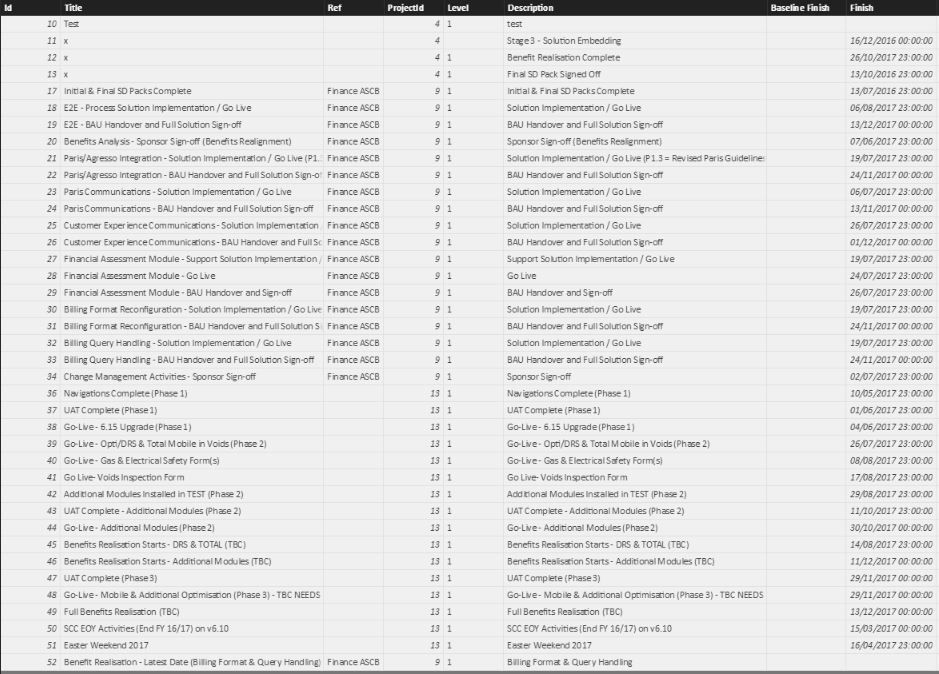
I'm hoping someone on here can help I am attempting to create a burndown chart similar to the attached screen shot within Power BI in order to track baselined finish dates against current finish dates. I have worked out that i will need to create a column within my milestones table that calculates the number of days between the finish date in a row and the latest finish date in the table which will then produce values that decrease the closer you get to the final finish dates. The problem is that i have no idea how to do this and i'm hoping someone here can give me a helping hand with the formula. I tried to use the DATEDIFF function to no avail.
Thanks
Ian
I have worked out that i will need to create a column within my milestones table that calculates the number of days between the finish date in a row and the latest finish date in the table which will then produce values that decrease the closer you get to the final finish dates. The problem is that i have no idea how to do this and i'm hoping someone here can give me a helping hand with the formula.
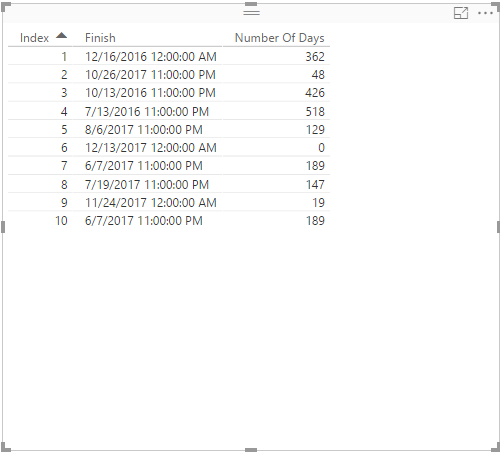
Create the following columns in your table and check if you get desired result.
LatestDateInTable = MAX(Table1[Finish])
Number Of Days = DATEDIFF(Table1[Finish],Table1[LatestDateInTable],DAY)
Regards,
Lydia Zhang
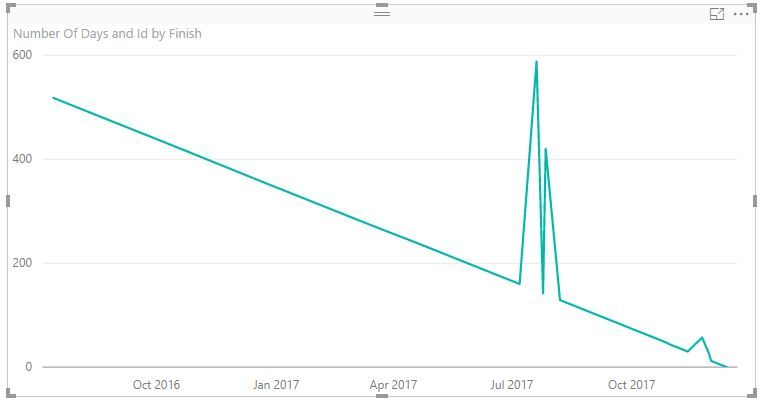
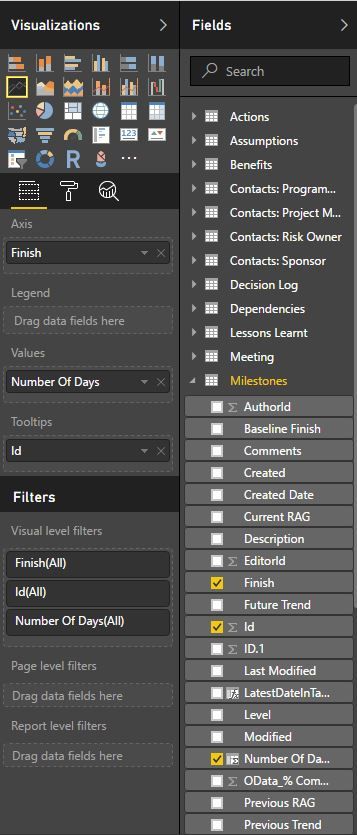
Thanks for this @Anonymous, i am finding though that when i create the line chart from the data it's not quite working as expected. it comes up with the below.
Sorry, a little further narrative is that it seems to sum the items that have the same month/date
Hi @icantwi,
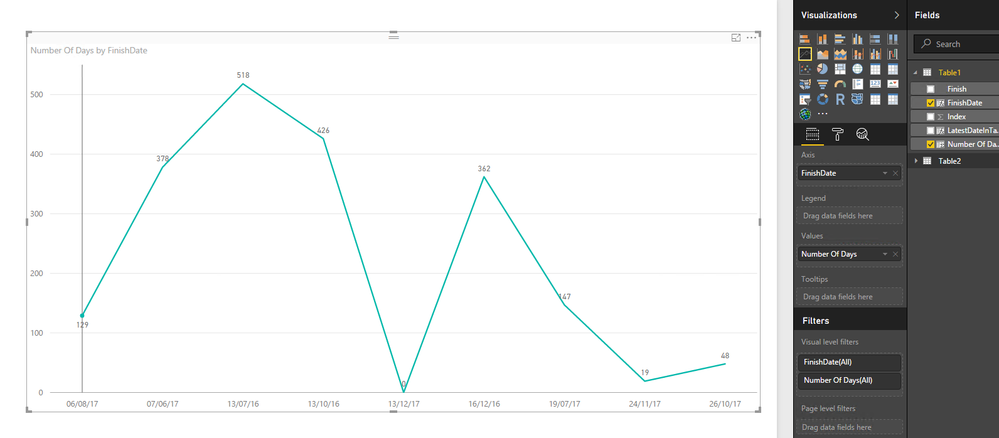
Create a new column using the following DAX, then create a line chart as shown in the following screenshot.
FinishDate = FORMAT(Table1[Finish],"DD/MM/YY")
Regards,
Hi ,
Unfortunately that's not quite what I was looking for. Then line shouldn't rise and fall so it should start with everything at the start and then as items complete the values should reduce until 0. Just like the first example i showed.
Kind Regards
Ian
The Power BI Data Visualization World Championships is back! Get ahead of the game and start preparing now!
| User | Count |
|---|---|
| 39 | |
| 38 | |
| 38 | |
| 28 | |
| 27 |
| User | Count |
|---|---|
| 124 | |
| 88 | |
| 73 | |
| 66 | |
| 65 |