Hi all,
I have a question regarding building "dymanic" matrixes in a PBI report depending on intervals in a underlying table.
The easiest way to explain is showing you how the data is structured as of now.
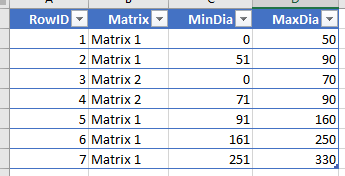
First, we have a table (simplified in this picture) containing a list of matrixes depending on intervals of lengths:

Then we have a similar list of matrixes with intervals of diameters:
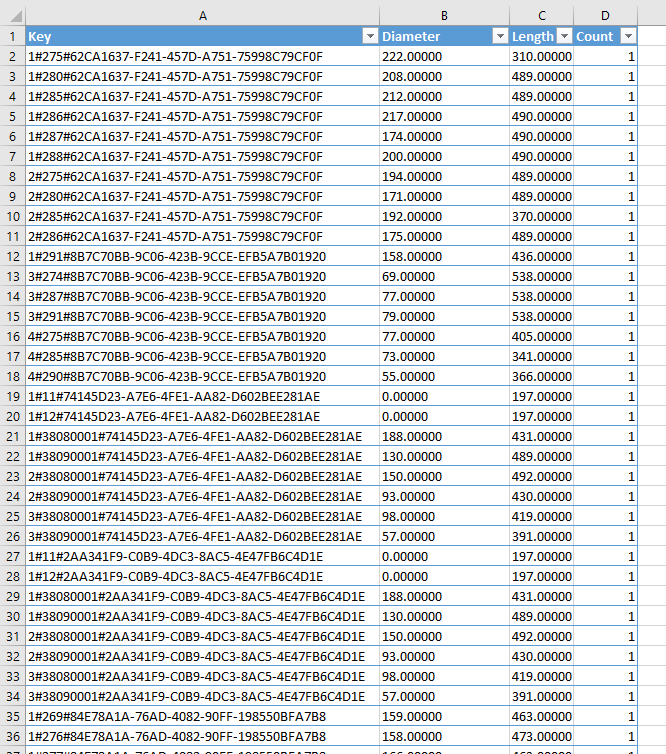
Last of all, we have the facts table (also a bit simplified):
What I am trying to accomplish is a report with a "dynamic" matrix somewhat looking like this:
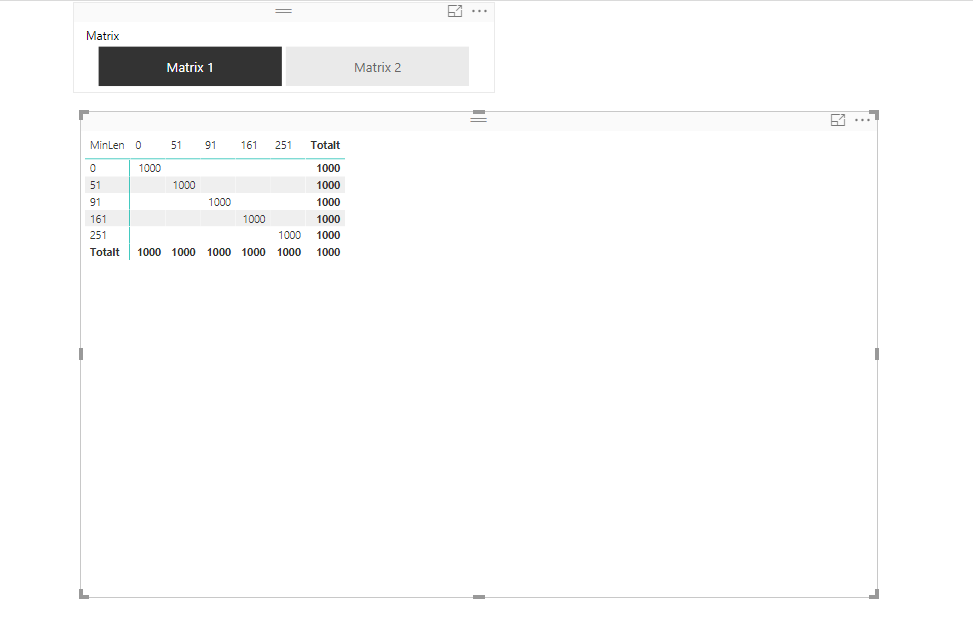
The report should then sum up the Count and place it in a correct (from the interval) cell in the matrix where the columns would be from the intervals of diameters, and the rows would be from the intervals of lengths. Also, the user should easy be able to change the matrix shown from the slicer.
My normal solution for this would to actually let the fact-table have a Matrix-dimension, populated by the normal ETL-process, but that is not really applicable here I think. Since the facttable can contain x billion of rows, also the matrixes are on a "per user"-basis, so each user (around 1000 users) can have 1-20 matrixes, with means we might end up with mayn billions of rows.
Does anyone have a idea on if this is even possible within DAX/PBI, or is the only solution to redesign the facttable/ETL leaving is with a facttable with up to 100 billion rows?


