Join us at FabCon Atlanta from March 16 - 20, 2026, for the ultimate Fabric, Power BI, AI and SQL community-led event. Save $200 with code FABCOMM.
Register now!The Power BI Data Visualization World Championships is back! Get ahead of the game and start preparing now! Learn more
Good morning all,
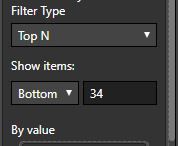
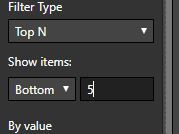
I have a measure that is a ratio between the sum of two columns and with this measure I want to give the top 5 and bottom 5 values. I have no problems with the TOP 5, although, I have several examples that this ratio is 0, so when I want to get the 5 bottom values, power bi gives all the zero values. I've applied another filter in order not to show the zeros, however I have to change my bottom 5 to bottom N, in order to get the lowest 5 values that I want to be represented.
Is there any possibility get the bottom 5 values that are bigger than 0 and not have to fix mannually the BottomN?
Thank you so much for your help
Best regards
Solved! Go to Solution.
Apply another filter on the measure and select advanced filtering. Select "is not" and input '0'
Perfect! Thank you so much
The Power BI Data Visualization World Championships is back! Get ahead of the game and start preparing now!
| User | Count |
|---|---|
| 41 | |
| 38 | |
| 36 | |
| 30 | |
| 28 |
| User | Count |
|---|---|
| 129 | |
| 88 | |
| 79 | |
| 68 | |
| 63 |