Join us at FabCon Atlanta from March 16 - 20, 2026, for the ultimate Fabric, Power BI, AI and SQL community-led event. Save $200 with code FABCOMM.
Register now!The Power BI Data Visualization World Championships is back! Get ahead of the game and start preparing now! Learn more
Hello
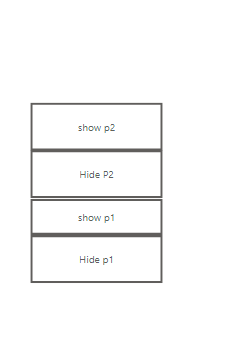
I am trying to make two buttons only each one shows a visual but at the same hides the second one, for some reason I am unable to do so, I only can achieve this by creating 4 buttons one to show a visual and the second to hide it the 3rd one to show the second visual and the 4th one to hide the second visual as below, HOWEVER, I want to be able to do the same scenario but with only two buttons how can I do that
Hi @saranedal ,
you can use my Demo file to archive your goal ;). -> https://www.yodabi.com/demo-visualisierungs-report-inkl-click-tips-demo-visualization-report-incl-cl...
You need for that the Bookmark and the Selection View - hide and show the visuals with the eye icon :).
Best,
Kathrin
If this post has helped you, please give it a thumbs up!
Did I answer your question? Mark my post as a solution!
The Power BI Data Visualization World Championships is back! Get ahead of the game and start preparing now!
| User | Count |
|---|---|
| 40 | |
| 37 | |
| 35 | |
| 34 | |
| 28 |
| User | Count |
|---|---|
| 136 | |
| 99 | |
| 73 | |
| 66 | |
| 65 |