Hi @MHTANK ,
According to your description, here are my steps you can follow as a solution.
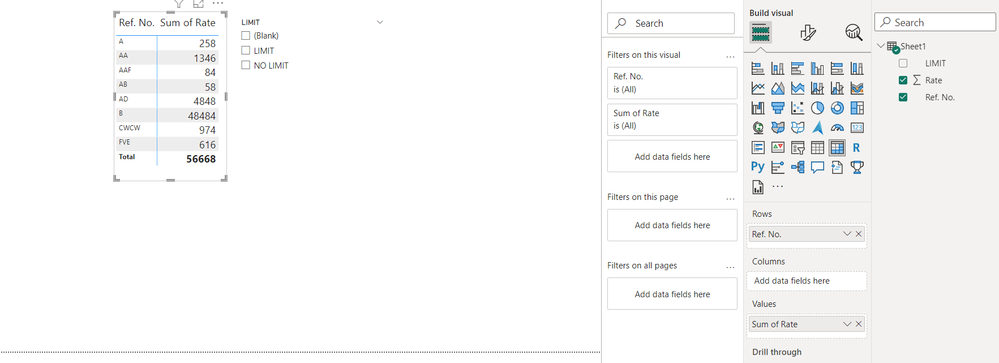
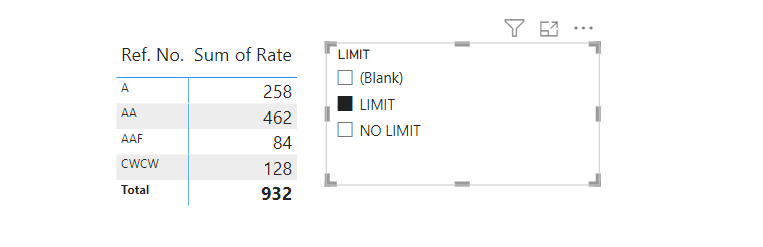
(1) My test data is the same as yours.
(2) We can create a table and a measure.
Table 2 = {"LIMIT","NO LIMIT",BLANK()}
Total = CALCULATE (
    SUM ( 'Table'[Rate] ),
    FILTER (
        'Table',
        [LIMIT] IN SELECTCOLUMNS ( 'Table 2', "Limit", 'Table 2'[Limit] )
    )
)
(3) Then the result is as follows.
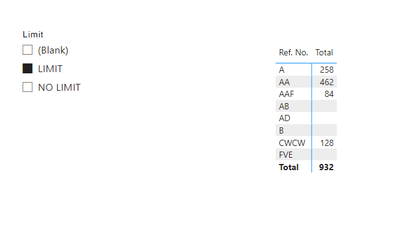
If the above one can't help you get the desired result, please provide some sample data in your tables (exclude sensitive data) with Text format and your expected result with backend logic and special examples. It is better if you can share a simplified pbix file. Thank you.
Best Regards,
Neeko Tang
If this post helps, then please consider Accept it as the solution to help the other members find it more quickly.