Join us at FabCon Atlanta from March 16 - 20, 2026, for the ultimate Fabric, Power BI, AI and SQL community-led event. Save $200 with code FABCOMM.
Register now!The Power BI Data Visualization World Championships is back! Get ahead of the game and start preparing now! Learn more
Hi,
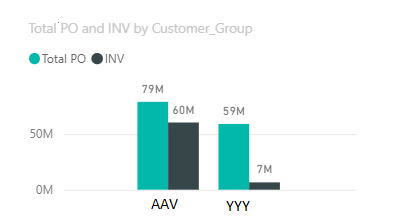
I'm facing this issue that I cannot group the customer total when my slicer = Select All
my bar chart displayed customer individually instead of sum total.
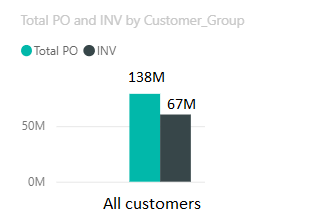
I would like to display my bar chart as below.
Anyone have idea or any solved similar issue that I can refer to?
Thank you.
Solved! Go to Solution.
@MMQuestions7 Hey,
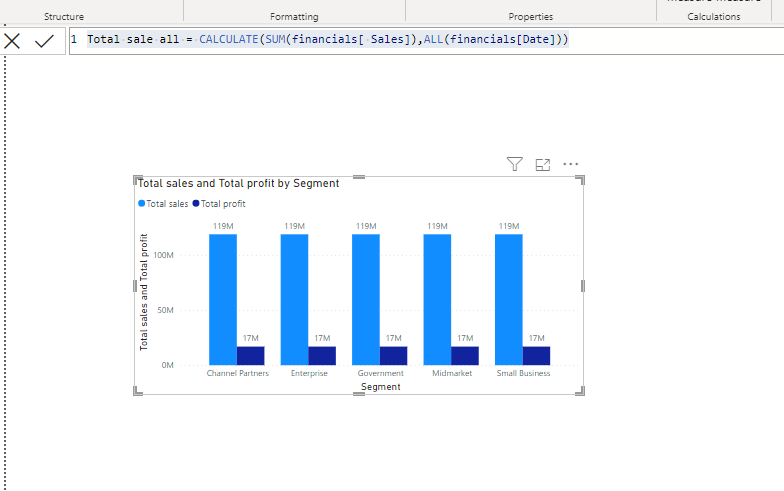
You can use like below measure to get result.
Thanks
Harish M
@MMQuestions7 Hey,
You can use like below measure to get result.
Thanks
Harish M
@MMQuestions7 , You follow my approach of single select with all , but you do not need single select. Just leave it multi select . on Axis use the all column from new dim
Single Select with Select All : https://youtu.be/plGqCEZRfXU
Hi @amitchandak ,
How to change the customer name = "All Customer" in the chart when "ALL" selected in slices?
Hi @amitchandak ,
It doesn't work on my chart, the list of customers still displayed individually. Single select = off.
The Power BI Data Visualization World Championships is back! Get ahead of the game and start preparing now!
| User | Count |
|---|---|
| 40 | |
| 38 | |
| 36 | |
| 29 | |
| 28 |
| User | Count |
|---|---|
| 127 | |
| 88 | |
| 78 | |
| 66 | |
| 65 |