cancel
Showing results for 
Search instead for 
Did you mean: 

Get Fabric Certified for FREE during Fabric Data Days. Don't miss your chance! Request now

Reply
Tatmel
Frequent Visitor

Balance sheet total. How to improve performance. Current measure works very slow

Hello,

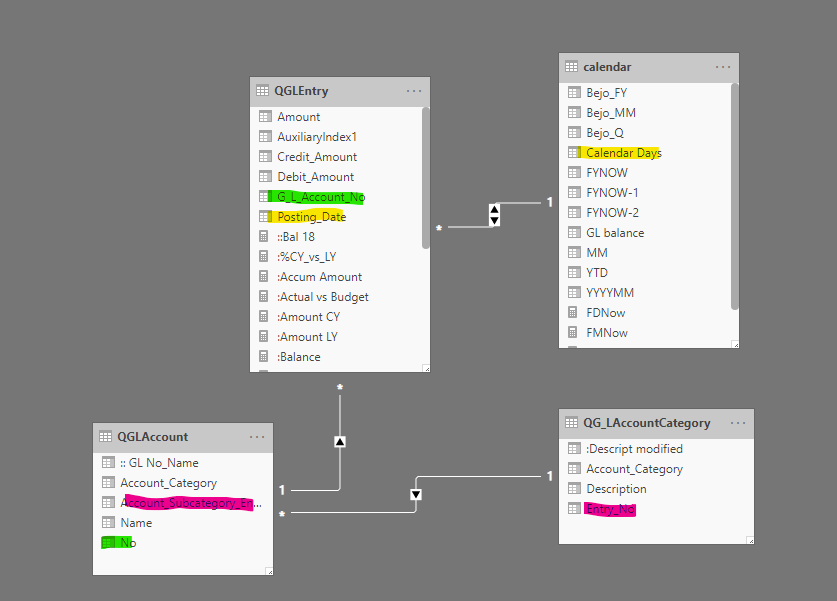
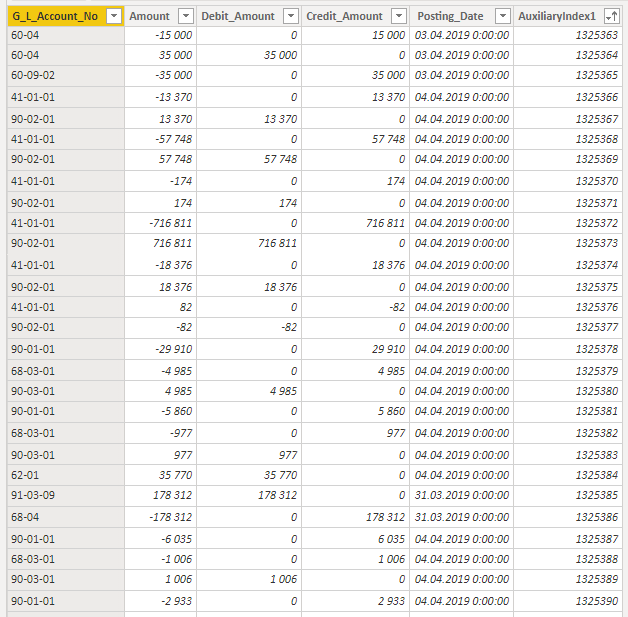
I need some help with following issue. I have GL entry table with GL No, Amount, Posting Date and Index.


I also have calendar table where I have unique dates.

Based on two tables I created measure which helps me to represent balance sheet data per periods:

:Balance = calculate(sum(QGLEntry[Amount]);DATESBETWEEN('calendar'[Calendar Days];DATE(1950;01;01);ENDOFMONTH('calendar'[Calendar Days])))
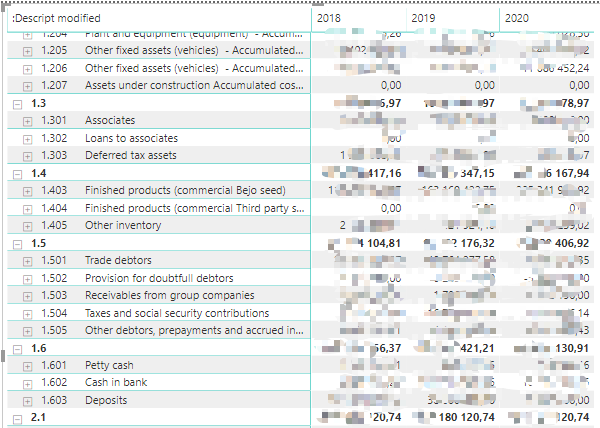
When I am building matrix for the Balance sheet data with Rows structure (Category-Subcategory-GL No) and drill down to GL level, PBI run out of memory while calculating balance sheet data.
Can you help me with improving performance? I've tried to create a column with running total in GL entry table but faced with "not enough memory issue.
I have 16gb (RAM) on my pc.
 
Awaiting your bright solutions! 😉3.png2.png1.png


4 REPLIES 4
v-eachen-msft
Community Support
Community Support

Hi @Tatmel ,


You could use VAR to define your filter at first.

And you could check if your Power BI is 64-bit version.

Make sure that no other software that consumes too much memory runs at the same time while running Power BI.


Community Support Team _ Eads
If this post helps, then please consider Accept it as the solution to help the other members find it.

Hi @v-eachen-msft ,


I have 64bit version of PBI installed on my PC.

Can you please show how new measure will look like by using VAR?

Current measure looks like this:

Balance = calculate(sum(QGLEntry[Amount]);DATESBETWEEN('calendar'[Calendar Days];DATE(1950;01;01);ENDOFMONTH('calendar'[Calendar Days])))
Thank you in advance!

Hi @Tatmel ,


You could refer to the following measure.

Balance =
VAR a =
    SUM ( QGLEntry[Amount] )
VAR b =
    DATESBETWEEN (
        'calendar'[Calendar Days];
        DATE ( 1950; 01; 01 );
        ENDOFMONTH ( 'calendar'[Calendar Days] )
    )
RETURN
    CALCULATE ( a; b )


Community Support Team _ Eads
If this post helps, then please consider Accept it as the solution to help the other members find it.

Hi @v-eachen-msft ,


I've tested your measure and noticed that it gave different result compare with initial measure I've used in my calculations.

When I added to my pbix I got negative balance for fixed assets which couldnt be possible.

Helpful resources

Announcements
November Power BI Update Carousel

Power BI Monthly Update - November 2025

Check out the November 2025 Power BI update to learn about new features.

Fabric Data Days Carousel

Fabric Data Days

Advance your Data & AI career with 50 days of live learning, contests, hands-on challenges, study groups & certifications and more!

FabCon Atlanta 2026 carousel

FabCon Atlanta 2026

Join us at FabCon Atlanta, March 16-20, for the ultimate Fabric, Power BI, AI and SQL community-led event. Save $200 with code FABCOMM.

Top Solution Authors
Top Kudoed Authors