cancel
Showing results for 
Search instead for 
Did you mean: 

Get Fabric Certified for FREE during Fabric Data Days. Don't miss your chance! Request now

Reply
Anonymous
Not applicable

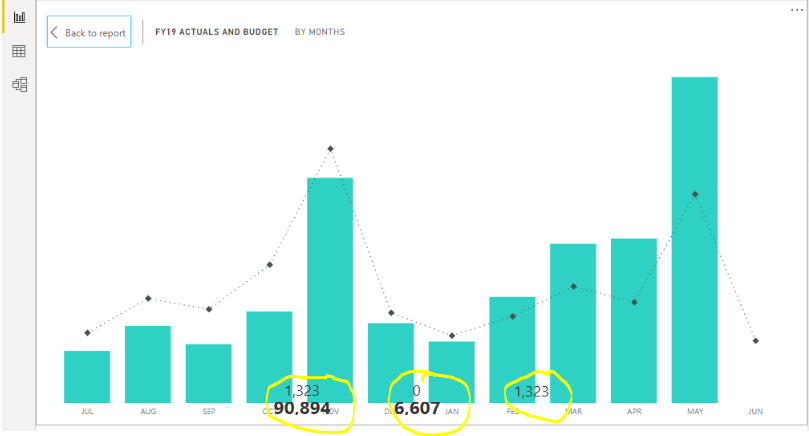
Background visuals/shapes get overlapped when using focus mode/show data option.

I am trying to create power bi report using bookmarks, tables, graphs etc. When i use the focus mode/show data option of table/graph, certain background visuals/shapes get overlapped. I tried formating option for the overlapped visuals/shapes, which helped to resolve the issue but it resulted in overlap of some other visuals. This problem occurs both in power bi desktop and service. Is this a bug?.

2 REPLIES 2
v-xicai
Community Support
Community Support

Hi @Anonymous ,


Could you please show us the issue page in screenshot for further analysis ? Do mask sensitive data before uploading.


Best Regards,

Amy

Anonymous
Not applicable

Focus mode.PNG

These are card visuals which get overlapped


Helpful resources

Announcements
November Power BI Update Carousel

Power BI Monthly Update - November 2025

Check out the November 2025 Power BI update to learn about new features.

Fabric Data Days Carousel

Fabric Data Days

Advance your Data & AI career with 50 days of live learning, contests, hands-on challenges, study groups & certifications and more!

FabCon Atlanta 2026 carousel

FabCon Atlanta 2026

Join us at FabCon Atlanta, March 16-20, for the ultimate Fabric, Power BI, AI and SQL community-led event. Save $200 with code FABCOMM.

Top Solution Authors
Top Kudoed Authors