cancel
Showing results for 
Search instead for 
Did you mean: 

Level up your Power BI skills this month - build one visual each week and tell better stories with data! Get started

Reply
Element115
Memorable Member
Memorable Member

BUG::Fabric semantic model not accessible from Power BI Desktop

Issue:  After creating and populating a lakehouse successfully, I can connect to it from Power BI Desktop by selecting Power BI semantic models in the Get data dropdown from the Home tab. Power BI Desktop version is December 2023 and I am using trial mode.


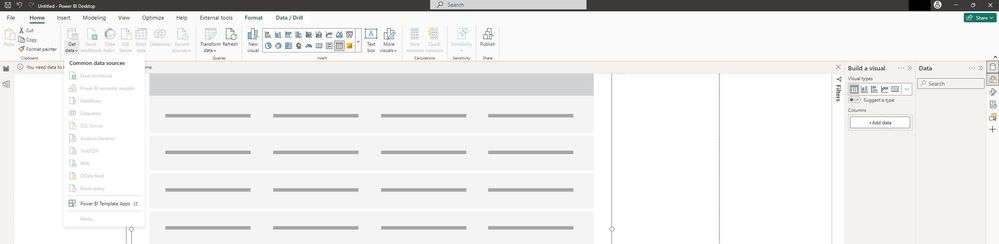
Here is the result after connection and selection of the lakehouse:
 

Screenshot 2024-02-15 034905.jpg


As you can see, the Data pane never populates and as a result, I can't drag and drop from the lakehouse tables.  This worked in a previous test with a different workspace and lakehouse.


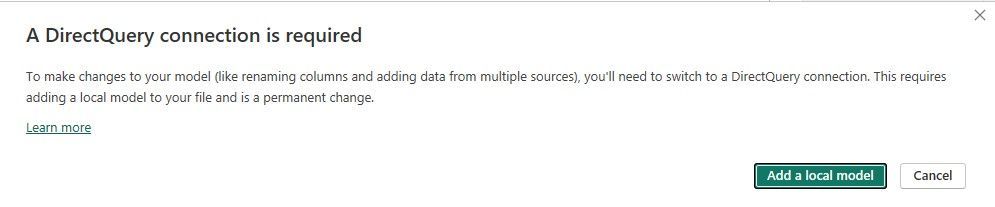
However, click on Get data from another source -->, which is in the middle of the page when you start a new report, and you get this dialog:
 

Screenshot 2024-02-15 040240.jpg


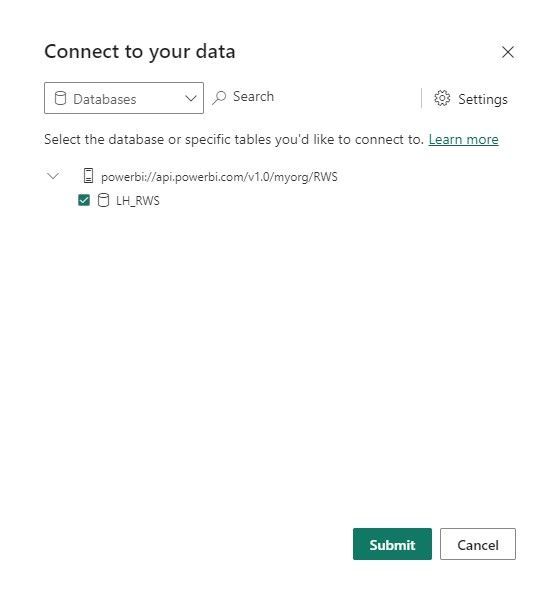
Click Add a local model, and you get a dialog showing the lakehouse:
Screenshot 2024-02-15 040450.jpg


Select the lakehouse and click Submit... and nothing happens. Same result as before.


I also tried Get data-->More... and same result as well.  

What's going on?

1 ACCEPTED SOLUTION

Yes. I found this way of resolving the issue:  Re: BUG or FEATURE???::DirectLake mode not support... - Microsoft Fabric Community  The link should take you to my post.

View solution in original post

4 REPLIES 4
Almizu
Frequent Visitor

Thank you @Element115 ! That is perfect. Still had some issues in utilizing the SQL endpoint method, but was able to create a Semantic model with the Lakehouse and then connect that way. I have other workspaces that direct connect to the lakehouse tables, still not sure why this specific table was not working.

Almizu
Frequent Visitor

Hello,


Has there been any feedback on this issue? I am noticing the same error with Power BI Desktop. I am using the February 2024 updated version.


Thank you!

Yes. I found this way of resolving the issue:  Re: BUG or FEATURE???::DirectLake mode not support... - Microsoft Fabric Community  The link should take you to my post.

miguel
Community Admin
Community Admin

This seems to be a Power BI Desktop issue. I'll move this to the Power BI forum

Helpful resources

Announcements
April Power BI Update Carousel

Power BI Monthly Update - April 2026

Check out the April 2026 Power BI update to learn about new features.

Fabric SQL PBI Data Days

Data Days 2026 coming soon!

Sign up to receive a private message when registration opens and key events begin.

New to Fabric survey Carousel

New to Fabric Survey

If you have recently started exploring Fabric, we'd love to hear how it's going. Your feedback can help with product improvements.

Power BI DataViz World Championships carousel

Power BI DataViz World Championships - June 2026

A new Power BI DataViz World Championship is coming this June! Don't miss out on submitting your entry.