
Join us at FabCon Atlanta from March 16 - 20, 2026, for the ultimate Fabric, Power BI, AI and SQL community-led event. Save $200 with code FABCOMM.
Register now!The Power BI Data Visualization World Championships is back! Get ahead of the game and start preparing now! Learn more
Hello 🙂
I am new to powerbi and I am stuck at a problem. I have fetched the data from Azure Tables to PowerBI using SAS connection string as shown below:
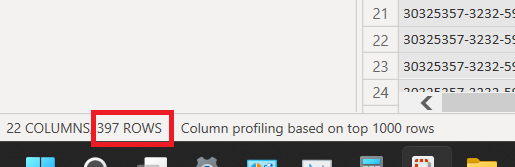
But every time the query refreshes, it only loads 397 Rows. And I know there are more than 397 rows because I can also fetch them in Azure Storage Explorer.
Can anyone please help me here and let me know if I have missed anything..? Any help would be really appreciated. Thanks.
@hjoshi4u26 ,I do not think we have such a small limit. Can you share all the power query steps? just want to check if there is any filter in the steps
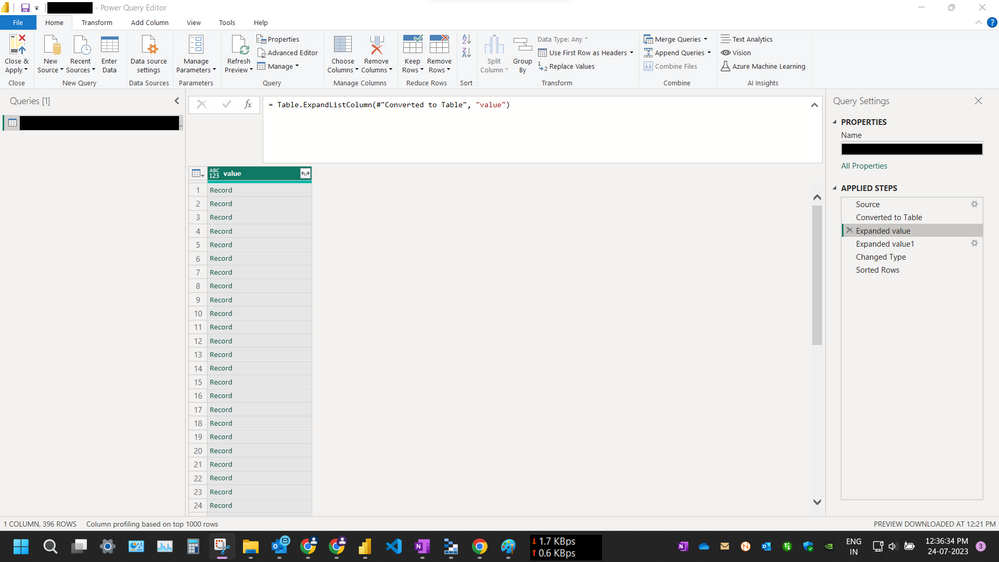
Hi @amitchandak. I have not applied any filter steps in the Power Query, sharing screenshots below:
Fetching the data from SAS Connection String provides me a single Row of a List. Expanding the List provides me 369 Rows of Records which contains the data from Azure Table Storage.
I have refreshed the data just now and still the problem persists.
Sorry for all the Black Redaction of data, I have to stay ISO compliant (security policy).
Do you know why this occurs..? Every time I refresh the dataset, the rows count stays same 396. Is it possible it is some kind of pagination issue or a countinuation token issue..?
The Power BI Data Visualization World Championships is back! Get ahead of the game and start preparing now!
| User | Count |
|---|---|
| 61 | |
| 43 | |
| 40 | |
| 38 | |
| 22 |
| User | Count |
|---|---|
| 178 | |
| 124 | |
| 116 | |
| 77 | |
| 54 |