I am using the Azure Map visualization to show our client locations. I want to add a reference layer with our office locations that doesn't overpower my client locations. (The below photo shows the current map with reference layer.)
Per this documentation (https://docs.microsoft.com/en-us/javascript/api/azure-maps-control/atlas.bubblelayeroptions?view=azu...), I should be able to specify the bubble opacity, the stroke width and color, etc. though these settings aren't changing. The only settings that are working are "marker-size": "small" and "color": "#000000".
I want the stroke color to go away, be black, or at the least be 1 rather than the default 2. I'd like bubble "radius": 4, rather than "marker-size": "small" which is 6, but when I specify "radius": 4 rather than "marker-size": "small" in my .geojson file, the bubbles default to size 8. I'd also love the opacity to be .8 rather than the default 1...
Does anyone know how to make these specifications work in the reference layer?
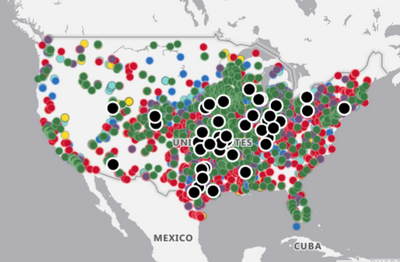
Here's a small sample of my .geojson code that produced the above map, where my stroke and opacity specifications are being ignored:
{
"type": "FeatureCollection",
"features": [
{
"type": "Feature",
"properties": {
"marker-color": "#000000",
"marker-size": "small",
"opacity": 0.8,
"strokeColor": "#000000",
"strokeWidth": 1,
"BKD Office": "Austin Office"
},
"geometry": {
"type": "Point",
"coordinates": [
-97.82956,
30.28897
]
}
},


