Join us at FabCon Atlanta from March 16 - 20, 2026, for the ultimate Fabric, Power BI, AI and SQL community-led event. Save $200 with code FABCOMM.
Register now!Learn from the best! Meet the four finalists headed to the FINALS of the Power BI Dataviz World Championships! Register now
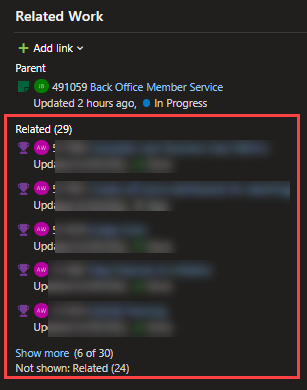
Hello I am working on learning PowerBi and have not found this question in the community and I need some help please. I have a workitem type "Objective", I have 4 "Objectives" with features that roll up to a theme in my backlog within Azure Devops. My goal is to be able to show in a chart within PowerBi what features are linked as "related" to an Objective, how many, what states, etc. how can I accomplish this? Inserting image to show the features are linked as related
Hi, @ashley_white
You can see if these threads below are useful.
Power BI with Devops: how to retrieve all work items in a Release
Using Power BI to work with Analytics
Best Regards,
Community Support Team _ Eason
Share feedback directly with Fabric product managers, participate in targeted research studies and influence the Fabric roadmap.
Check out the February 2026 Power BI update to learn about new features.
| User | Count |
|---|---|
| 61 | |
| 54 | |
| 41 | |
| 17 | |
| 13 |
| User | Count |
|---|---|
| 106 | |
| 99 | |
| 38 | |
| 29 | |
| 28 |