cancel
Showing results for 
Search instead for 
Did you mean: 

A new Data Days event is coming soon! This time we’re going bigger than ever. Fabric, Power BI, SQL, AI and more. Don't miss out.

Reply
jorgeaguirre
Frequent Visitor

Average hours

Hi, I'm new to "power bi" I'm working on a project with direct query


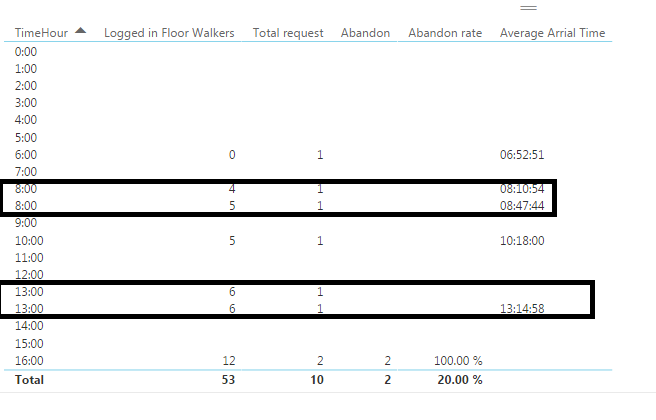
I need to get the AVERAGE, grouped by hours.

COM.PNG


1 ACCEPTED SOLUTION
v-haibl-msft
Microsoft Employee
Microsoft Employee

@jorgeaguirre


Do you have a Arrival Time column in your table? If yes, please try with following measure.


AVERAGE = 
FORMAT (
    CALCULATE (
        AVERAGE ( Table1[Arrival Time] ),
        ALLEXCEPT ( Table1, Table1[TimeHour] )
    ),
    "HH:MM: SS"
)

Average hours_1.jpg


Best Regards,
Herbert

View solution in original post

5 REPLIES 5
v-haibl-msft
Microsoft Employee
Microsoft Employee

@jorgeaguirre


Has your problem got resolved? If yes, you can mark the right answer as solution so that other people who have the same problem can find the right answer quickly.


Best Regards,
Herbert


Hi, if your answer helped me with the above problem.

But I have another very similar problem in that I try to use the same formula but I can not make it work.


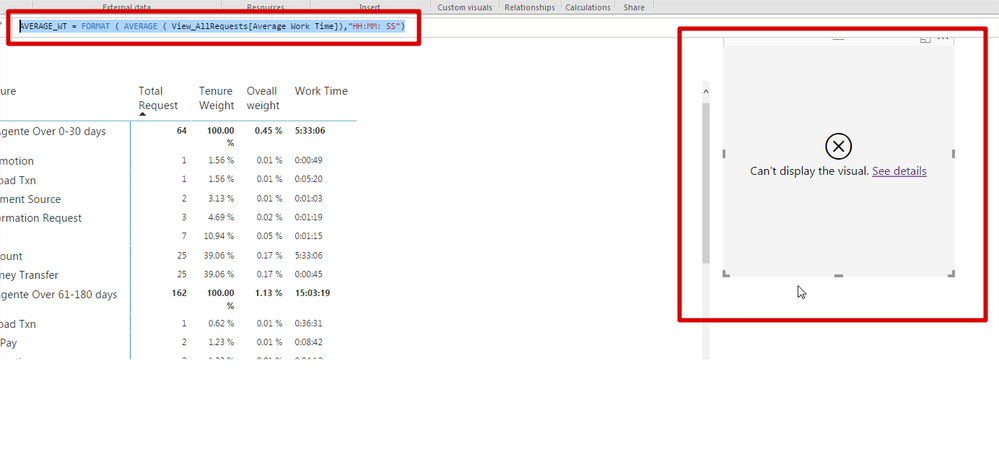
I'm working with "direct query" and I need to get the average "work time"

Something very similar to this. AVERAGE_WT = FORMAT (AVERAGE (View_AllRequests [Average Work Time]), "HH: MM: SS")

But I always get error.


Untitled.png 

Untitleda.png


@jorgeaguirre


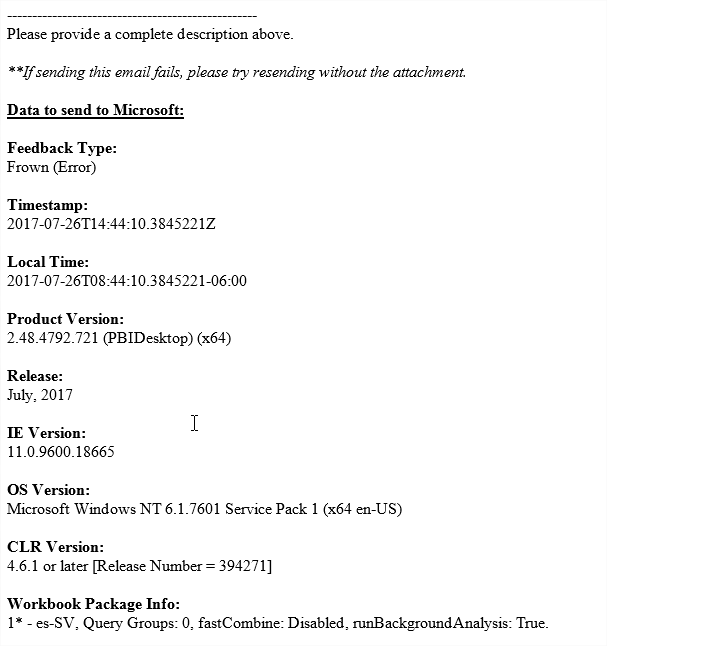
What is the error message if you click See details?


Best Regards,
Herbert

Untitled.png


v-haibl-msft
Microsoft Employee
Microsoft Employee

@jorgeaguirre


Do you have a Arrival Time column in your table? If yes, please try with following measure.


AVERAGE = 
FORMAT (
    CALCULATE (
        AVERAGE ( Table1[Arrival Time] ),
        ALLEXCEPT ( Table1, Table1[TimeHour] )
    ),
    "HH:MM: SS"
)

Average hours_1.jpg


Best Regards,
Herbert

Helpful resources

Announcements
May Power BI Update Carousel

Power BI Monthly Update - May 2026

Check out the May 2026 Power BI update to learn about new features.

Fabric SQL PBI Data Days

Data Days 2026 coming soon!

Sign up to receive a private message when registration opens and key events begin.

New to Fabric survey Carousel

New to Fabric Survey

If you have recently started exploring Fabric, we'd love to hear how it's going. Your feedback can help with product improvements.

Power BI DataViz World Championships carousel

Power BI DataViz World Championships - June 2026

A new Power BI DataViz World Championship is coming this June! Don't miss out on submitting your entry.